

Explainer
Roomba 105 AutoEmpty Packages
Vac, Combo or Robot Only?
Choose the right Roomba 105 package: compare Vac, Combo and charge-only bundles, check dock clearance, and find the exact bags, filters and replacement brushes.
By thisSWEEP EditorialUpdated November 10, 20268 min read4 picks
Our recommendation: iRobot Roomba 105 Vac + AutoEmpty Dock (Q352020)
Vacuuming with automatic emptying
Limit: No mopping at all; buyers wanting wet cleaning need the 105 Combo or a Plus-series robot
On this page · Quick picks: match the package code
For a Roomba 105 with AutoEmpty Dock, choose Q352020 Vac if you want vacuuming without mop care, or Y354020 Combo if you will also refill a tank and clean a mop pad. Y314020 Combo comes with a Charge-Only Dock, so it does not meet a self-emptying requirement. Start with the Vac for dry cleaning; choose the Combo for its added mopping function, not because “Combo” identifies the dock.
Quick picks: match the package code
Compare specifications and all conditions
Vacuuming with automatic emptying
- Model
- Roomba 105 Vac Q352020
- Included station
- AutoEmpty Dock
- Box-list extras
- Extra filter
All specifications
- Our choice
- Starting pick for dry cleaning
Vacuuming and owner-managed mopping
- Model
- Roomba 105 Combo Y354020
- Included station
- AutoEmpty Dock
- Box-list extras
- Extra mop pad; hair cutting tool
All specifications
- Our choice
- Pick if you will maintain the pad and tank
Mopping without automatic emptying
- Model
- Roomba 105 Combo Y314020
- Included station
- Charge-Only Dock
- Box-list extras
- Extra mop pad; line cord; hair cutting tool
All specifications
- Our choice
- Compare when manual bin emptying is acceptable
Different brush and recognition hardware
- Model
- Roomba Plus 504 Vac K151020
- Included station
- AutoEmpty Dock
- Box-list extras
- Extra bag; extra filter
All specifications
- Our choice
- Conditional upgrade shortlist
Full comparison table
Swipe to compare. Row labels stay visible.
| Your priority | Model | Included station | Box-list extras | Our choice |
|---|---|---|---|---|
| Vacuuming with automatic emptying | Roomba 105 Vac Q352020 | AutoEmpty Dock | Extra filter | Starting pick for dry cleaning |
| Vacuuming and owner-managed mopping | Roomba 105 Combo Y354020 | AutoEmpty Dock | Extra mop pad; hair cutting tool | Pick if you will maintain the pad and tank |
| Mopping without automatic emptying | Roomba 105 Combo Y314020 | Charge-Only Dock | Extra mop pad; line cord; hair cutting tool | Compare when manual bin emptying is acceptable |
| Different brush and recognition hardware | Roomba Plus 504 Vac K151020 | AutoEmpty Dock | Extra bag; extra filter | Conditional upgrade shortlist |
Scroll horizontally to see every column
| Your priority | Model | Included station | Box-list extras | Our choice |
|---|---|---|---|---|
| Vacuuming with automatic emptying | Roomba 105 Vac Q352020 | AutoEmpty Dock | Extra filter | Starting pick for dry cleaning |
| Vacuuming and owner-managed mopping | Roomba 105 Combo Y354020 | AutoEmpty Dock | Extra mop pad; hair cutting tool | Pick if you will maintain the pad and tank |
| Mopping without automatic emptying | Roomba 105 Combo Y314020 | Charge-Only Dock | Extra mop pad; line cord; hair cutting tool | Compare when manual bin emptying is acceptable |
| Different brush and recognition hardware | Roomba Plus 504 Vac K151020 | AutoEmpty Dock | Extra bag; extra filter | Conditional upgrade shortlist |
Sources: iRobot's exact Vac, Combo AutoEmpty, charge-only Combo and Plus 504 pages. These extras are the published box lists, not an inventory of every preinstalled component.
For the AutoEmpty 105 packages, iRobot lists a 4.09-inch robot height, 2.4 GHz Wi-Fi and up to 75 days of dock debris storage. The storage figure is a maker claim; the manual says to replace bags when full.
- 4.09 inPublished robot height; allow operating clearance
- 2.4 GHzRobot network for setup and operation
- Up to 75 daysMaker's debris-storage claim; replace a full bag sooner
Roomba 105 Vac Q352020: our starting pick
The Q352020 package combines a vacuum-only robot, AutoEmpty Dock and extra filter. Its cleaning hardware is a Multi-Surface bristle brush and Edge-Sweeping Brush. Choose it when you want dry-floor cleaning without the Combo's pad-and-water routine.
ClearView LiDAR provides room mapping; iRobot specifies up to 3 maps, app-defined keep-out zones and 4 suction levels. Those controls are useful purchase distinctions. They do not establish how well it picks up your particular carpet debris.
Keep the product-page inconsistency in mind: this Vac page also contains generic mopping copy. The Vac title, box list and shared manual's “combo models only” labels distinguish the hardware; that stray copy does not establish a mopping feature for Q352020.
Roomba 105 Combo Y354020: choose it for mopping
The Y354020 package lists a Combo robot, AutoEmpty Dock, extra mop pad and hair cutting tool. It offers vacuum-only, mop-only and combined cleaning. The microfiber pad receives liquid from a micro-pump; the manual tells the owner to fill the robot's tank and install the pad.
AutoEmpty handles dry debris; mop care remains yours. After a mopping job, empty the water tank and replace the pad. Hand wash the pad with cold water and let it air dry, as the AutoEmpty owner's guide instructs. This is the deciding tradeoff if you expected a station that washes pads and refills water.
iRobot says it avoids carpets in mop-only and combined modes with the tank and pad installed. Plan separate vacuuming for those areas using the manual's pad-removal instructions. The manual advises against mopping unsealed hardwood and certain laminate or vinyl planks; check your flooring maker's instructions too. For other mop mechanisms, see our robot vacuum and mop guide.
Roomba 105 Combo Y314020: the charge-only alternative
Y314020 is a separately documented US Combo package. Its box list explicitly says Charge-Only Dock, alongside an extra mop pad, line cord and hair cutting tool. Shortlist it only if you accept emptying the robot bin yourself.
Its page confusingly mentions AutoEmpty in a design paragraph. That conflicts with the charge-only box list; do not treat the paragraph as proof of an included self-emptying station. An upgrade path for this exact package remains unconfirmed. Buy the complete AutoEmpty bundle if that function is essential.
Plus 504 Vac K151020: when the hardware difference matters
The Plus 504 Vac documents Dual Rubber Brushes, Carpet Boost, ClearView Pro LiDAR and PrecisionVision AI recognition of objects such as cords and socks. Those are reasons to compare it with the bristled 105; they are not a promise that every obstacle will be avoided.
Its box list includes an AutoEmpty Dock, extra bag and extra filter, but calls the robot “Max 504”; the title and item code identify Plus 504 K151020. Confirm the seller's exact package and condition. The maker directs buyers to another seller, so this is a hardware shortlist rather than a confirmed available offer.
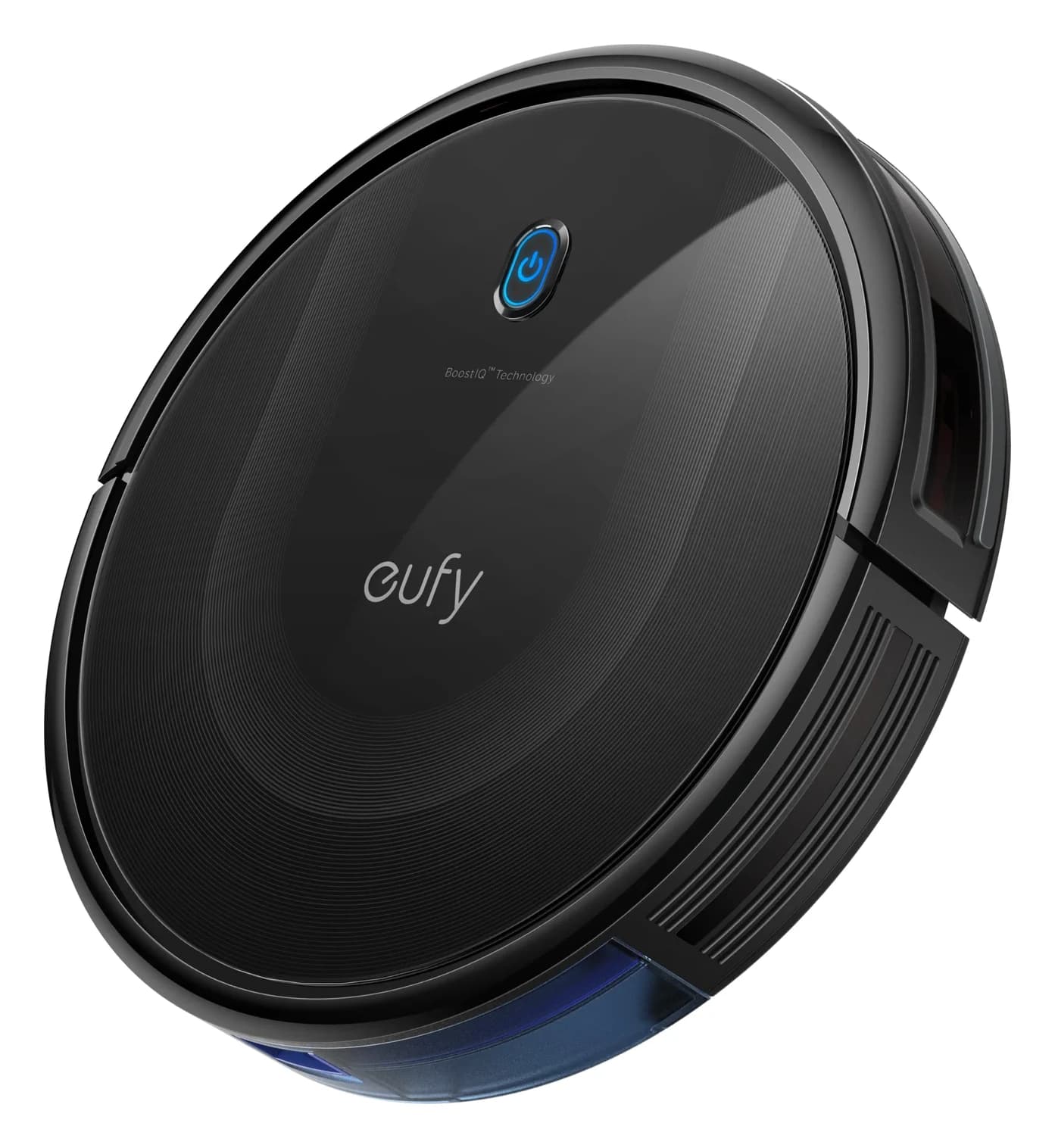
For a budget alternative with lower furniture clearance, the existing eufy C10 record is worth comparing: its official page lists a 2.85-inch body, an Auto-Empty Station and no mop. That page displayed “Notify Me” at the source check, so verify availability before choosing it. Our self-emptying robot vacuum guide covers the broader decision.
Check furniture and station space before buying
The 105 package pages list 13.23 inches long × 13.19 wide × 4.09 high for the robot. The larger dimensions labeled retail box describe packaging; they cannot establish the dock's installed footprint. Measure your actual opening and station location before accepting a fit.
Furniture opening
- Official information
- Robot height: 4.09 inches
- Buying consequence
- A gap barely equal to body height is not a confirmed operating fit
AutoEmpty approach
- Official information
- Manual diagram: 1.5 ft on both sides; 4 ft in front
- Buying consequence
- Reserve the approach as well as space for the station
Distance from stairs
- Official information
- AutoEmpty diagram says 4 ft; warning says at least 5 feet
- Buying consequence
- Use the larger warning distance and confirm current guidance
Charge-only approach
- Official information
- Its separate manual: 1.6 ft on both sides; 5 ft in front
- Buying consequence
- Do not borrow the AutoEmpty layout
Dock footprint and lid access
- Official information
- Installed dimensions and lid-open height not specified in these sources
- Buying consequence
- Get dimensions before committing to an alcove or shelf
Thresholds and carpet pile
- Official information
- No confirmed model-specific limits in the reviewed documents
- Buying consequence
- Obtain a documented match for difficult transitions or deep pile
Full comparison table
Swipe to compare. Row labels stay visible.
| Check | Official information | Buying consequence |
|---|---|---|
| Furniture opening | Robot height: 4.09 inches | A gap barely equal to body height is not a confirmed operating fit |
| AutoEmpty approach | Manual diagram: 1.5 ft on both sides; 4 ft in front | Reserve the approach as well as space for the station |
| Distance from stairs | AutoEmpty diagram says 4 ft; warning says at least 5 feet | Use the larger warning distance and confirm current guidance |
| Charge-only approach | Its separate manual: 1.6 ft on both sides; 5 ft in front | Do not borrow the AutoEmpty layout |
| Dock footprint and lid access | Installed dimensions and lid-open height not specified in these sources | Get dimensions before committing to an alcove or shelf |
| Thresholds and carpet pile | No confirmed model-specific limits in the reviewed documents | Obtain a documented match for difficult transitions or deep pile |
Scroll horizontally to see every column
| Check | Official information | Buying consequence |
|---|---|---|
| Furniture opening | Robot height: 4.09 inches | A gap barely equal to body height is not a confirmed operating fit |
| AutoEmpty approach | Manual diagram: 1.5 ft on both sides; 4 ft in front | Reserve the approach as well as space for the station |
| Distance from stairs | AutoEmpty diagram says 4 ft; warning says at least 5 feet | Use the larger warning distance and confirm current guidance |
| Charge-only approach | Its separate manual: 1.6 ft on both sides; 5 ft in front | Do not borrow the AutoEmpty layout |
| Dock footprint and lid access | Installed dimensions and lid-open height not specified in these sources | Get dimensions before committing to an alcove or shelf |
| Thresholds and carpet pile | No confirmed model-specific limits in the reviewed documents | Obtain a documented match for difficult transitions or deep pile |
Sources: the AutoEmpty manual, charge-only manual and exact product specifications above.
Use a no confirmed match outcome when a critical clearance or threshold remains unknown. Photograph the gap or transition and ask iRobot about the exact package. Do not approve a tight installation from shipping-box measurements.
What AutoEmpty still leaves you to maintain
The manual's care table separates routine cleaning from replacement. Its schedules are guidance; visible wear can require earlier replacement.
Robot filter
- Cleaning guidance
- Weekly; twice weekly with a pet
- Replacement guidance
- Every 3–6 months
Main bristle brush
- Cleaning guidance
- Weekly
- Replacement guidance
- Every 6–12 months
Edge-Sweeping Brush
- Cleaning guidance
- Every 2 weeks or as needed
- Replacement guidance
- Every 3–6 months
Dock bag
- Cleaning guidance
- Monitor fullness
- Replacement guidance
- When full, as prompted by dock LED or app
Full comparison table
Swipe to compare. Row labels stay visible.
| Part | Cleaning guidance | Replacement guidance |
|---|---|---|
| Robot filter | Weekly; twice weekly with a pet | Every 3–6 months |
| Main bristle brush | Weekly | Every 6–12 months |
| Edge-Sweeping Brush | Every 2 weeks or as needed | Every 3–6 months |
| Dock bag | Monitor fullness | When full, as prompted by dock LED or app |
Scroll horizontally to see every column
| Part | Cleaning guidance | Replacement guidance |
|---|---|---|
| Robot filter | Weekly; twice weekly with a pet | Every 3–6 months |
| Main bristle brush | Weekly | Every 6–12 months |
| Edge-Sweeping Brush | Every 2 weeks or as needed | Every 3–6 months |
| Dock bag | Monitor fullness | When full, as prompted by dock LED or app |
For the main brush, release the brush cover, remove the roller and clear hair and debris before reinstalling. Clean the robot filter with the cleaning brush; the manual says not to rinse or soak the bin. A solid red dock indicator can mean a full or missing bag, so check that a replacement is securely inserted before assuming the station has failed.
For Combo mopping, the current North American solution guide allows plain water for the 100/1000 Series and prohibits hot water and water mixed with vinegar. Use that model-specific section when choosing any cleaner.
Exact replacement supplies: avoid buying the wrong generation
Each linked iRobot compatibility list explicitly names the relevant 105 model. Bags serve the AutoEmpty station; charge-only owners do not need them.
Robot filters
- Official part
- 4837321
- Pack contents
- 3 filters
- Which purchase makes sense
- Filter-only replenishment for Vac or Combo
Side brushes
- Official part
- 4837322
- Pack contents
- 3 Edge-Sweeping Brushes
- Which purchase makes sense
- Side-brush-only replenishment for Vac or Combo
Main brush
- Official part
- 4849960
- Pack contents
- 1 bristle brush
- Which purchase makes sense
- Replace a worn main roller
AutoEmpty bags
- Official part
- 4849916
- Pack contents
- 3 bags
- Which purchase makes sense
- Vac or Combo with AutoEmpty
Combo mop pads
- Official part
- 4837324
- Pack contents
- 3 washable microfiber pads
- Which purchase makes sense
- Combo only
Replenishment kit
- Official part
- 4849966
- Pack contents
- 3 filters; 3 side brushes; 1 bristle brush
- Which purchase makes sense
- Compare with individual brush and filter packs
Full comparison table
Swipe to compare. Row labels stay visible.
| Supply | Official part | Pack contents | Which purchase makes sense |
|---|---|---|---|
| Robot filters | 4837321 | 3 filters | Filter-only replenishment for Vac or Combo |
| Side brushes | 4837322 | 3 Edge-Sweeping Brushes | Side-brush-only replenishment for Vac or Combo |
| Main brush | 4849960 | 1 bristle brush | Replace a worn main roller |
| AutoEmpty bags | 4849916 | 3 bags | Vac or Combo with AutoEmpty |
| Combo mop pads | 4837324 | 3 washable microfiber pads | Combo only |
| Replenishment kit | 4849966 | 3 filters; 3 side brushes; 1 bristle brush | Compare with individual brush and filter packs |
Scroll horizontally to see every column
| Supply | Official part | Pack contents | Which purchase makes sense |
|---|---|---|---|
| Robot filters | 4837321 | 3 filters | Filter-only replenishment for Vac or Combo |
| Side brushes | 4837322 | 3 Edge-Sweeping Brushes | Side-brush-only replenishment for Vac or Combo |
| Main brush | 4849960 | 1 bristle brush | Replace a worn main roller |
| AutoEmpty bags | 4849916 | 3 bags | Vac or Combo with AutoEmpty |
| Combo mop pads | 4837324 | 3 washable microfiber pads | Combo only |
| Replenishment kit | 4849966 | 3 filters; 3 side brushes; 1 bristle brush | Compare with individual brush and filter packs |
Our maintenance pick is kit 4849966 when you need brushes and filters together. Its published contents omit bags and mop pads, so add those separately if needed; avoid duplicating the individual packs. The standalone side-brush page showed unavailable at the source check, while the kit page showed in stock. Recheck before ordering.
Before you order
Use the exact-package table to choose the cleaning function, then check the included station, condition, missing parts and return terms for the actual offer. Use the maker links above to confirm the complete package and current availability.
Match the item code
Choose the exact US package from the comparison table.
Read the included-parts list
Confirm the station and extras for the selected offer.
Check condition and fit
Review condition, missing parts, return terms and your measured installation space.
Match replenishment parts
Compare the kit with individual supplies; add only what you need.
How we choose
We compare exact US manufacturer product pages, official compatibility lists and the model-specific manuals linked from iRobot support. Recommendations reflect documented functions and upkeep; we have not physically evaluated these robots. Conflicting wording and unresolved fit fields remain visible. See our disclosure.
Verdict
Choose Q352020 Vac + AutoEmpty for dry cleaning, Y354020 Combo + AutoEmpty for added mopping with owner-managed pad care, and Y314020 charge-only Combo only when manual bin emptying is acceptable. Compare Plus 504 K151020 for its dual rubber brushes and recognition hardware. Confirm the exact complete package first, then buy only the supplies that match it.
The short answer
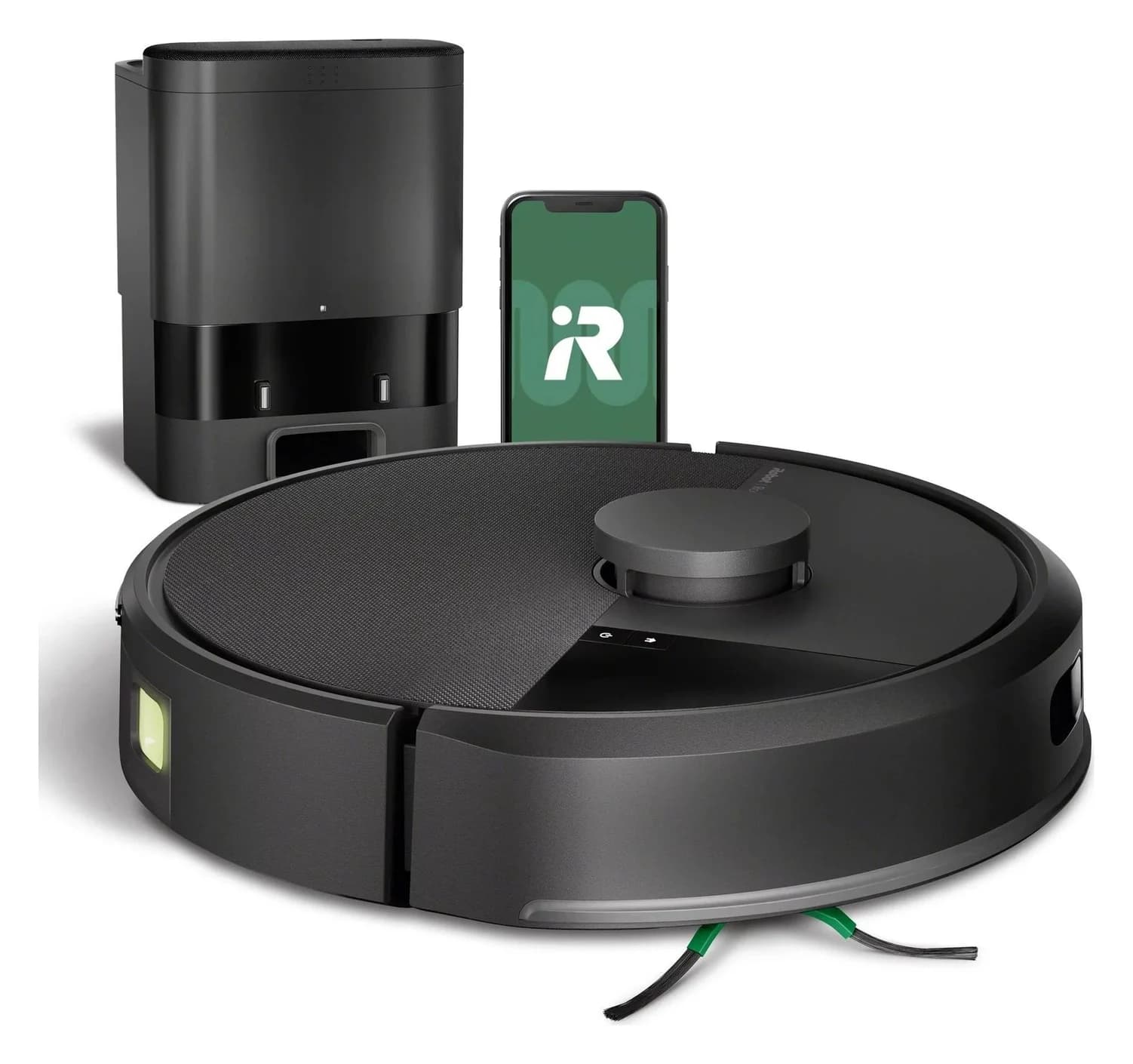
iRobot · Q352020
iRobot Roomba 105 Vac Q352020 Robot + AutoEmpty Dock
- Robot height (maker)
- 104 mm
- Dock functions
- charging and self-emptying
- (up to 75 days of debris, maker claim); no mop washing
- Navigation
- ClearView LiDAR
- Row-based cleaning, up to 3 saved maps, works in the dark
- Choose
- Vacuuming with automatic emptying
- Check
- No mopping at all; buyers wanting wet cleaning need the 105 Combo or a Plus-series robot
In the box: 1 Roomba 105 Vac robot, 1 AutoEmpty dock, 1 extra filter
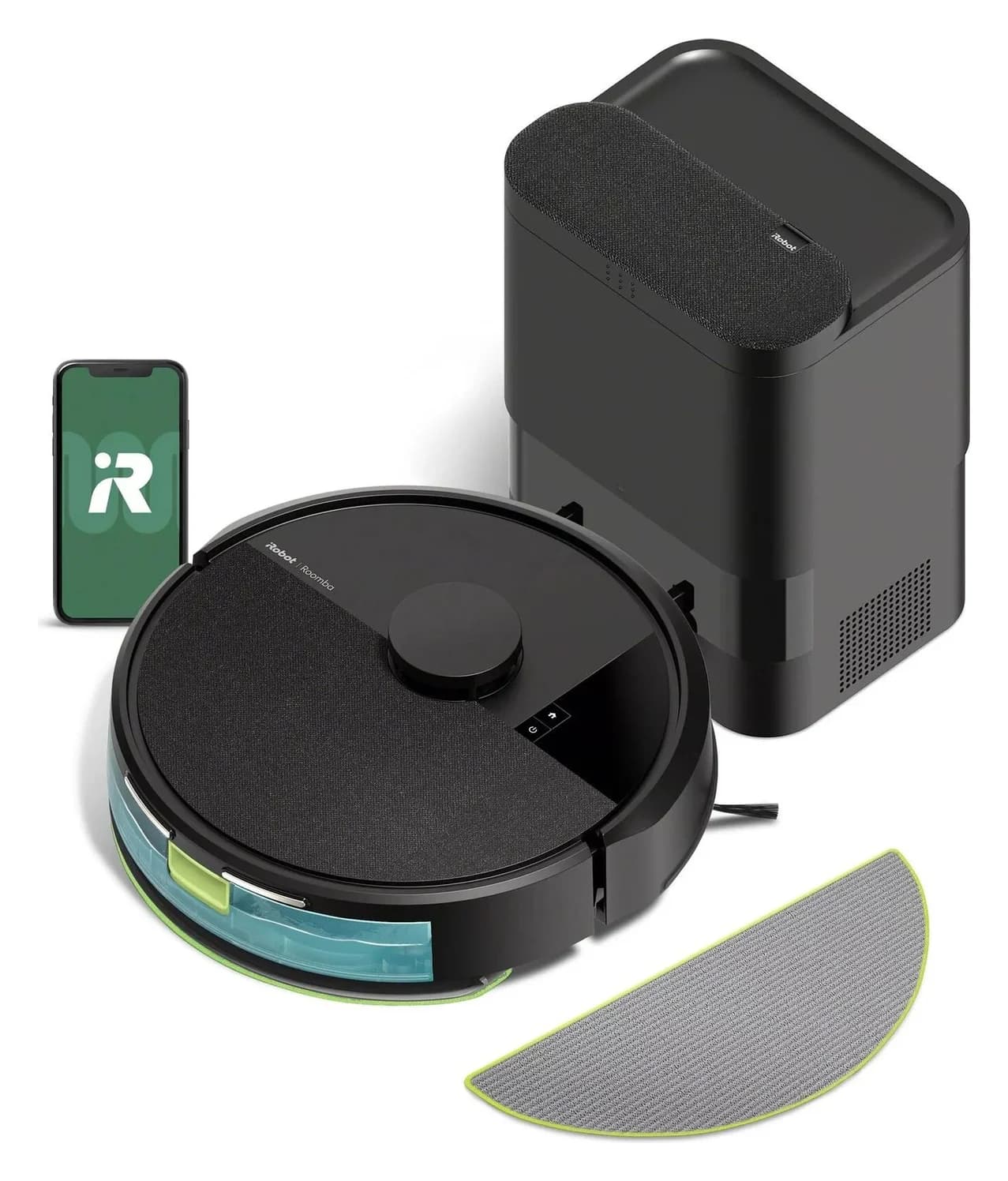
iRobot · Y354020
iRobot Roomba 105 Combo with AutoEmpty Dock
- Robot height (maker)
- 104 mm
- Navigation
- ClearView LiDAR
- Row-based cleaning, up to 3 saved maps, works in the dark
- Robot width
- 335 mm
- Choose
- Vacuuming and owner-managed mopping
- Check
- The dock charges and empties dust only; unlike the Plus 515's AutoWash dock it does not wash or dry the mop pad, and there is no water refill
In the box: 1 Roomba 105 Combo robot, 1 AutoEmpty dock, 1 extra mop pad, 1 hair cutting tool
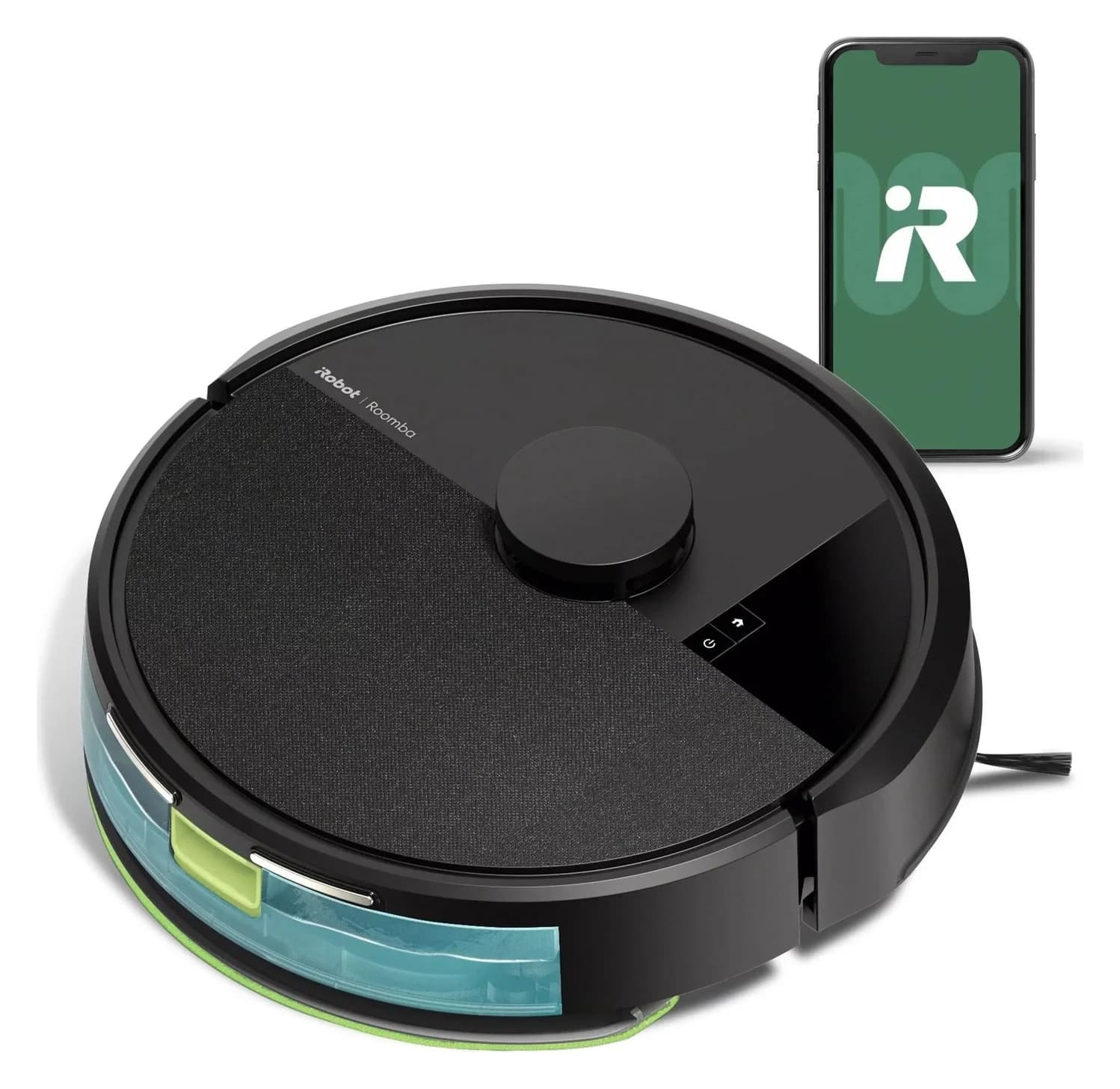
iRobot · Y314020
iRobot Roomba 105 Combo Robot
- Robot height (maker)
- 104 mm
- Dock functions
- charging only
- (charge-only dock included; no self-emptying)
- Navigation
- ClearView LiDAR
- Row-based cleaning, up to 3 saved maps, works in the dark
- Choose
- Mopping without automatic emptying
- Check
- Charge-only dock: you empty the bin by hand; no self-emptying or mop washing
In the box: 1 Roomba 105 Combo robot, 1 charge-only dock, 1 extra mop pad, 1 line cord, 1 hair cutting tool
More picks (1)
- 4
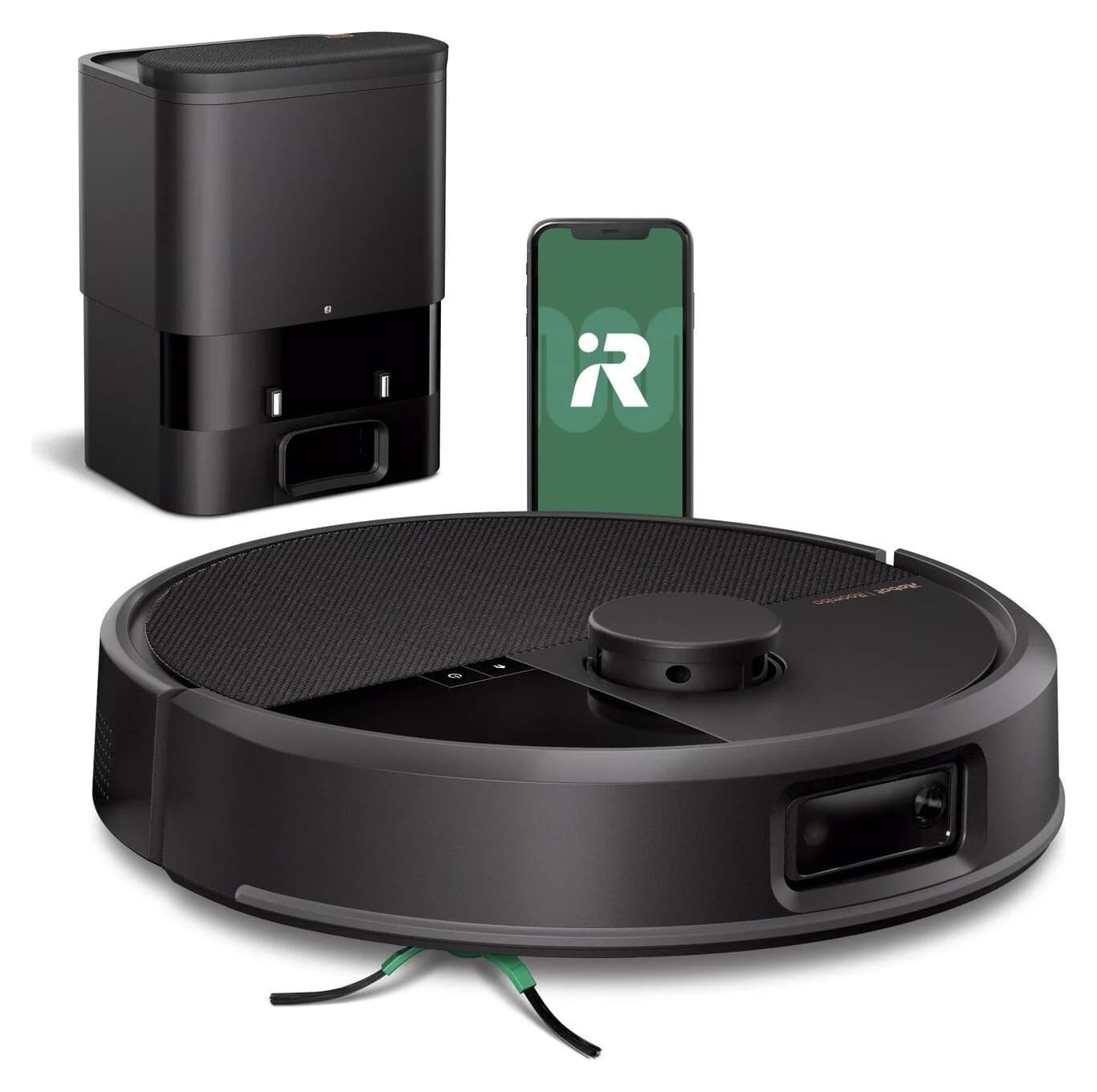
Different brush and recognition hardware
104 mm height · ClearView Pro LiDAR + PrecisionVision AI
Choose for: Different brush and recognition hardware
Check before buying: Vacuum only; it has no mopping function
Frequently asked questions
Which Roomba 105 comes with the AutoEmpty Dock?
The US Q352020 package is the Roomba 105 Vac with AutoEmpty Dock; Y354020 is the 105 Combo with AutoEmpty Dock. Y314020 is the Combo with a Charge-Only Dock. Match the item code and the box contents before ordering, because the family name alone does not identify the included station.
Does the Roomba 105 AutoEmpty Dock wash the mop?
The AutoEmpty model empties dry debris into a bag. On the Combo, the owner fills the robot's water tank and fits the mop pad; the manual says to empty the tank and replace the pad after cleaning. It also instructs hand washing the pad with cold water and air drying. Choose a different dock system if automatic pad care is essential.
Does the Roomba 105 need 2.4 GHz Wi-Fi?
Yes. The exact US product pages specify a 2.4 GHz network for setup and operation, with both robot and phone on that band during setup. Afterward, the phone can return to 5 GHz while the robot stays on 2.4 GHz. Do not treat that documentation as confirmation of complete offline mapping or local-only data handling.
Can I add an AutoEmpty Dock to a charge-only Roomba 105 later?
An upgrade path for the exact charge-only Y314020 was not established by the sources reviewed here. iRobot supplies separate manuals for charge-only and AutoEmpty packages, and the AutoEmpty robot diagram identifies a debris evacuation port. If automatic emptying matters, choose a complete verified AutoEmpty package or obtain written confirmation for the exact robot and replacement dock.
Which replacement bags and filters fit the Roomba 105?
iRobot explicitly lists the 105 Vac and Combo AutoEmpty packages for bags 4849916 and filters 4837321, each sold in packs of three. The bag belongs in the AutoEmpty Dock; the filter belongs in the robot. A charge-only package has no AutoEmpty bag to replace. Confirm the part number rather than buying by the Roomba brand name alone.
Related guides
Explainer · Robot Vacuums
Are Robot Vacuums Worth It? Work Out the Cost and Remaining Chores
Decide whether a robot vacuum is worth buying with a cost and care worksheet. Compare manual emptying, bagged docks, bagless bases and mop-washing systems.
Best picks · Robot Vacuums
Best Robot Vacuums for Dark Floors: Buy by Verified Floor Fit
Choose a robot vacuum for dark floors with exact-model evidence, clear candidate comparisons, black-rug warnings and a practical floor-fit purchase checklist.
Best picks · Robot Vacuums
Best Robot Vacuums for Cat Litter: Dry Scatter and Easy Emptying
Choose a robot vacuum for dry cat litter with clear picks, scatter-evidence limits, bagged vs bagless upkeep, floor-fit checks and exact package buying advice.