

Best picks
Best Robot Vacuum Without a Camera
Picks, Sensors and App Needs
Choose a robot vacuum without a camera using official sensor evidence. Compare mapping, offline controls, subscriptions, dock fit and exact model differences.
By thisSWEEP EditorialUpdated November 3, 20267 min read1 pick
On this page · The short answer
The short answer
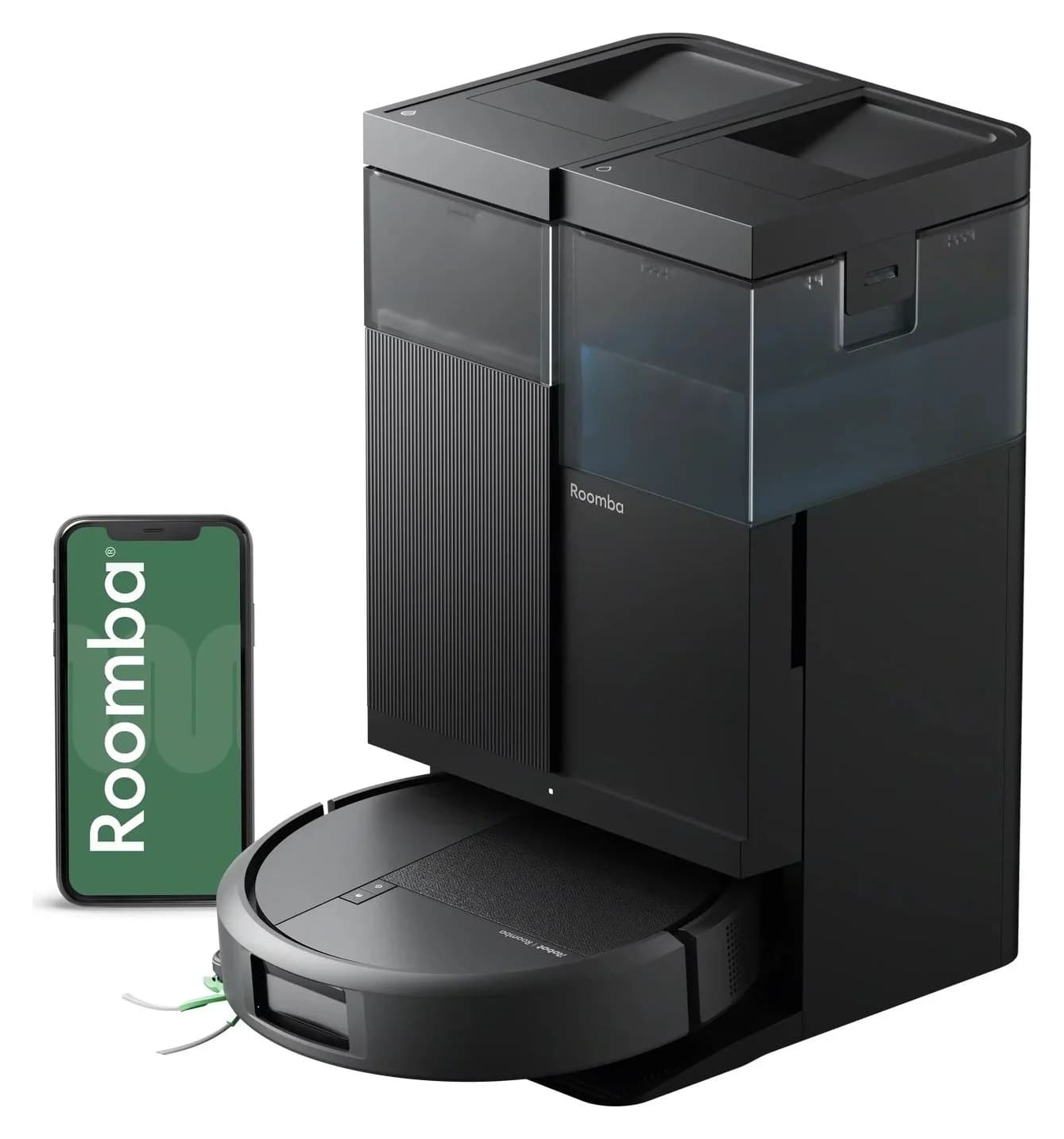
For mapped cleaning without a camera, our starting pick is the iRobot Roomba Plus 515 Combo with AutoWash Dock, US N285020: iRobot explicitly identifies the 515 as having no camera. If you also require no app, account or Wi-Fi, do not treat that recommendation as eligible: its manual requires app and Wi-Fi setup. The eufy 11S MAX offers documented offline controls, but camera confirmation and new-unit availability remain unresolved. Camera statement, 515 manual, eufy offline guidance.
Quick picks: choose the requirement first
Compare specifications and all conditions
Confirmed camera absence, saved maps and automated mop care
- Starting choice
- Roomba Plus 515 Combo, N285020
- What changes the decision
- The US store lists it in stock; app setup is required
No Wi-Fi, app or account
- Starting choice
- 11S MAX, conditional candidate
- What changes the decision
- Offline controls are documented; complete camera absence is not confirmed, and the new-unit page says Notify Me
Vacuum-only cleaning with a strict camera ban
- Starting choice
- No unconditional winner from this evidence
- What changes the decision
- The 105 Vac has conflicting camera wording; Q5 Max+ lacks an explicit camera-absence statement
A Roborock with a detachable mop
- Starting choice
- Q5 Pro family, confirmation needed
- What changes the decision
- LiDAR is documented, but that alone does not settle the complete camera inventory
Full comparison table
Swipe to compare. Row labels stay visible.
| Your requirement | Starting choice | What changes the decision |
|---|---|---|
| Confirmed camera absence, saved maps and automated mop care | Roomba Plus 515 Combo, N285020 | The US store lists it in stock; app setup is required |
| No Wi-Fi, app or account | 11S MAX, conditional candidate | Offline controls are documented; complete camera absence is not confirmed, and the new-unit page says Notify Me |
| Vacuum-only cleaning with a strict camera ban | No unconditional winner from this evidence | The 105 Vac has conflicting camera wording; Q5 Max+ lacks an explicit camera-absence statement |
| A Roborock with a detachable mop | Q5 Pro family, confirmation needed | LiDAR is documented, but that alone does not settle the complete camera inventory |
Scroll horizontally to see every column
| Your requirement | Starting choice | What changes the decision |
|---|---|---|
| Confirmed camera absence, saved maps and automated mop care | Roomba Plus 515 Combo, N285020 | The US store lists it in stock; app setup is required |
| No Wi-Fi, app or account | 11S MAX, conditional candidate | Offline controls are documented; complete camera absence is not confirmed, and the new-unit page says Notify Me |
| Vacuum-only cleaning with a strict camera ban | No unconditional winner from this evidence | The 105 Vac has conflicting camera wording; Q5 Max+ lacks an explicit camera-absence statement |
| A Roborock with a detachable mop | Q5 Pro family, confirmation needed | LiDAR is documented, but that alone does not settle the complete camera inventory |
Sources: 515 US bundle, 11S MAX, 105 manual, Q5 Max+ manual, Q5 Pro manual. Conditional candidates are research leads, not confirmed camera-free recommendations.
What “without a camera” means here
Our requirement excludes a camera used for room navigation, object recognition or remote viewing, including grayscale or infrared cameras. A distance sensor or infrared receiver is a different category; an unexplained “IR sensor” label does not establish its internal architecture. We accept an explicit maker statement of no camera, while showing where the detailed sensor inventory is still incomplete.
LiDAR measures distances for a layout; visual navigation uses images to identify landmarks. Both can exist on the same robot: eufy's E28 description expressly combines LiDAR with an RGB camera. Mapping and recognizing a loose cable are separate jobs. See our LiDAR versus camera explainer before equating a laser-navigation label with camera absence. eufy sensor explanation, iRobot navigation explanation.
Sensor inventory and confidence
515 Combo, N285020 US
- RGB / navigation-camera evidence
- Maker explicitly says the 515 has no camera
- Other imaging hardware
- Separate depth/IR imaging architecture is not itemized; covered only by the maker's general no-camera statement
- Other sensors identified by the maker
- ClearView LiDAR, IR sensor, edge-following IR sensor, carpet sensor, bumper and generically labeled underside sensors
11S MAX, T2126 US
- RGB / navigation-camera evidence
- No camera identified in its manual; absence is not conclusively confirmed
- Other imaging hardware
- Not specified
- Other sensors identified by the maker
- Front infrared sensor, drop sensors and bumper
Q5 Pro US
- RGB / navigation-camera evidence
- No camera identified in the manual; absence is not conclusively confirmed
- Other imaging hardware
- Not specified
- Other sensors identified by the maker
- LiDAR, wall sensor, cliff sensors, dock locator and bumpers
Q5 Max+ US
- RGB / navigation-camera evidence
- No camera identified in the manual; absence is not conclusively confirmed
- Other imaging hardware
- Not specified
- Other sensors identified by the maker
- LiDAR, wall sensor, cliff sensors, dock locator and bumpers
105 Vac, Q352020 US
- RGB / navigation-camera evidence
- Support rules out a front-facing camera, but the setup manual refers to removing film from a camera
- Other imaging hardware
- Unresolved because the documents conflict
- Other sensors identified by the maker
- ClearView LiDAR, cliff sensors and bumper; the shared manual labels its carpet sensor for Combo models only
Full comparison table
Swipe to compare. Row labels stay visible.
| Exact model assessed | RGB / navigation-camera evidence | Other imaging hardware | Other sensors identified by the maker |
|---|---|---|---|
| 515 Combo, N285020 US | Maker explicitly says the 515 has no camera | Separate depth/IR imaging architecture is not itemized; covered only by the maker's general no-camera statement | ClearView LiDAR, IR sensor, edge-following IR sensor, carpet sensor, bumper and generically labeled underside sensors |
| 11S MAX, T2126 US | No camera identified in its manual; absence is not conclusively confirmed | Not specified | Front infrared sensor, drop sensors and bumper |
| Q5 Pro US | No camera identified in the manual; absence is not conclusively confirmed | Not specified | LiDAR, wall sensor, cliff sensors, dock locator and bumpers |
| Q5 Max+ US | No camera identified in the manual; absence is not conclusively confirmed | Not specified | LiDAR, wall sensor, cliff sensors, dock locator and bumpers |
| 105 Vac, Q352020 US | Support rules out a front-facing camera, but the setup manual refers to removing film from a camera | Unresolved because the documents conflict | ClearView LiDAR, cliff sensors and bumper; the shared manual labels its carpet sensor for Combo models only |
Scroll horizontally to see every column
| Exact model assessed | RGB / navigation-camera evidence | Other imaging hardware | Other sensors identified by the maker |
|---|---|---|---|
| 515 Combo, N285020 US | Maker explicitly says the 515 has no camera | Separate depth/IR imaging architecture is not itemized; covered only by the maker's general no-camera statement | ClearView LiDAR, IR sensor, edge-following IR sensor, carpet sensor, bumper and generically labeled underside sensors |
| 11S MAX, T2126 US | No camera identified in its manual; absence is not conclusively confirmed | Not specified | Front infrared sensor, drop sensors and bumper |
| Q5 Pro US | No camera identified in the manual; absence is not conclusively confirmed | Not specified | LiDAR, wall sensor, cliff sensors, dock locator and bumpers |
| Q5 Max+ US | No camera identified in the manual; absence is not conclusively confirmed | Not specified | LiDAR, wall sensor, cliff sensors, dock locator and bumpers |
| 105 Vac, Q352020 US | Support rules out a front-facing camera, but the setup manual refers to removing film from a camera | Unresolved because the documents conflict | ClearView LiDAR, cliff sensors and bumper; the shared manual labels its carpet sensor for Combo models only |
Inventory sources: 515, 11S MAX, Q5 Pro, Q5 Max+, 105 and iRobot camera list. None of these manuals provides a component-level bill of materials; unspecified sensor internals stay unknown.
The 105 wording could be an editing error, but we cannot resolve that by choosing the more convenient document. Ask iRobot to clarify the exact US revision before buying it for a strict hardware restriction.
Roomba Plus 515 Combo: best confirmed option with mapping
Choose the N285020 US robot with the 515 AutoWash Dock when you want room control and mop care while excluding cameras. The product page specifies 3.29 inches of robot height, up to 3 maps and 10 mm of mop lift. These are published specifications, not measurements of furniture access or rug clearance. Exact US specifications.
- 3.29 inPublished robot height
- 3 mapsMaker's saved-map limit
- 10 mmClaimed mop lift; assess rugs separately
The included dock empties debris, washes and heat-dries pads, and refills the robot's water tank. Its manual documents buttons for starting, pausing and returning home. Setup still needs the Roomba Home app and 2.4 GHz Wi-Fi; the app selects vacuum-only or mop-only cleaning and specific rooms, while the default button-started routine is vacuum-and-mop. That makes it a poor purchase for someone seeking a permanently app-free appliance. Owner's guide.
There are material qualifications. The store page promotes cleaning around clutter, while the manual says to remove excess clutter. It also tells owners to roll up or remove carpets before a mopping routine, despite the page's pad-lift reassurance. Follow the manual when planning unattended mopping. The same product page gives different pad-wash temperatures in different sections; we do not choose one as the definitive specification. Product claims, operating instructions.
Buying route: Check the exact N285020 bundle at iRobot. For carpet-heavy homes, resolve the wet-pad strategy before ordering.
Why the familiar alternatives are conditional
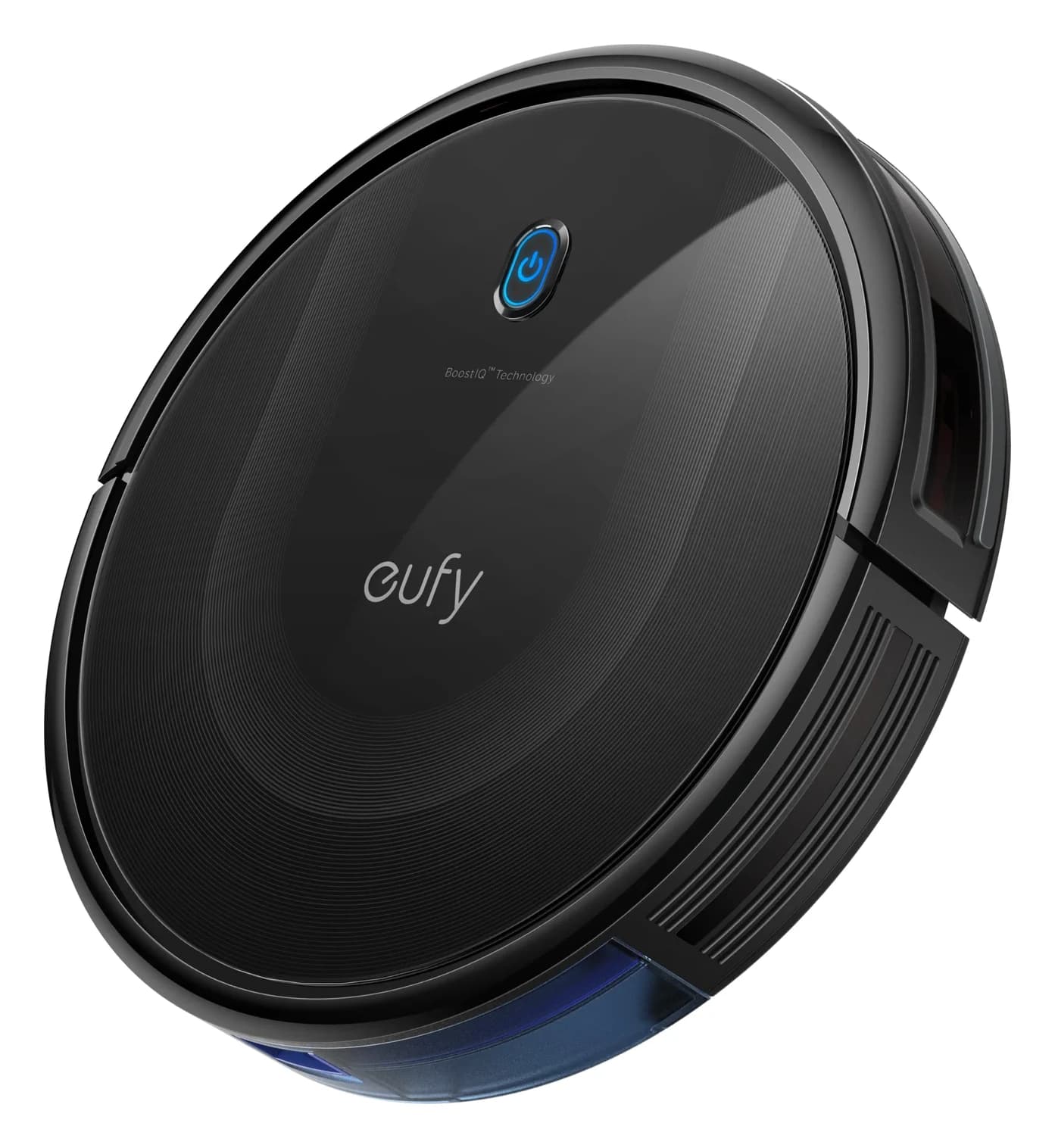
eufy 11S MAX: the useful offline candidate. eufy documents button and remote operation without Wi-Fi, an app or an account. Its US manual also supports scheduled cleaning through the remote. That avoids an internet-based setup, but does not close the camera-inventory gap. The new-unit page displays Notify Me; the discontinued original 11S, retained 11S MAX and renewed units must not be treated as the same offer. Offline controls, remote scheduling, stock page, model-status notice.
Roborock Q5 Pro versus Pro+. Roborock specifies a detachable mop and reserves the RockDock Plus auto-empty bundle for Q5 Pro+. The series page explicitly requires the Roborock app and agreement to its terms, while the manual also documents button controls. Neither fact establishes complete offline operation. Q5 Max+ has a separate US manual; do not transfer the Pro's bundle or mop details to it. Both manuals describe app pairing on 2.4 GHz Wi-Fi. Q5 Pro series and app footnote, Pro manual, Max+ manual.
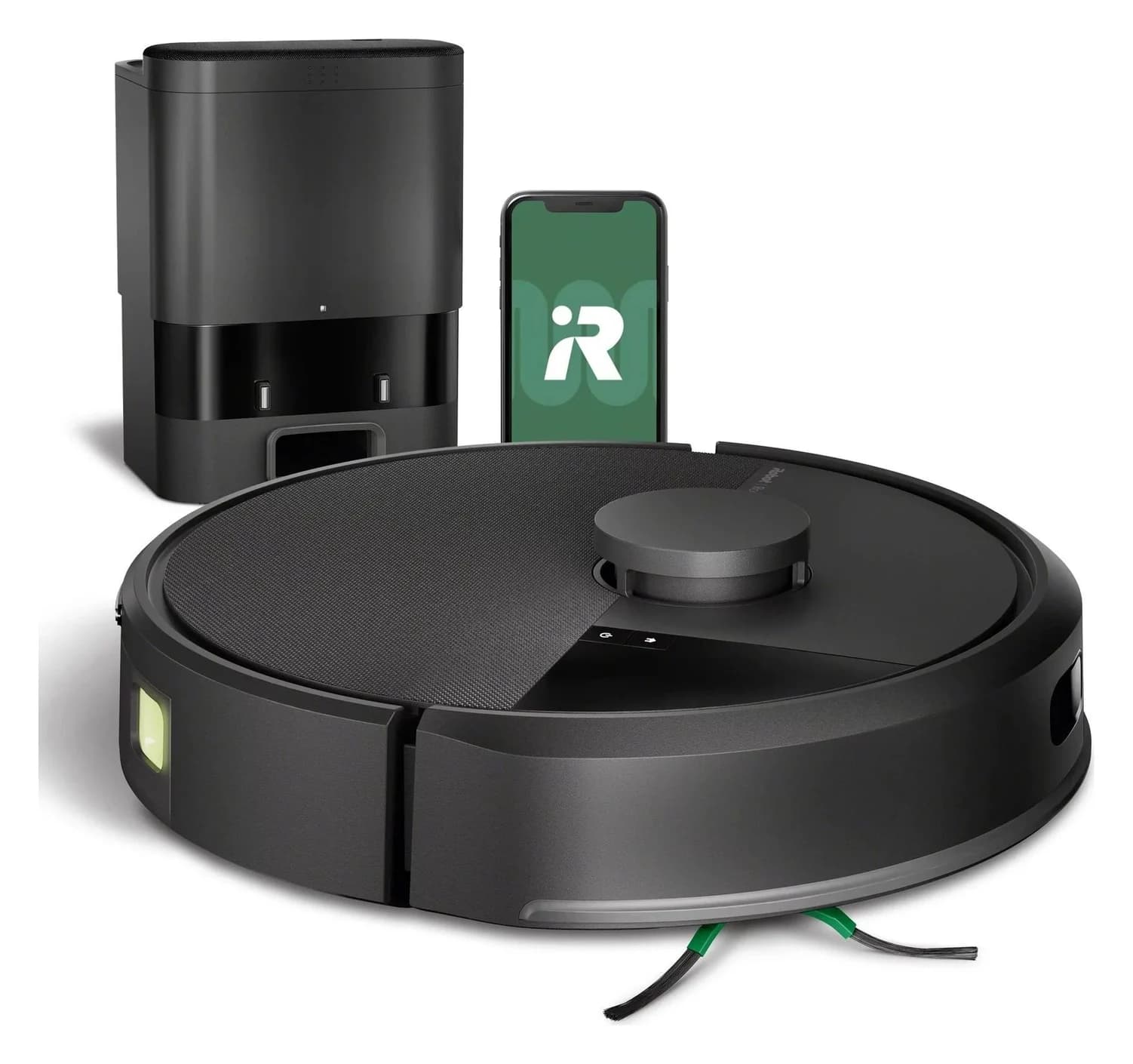
515 versus 575 is a hardware distinction. iRobot's camera support page explicitly exempts the 515 and lists the Plus 575 among front-camera models. A nearby model number or similar dock is not a substitute for checking the robot. Camera inventory.
Accounts, maps and subscriptions: separate buying checks
The current Roomba setup instructions require a valid email address and an account. iRobot's privacy notice describes collecting maps/layout information and storing personal information in a cloud environment. Its broad privacy guidance permits disconnected use for non-Select devices, but that is not a model-specific account of which 515 maps, schedules and settings survive disconnection. We have not verified that complete behavior. Setup, privacy notice.
- Yes: 515 physical start, pause and home controls are documented
- No: 515 setup without the app and Wi-Fi is not supported by its manual
- Partly: 515 saved-map behavior after losing internet remains unconfirmed
- Partly: 515 paid-plan requirements are not fully established by the reviewed documents
For a best robot vacuum without subscription search, separate a cleaning-service requirement from outright ownership and replacement-part purchases. The reviewed 515 documentation establishes app setup, not a comprehensive promise that every connected feature will remain available without a paid plan. eufy's account-free 11S MAX controls are clearer for basic disconnected use, subject to its stock and hardware caveats. Confirm any required plan for the exact offer; do not infer it from camera absence. 515 manual, eufy offline guidance.
Check furniture, floors and replacement parts before ordering
For the 515, iRobot's specification table lists a dock 33 cm wide, 34 cm deep and 48.5 cm high. Allow room to remove the water tanks as well as room to approach the dock; the closed dimensions do not establish service access. The manual specifies a hard, level placement and at least 4 feet from stairs. A threshold limit for this exact bundle was not established in the reviewed documentation; measure your transitions and seek model-specific confirmation. Compare other station types in our self-emptying robot guide. Dock dimensions, placement and tank servicing.
The manual advises against mopping unsealed hardwood and certain laminate/vinyl planks. Check your flooring maker's care rules before enabling water-based cleaning. Camera eligibility does not settle floor eligibility. Floor restrictions.
Filters and brushes
- Official part to match
- Replenishment Kit 4860682
- Buying detail
- 3 filters, 3 edge brushes and 1 main bristle brush; 515 is explicitly listed
Mop pads
- Official part to match
- DualClean 4860486
- Buying detail
- 6-pack; explicitly lists 515 compatibility
Dock bags
- Official part to match
- Carbon AllergenLock 4861286
- Buying detail
- 3 bags; its detailed compatibility list explicitly includes 515
Full comparison table
Swipe to compare. Row labels stay visible.
| 515 replacement need | Official part to match | Buying detail |
|---|---|---|
| Filters and brushes | Replenishment Kit 4860682 | 3 filters, 3 edge brushes and 1 main bristle brush; 515 is explicitly listed |
| Mop pads | DualClean 4860486 | 6-pack; explicitly lists 515 compatibility |
| Dock bags | Carbon AllergenLock 4861286 | 3 bags; its detailed compatibility list explicitly includes 515 |
Scroll horizontally to see every column
| 515 replacement need | Official part to match | Buying detail |
|---|---|---|
| Filters and brushes | Replenishment Kit 4860682 | 3 filters, 3 edge brushes and 1 main bristle brush; 515 is explicitly listed |
| Mop pads | DualClean 4860486 | 6-pack; explicitly lists 515 compatibility |
| Dock bags | Carbon AllergenLock 4861286 | 3 bags; its detailed compatibility list explicitly includes 515 |
Confirm bag supply before committing to the dock. The manual says the robot's filter must not be washed, and automatic pad care still leaves water tanks, brushes and the wash basin to maintain. Maintenance instructions.
Set the hardware rule
Decide whether you exclude every imaging sensor or specifically a viewing camera; request written clarification where the inventory is incomplete.
Set the connection rule
Check setup, ongoing account access, disconnected maps and payment requirements separately.
Check the complete bundle
Match the US robot, included dock, furniture gap, floor restrictions and replenishment parts before ordering.
How we choose
We reviewed official US product pages, model-specific manuals, camera support statements, app instructions and privacy documentation. Explicit camera statements carry more weight than silence in a feature list; conflicting documents remain visible. We have not independently evaluated cleaning performance or audited hardware. This shortlist therefore awards documented eligibility and useful controls, rather than a measured pickup result. Our obstacle-avoidance guide addresses a different purchase requirement.
Verdict
Choose the Roomba Plus 515 Combo N285020 if maker-confirmed camera absence, mapped cleaning and an AutoWash dock fit your requirements—and you accept app setup and the stated maintenance. For strict no-app ownership, investigate the 11S MAX only after resolving camera confirmation and new stock. Leave the Q5 Pro, Q5 Max+ and 105 Vac off a strict camera-free purchase list until their outstanding hardware questions are answered.
Frequently asked questions
What is the best robot vacuum without a camera?
Our documented starting pick is the Roomba Plus 515 Combo, US N285020 with AutoWash Dock. iRobot explicitly says the 515 has no camera, and its manual identifies LiDAR and infrared sensors. It requires the Roomba Home app and Wi-Fi for setup. The eufy 11S MAX is an offline alternative to investigate, but its complete camera inventory remains unconfirmed.
Does LiDAR mean a robot vacuum has no camera?
No. LiDAR describes a ranging and mapping system, not the robot's entire sensor inventory. For example, eufy's official E28 description lists both LiDAR mapping and an RGB camera for obstacle avoidance. Check the exact model's camera statement and manual separately. An infrared sensor label also needs clarification if your rule excludes every kind of imaging sensor.
Can a camera-free robot vacuum work without Wi-Fi?
Camera hardware and connectivity are separate requirements. The camera-free 515 requires an app and Wi-Fi for setup, although its manual documents physical cleaning and docking controls afterward. We have not established its complete offline map behavior. eufy describes the 11S MAX as operating without Wi-Fi, an app or an account; that does not independently establish its complete camera inventory.
Which robot vacuum can I use without a subscription?
For basic cleaning without a connected account, eufy's documented 11S MAX button and remote operation is the clearest route considered here. New-unit stock and camera confirmation still need checking. The 515 documents app setup but does not establish a complete paid-plan policy in the sources reviewed. Confirm outright ownership and which features require payment before choosing it for a strict no-subscription requirement.
Does turning off obstacle photos make a robot camera-free?
No. An image-sharing setting changes a software feature rather than removing camera hardware. iRobot says disabling Obstacle Image Review still leaves obstacle avoidance available on supported camera-equipped robots. If the hardware itself is your concern, choose a model whose camera absence is documented rather than relying on an opt-out setting or a statement that images are encrypted.
Roomba Plus 515 Combo
Related guides
Explainer · Robot Vacuums
Are Robot Vacuums Worth It? Work Out the Cost and Remaining Chores
Decide whether a robot vacuum is worth buying with a cost and care worksheet. Compare manual emptying, bagged docks, bagless bases and mop-washing systems.
Best picks · Robot Vacuums
Best Robot Vacuums for Dark Floors: Buy by Verified Floor Fit
Choose a robot vacuum for dark floors with exact-model evidence, clear candidate comparisons, black-rug warnings and a practical floor-fit purchase checklist.
Best picks · Robot Vacuums
Best Robot Vacuums for Cat Litter: Dry Scatter and Easy Emptying
Choose a robot vacuum for dry cat litter with clear picks, scatter-evidence limits, bagged vs bagless upkeep, floor-fit checks and exact package buying advice.