

Explainer
Robot Vacuum LiDAR vs Camera
Mapping, Obstacles and Picks
Understand robot vacuum LiDAR vs camera navigation, check camera-free and hybrid picks, and compare mapping, obstacle recognition, lighting and map privacy.
By thisSWEEP EditorialUpdated November 9, 20268 min read3 picks
Our recommendation: iRobot Roomba Plus 515 Combo + AutoWash Dock (N285020, Black)
Camera-free pick
Limit: The AutoWash dock is bulky (the retail box is over 20 in tall) and needs a hard-floor spot at least 4 feet from stairs, plus dock-tank refills and bag changes
On this page · Quick picks: choose the capability you actually need
For most homes, start with documented laser mapping, then decide separately whether you want camera-based obstacle recognition: the two can work together. Our camera-free starting pick is the iRobot Roomba Plus 515 Combo; compare Roborock Saros 10 and 10R for camera-equipped hybrids, subject to stock checks. iRobot's hardware statement settles the camera-free distinction.
Quick picks: choose the capability you actually need
- No camera hardware: start with the iRobot Roomba Plus 515 Combo (N285020) and our camera-free buying guide.
- Retracting laser tower plus visual recognition: shortlist the Roborock Saros 10 (RR-Saros105-M1).
- Solid-state laser navigation plus visual recognition: shortlist the Roborock Saros 10R (RR-Saros10R5-M1).
These are choices by documented configuration, not measured avoidance rankings. Roborock's US store lists the Saros 10R as out of stock, coming soon; eufy's X10 Pro Omni page says no longer available. The X10 remains an explanatory reference here. Check the exact package before paying.
Mapping, localization and recognition are different jobs
Mapping builds the floor plan: Roborock explicitly assigns map creation and route planning to Q5 Pro's PreciSense LiDAR. LiDAR means light detection and ranging. Localization works out where the robot is: iRobot describes visual-navigation cameras identifying landmarks for that purpose. Recognition identifies nearby floor objects: X10 Pro Omni's AI.See uses a camera and changes the cleaning path around detected obstacles. Sources: Roborock mapping, iRobot navigation and eufy recognition.
That distinction matters when reading a specification. A mapped room and an identified cable are different outputs. Treat a mapping claim as evidence for mapping; ask for object-specific evidence before relying on clutter avoidance.
Tap a label to explore. You can also hover or use your keyboard.
Mapping
Roborock assigns map creation and route planning to Q5 Pro's PreciSense LiDAR.
Sources: 1: Q5 Pro uses PreciSense LiDAR to create maps and plan navigation.- Question answered
- What does the floor plan look like?
- Official example
- Q5 Pro: PreciSense LiDAR
Localization
iRobot describes a visual-navigation camera recognizing landmarks to establish the robot's location.
Sources: 2: iRobot describes a camera identifying landmarks for localization.- Question answered
- Where am I?
- Official example
- iRobot visual localization: camera landmarks
Object recognition
eufy describes X10 Pro Omni's camera identifying obstacles so the robot can adjust its route.
Sources: 3: X10 Pro Omni uses a camera to identify obstacles., 4: The robot adjusts its cleaning path around identified obstacles.- Question answered
- What is in my path?
- Official example
- X10 Pro Omni: AI.See camera
Full comparison table
Swipe to compare; option labels stay visible
| Option | Question answered | Official example |
|---|---|---|
MappingRoborock assigns map creation and route planning to Q5 Pro's PreciSense LiDAR. Sources: 1: Q5 Pro uses PreciSense LiDAR to create maps and plan navigation. | What does the floor plan look like? | Q5 Pro: PreciSense LiDAR |
LocalizationiRobot describes a visual-navigation camera recognizing landmarks to establish the robot's location. Sources: 2: iRobot describes a camera identifying landmarks for localization. | Where am I? | iRobot visual localization: camera landmarks |
Object recognitioneufy describes X10 Pro Omni's camera identifying obstacles so the robot can adjust its route. Sources: 3: X10 Pro Omni uses a camera to identify obstacles., 4: The robot adjusts its cleaning path around identified obstacles. | What is in my path? | X10 Pro Omni: AI.See camera |
| Option | Question answered | Official example |
|---|---|---|
MappingRoborock assigns map creation and route planning to Q5 Pro's PreciSense LiDAR. Sources: 1: Q5 Pro uses PreciSense LiDAR to create maps and plan navigation. | What does the floor plan look like? | Q5 Pro: PreciSense LiDAR |
LocalizationiRobot describes a visual-navigation camera recognizing landmarks to establish the robot's location. Sources: 2: iRobot describes a camera identifying landmarks for localization. | Where am I? | iRobot visual localization: camera landmarks |
Object recognitioneufy describes X10 Pro Omni's camera identifying obstacles so the robot can adjust its route. Sources: 3: X10 Pro Omni uses a camera to identify obstacles., 4: The robot adjusts its cleaning path around identified obstacles. | What is in my path? | X10 Pro Omni: AI.See camera |
Source notes4 references
Q5 Pro uses PreciSense LiDAR to create maps and plan navigation.
us.roborock.com — source for Q5 Pro uses PreciSense LiDAR to create maps and plan navigation.PreciSense® LiDAR Navigation creates detailed and accurate maps, enabling the Q5 Pro to identify the most efficient route to navigate for optimal cleanliness.
iRobot describes a camera identifying landmarks for localization.
homesupport.irobot.com — source for iRobot describes a camera identifying landmarks for localization.utilizing the camera to identify landmarks to help Roomba® understand its location.
X10 Pro Omni uses a camera to identify obstacles.
service.eufy.com — source for X10 Pro Omni uses a camera to identify obstacles.utilizes visual recognition technology to identify obstacles in the robotic vacuum cleaner's surrounding environment using a camera.
The robot adjusts its cleaning path around identified obstacles.
service.eufy.com — source for The robot adjusts its cleaning path around identified obstacles.The robot then adjusts its cleaning path to avoid these obstacles
LiDAR vs camera: compare the actual sensor combinations
Roomba Plus 515 Combo, US N285020
- Mapping / localization hardware
- ClearView LiDAR
- Camera and obstacle sensing
- No camera, explicitly stated by iRobot
- Buying implication
- Camera-free starting pick
Roborock Q5 Pro
- Mapping / localization hardware
- PreciSense LiDAR
- Camera and obstacle sensing
- No camera listed in the FCC sensor inventory; no explicit absence statement
- Buying implication
- Basic mapping reference; clear cables
Roborock Saros 10
- Mapping / localization hardware
- RetractSense retracting LDS plus upward range finder
- Camera and obstacle sensing
- RGB camera, front triple structured light and lateral VertiBeam
- Buying implication
- Hybrid with changing sensor height
Roborock Saros 10R
- Mapping / localization hardware
- StarSight: solid-state LiDAR / 3D ToF
- Camera and obstacle sensing
- RGB camera, depth sensors and lateral VertiBeam
- Buying implication
- Solid-state mapping hybrid
eufy X10 Pro Omni, T2351
- Mapping / localization hardware
- iPath laser navigation / navigation LiDAR
- Camera and obstacle sensing
- RGB camera and LED; AI.See recognition
- Buying implication
- Reference for existing owners; no longer available from eufy
Full comparison table
Swipe to compare. Row labels stay visible.
| Exact model | Mapping / localization hardware | Camera and obstacle sensing | Buying implication |
|---|---|---|---|
| Roomba Plus 515 Combo, US N285020 | ClearView LiDAR | No camera, explicitly stated by iRobot | Camera-free starting pick |
| Roborock Q5 Pro | PreciSense LiDAR | No camera listed in the FCC sensor inventory; no explicit absence statement | Basic mapping reference; clear cables |
| Roborock Saros 10 | RetractSense retracting LDS plus upward range finder | RGB camera, front triple structured light and lateral VertiBeam | Hybrid with changing sensor height |
| Roborock Saros 10R | StarSight: solid-state LiDAR / 3D ToF | RGB camera, depth sensors and lateral VertiBeam | Solid-state mapping hybrid |
| eufy X10 Pro Omni, T2351 | iPath laser navigation / navigation LiDAR | RGB camera and LED; AI.See recognition | Reference for existing owners; no longer available from eufy |
Scroll horizontally to see every column
| Exact model | Mapping / localization hardware | Camera and obstacle sensing | Buying implication |
|---|---|---|---|
| Roomba Plus 515 Combo, US N285020 | ClearView LiDAR | No camera, explicitly stated by iRobot | Camera-free starting pick |
| Roborock Q5 Pro | PreciSense LiDAR | No camera listed in the FCC sensor inventory; no explicit absence statement | Basic mapping reference; clear cables |
| Roborock Saros 10 | RetractSense retracting LDS plus upward range finder | RGB camera, front triple structured light and lateral VertiBeam | Hybrid with changing sensor height |
| Roborock Saros 10R | StarSight: solid-state LiDAR / 3D ToF | RGB camera, depth sensors and lateral VertiBeam | Solid-state mapping hybrid |
| eufy X10 Pro Omni, T2351 | iPath laser navigation / navigation LiDAR | RGB camera and LED; AI.See recognition | Reference for existing owners; no longer available from eufy |
Inventory sources: Q5 Pro FCC manual; Saros 10 overview; Saros 10R overview; X10 manual; Plus 515 US page. A missing camera label is weaker evidence than an explicit no-camera statement.
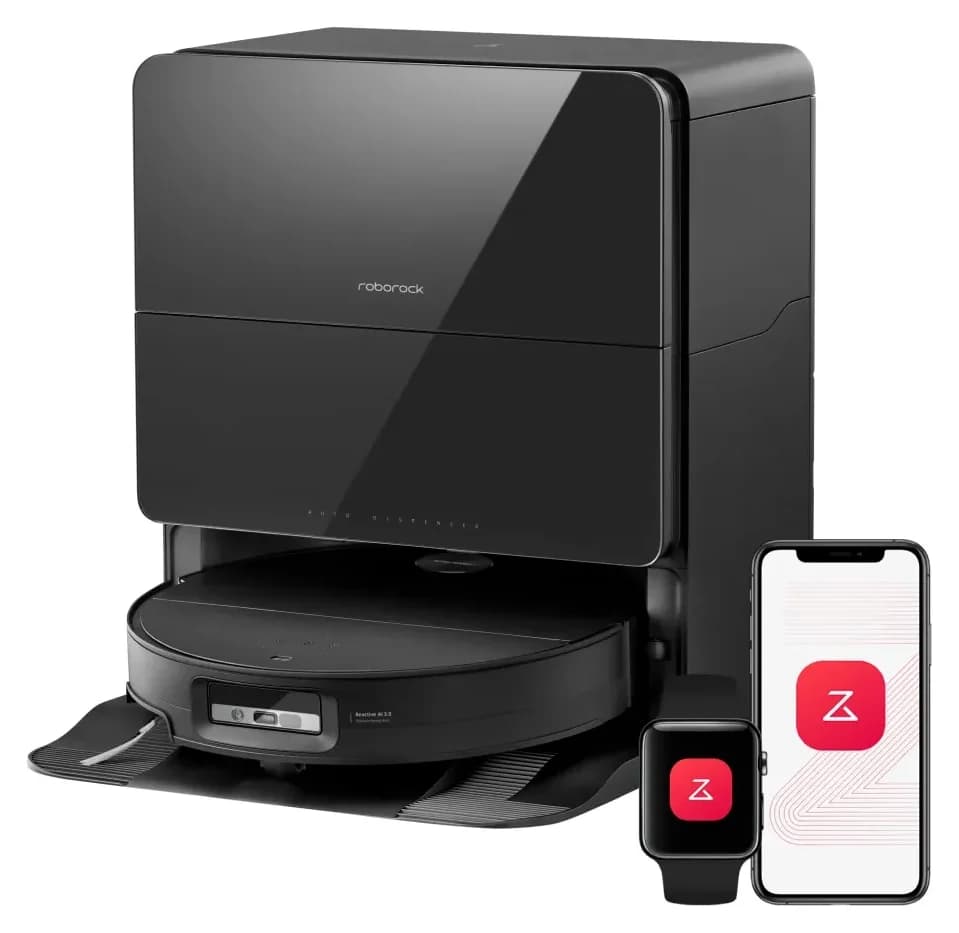
Camera-free pick: iRobot Roomba Plus 515 Combo N285020
iRobot
iRobot Roomba Plus 515 Combo N285020 Robot + AutoWash Dock
N285020
- Robot height (maker)
- 84 mm
- Robot width
- 303 mm
- Mop lift (maker)
- 10 mm
- Choose
- Camera-free pick
- Check
- The AutoWash dock is bulky (the retail box is over 20 in tall) and needs a hard-floor spot at least 4 feet from stairs, plus dock-tank refills and bag changes
Start with N285020, the US Plus 515 Combo with its AutoWash Dock. iRobot's support page explicitly says the 515 has no camera, while the product page specifies ClearView LiDAR. That makes its camera-free status better documented than an assumption drawn from the word LiDAR.
The package uses spinning DualClean mop pads, and its dock empties debris, washes and dries pads, and refills the robot. Setup uses the Roomba Home app. Camera-free is a hardware preference, not a promise about accounts or stored maps. For a strict requirement, verify those policies separately.
The US page also advertises avoidance around cords and shoes. We do not turn that marketing claim into a proven cable-avoidance result. Check the exact US robot and dock at iRobot.
Retracting-LiDAR hybrid pick: Roborock Saros 10 RR-Saros105-M1
Roborock
RR-Saros105-M1
- Robot height (maker)
- 79.8 mm
- Robot width
- 353 mm
- Threshold limit (maker claim)
- 40 mm
- Choose
- Retracting-LiDAR hybrid pick
- Check
- Requires the Roborock app; the maker states the product will not function as intended without it
Saros 10 lowers its LDS beneath furniture and raises it in open areas; an upward range finder directs that change. It also has an RGB camera and structured-light obstacle sensing. Choose it for that documented combination if you accept camera hardware and can verify a current offer.
Roborock lists 79.8 mm with LDS retracted and 93.5 mm with LDS elevated. Measure the narrowest furniture opening and use the correct operating state; the smaller headline is not its maximum height. See our low-profile robot guide for the fit decision.
Its main mop vibrates and can detach at the dock. The ordinary tank package and the refill-and-drainage version are separate configurations. Check Saros 10 specifications and package options.
Solid-state LiDAR hybrid pick: Roborock Saros 10R RR-Saros10R5-M1
Roborock
Saros 10R Robot Vacuum and Mop with Multifunctional Dock 4.0
RR-Saros10R5-M1
- Robot height (maker)
- 79.8 mm
- Robot width
- 353 mm
- Threshold limit (maker claim)
- 40 mm
- Choose
- Solid-state LiDAR hybrid pick
- Check
- Auto mop removal, SmartPlan and pet features must be activated in the Roborock app; the robot needs the app to function as intended
Saros 10R uses StarSight with solid-state LiDAR / 3D time-of-flight, plus an RGB recognition camera and VertiBeam lateral sensing. Roborock assigns obstacle outlines to the depth sensors and visual recognition to the RGB camera. Check both sensing roles when comparing it with Saros 10.
Its published body height is 79.8 mm; its mop module uses dual rotating pads, compared with Saros 10's vibrating module. These are useful configuration differences. They cannot decide which robot avoids your cables more reliably. Roborock's US purchase page says out of stock, coming soon. Recheck Saros 10R availability before choosing it; our Saros 10 vs 10R comparison covers the complete pair.
What the Q5 Pro and X10 Pro Omni examples actually establish
Q5 Pro's FCC manual names LiDAR, a wall sensor, dock locator, cliff sensors and bumpers. It does not explicitly certify camera absence, so we retain that limit rather than award it a camera-free badge. Q5 Pro+ adds RockDock Plus; the plus sign identifies the emptying bundle. Do not mistake a dock upgrade for a new recognition system.
X10 Pro Omni is an especially clear hybrid: its manual labels both navigation LiDAR and an RGB camera with LED light. It separately lists carpet detection and drop sensors. eufy's current US page says the model is no longer available. Use these documents to understand an existing robot, not as evidence of a current new-stock offer.
Darkness and floor clutter: read the limitations by function
iRobot warns that darkness can challenge its iAdapt localization camera; the Plus 515 page instead claims LiDAR mapping in darkness. eufy says X10 Pro Omni enables supplementary lighting in low light, but that light does not activate with AI.See disabled. Mapping after lights-out and recognizing a small object after lights-out need separate evidence.
Both the X10 manual and Saros 10R manual still instruct owners to remove cords and loose objects. For our obstacle-avoidance shortlist, look for evidence matching your object, its size, lighting, firmware and repeated encounters. None of the official specifications here supplies a comparable miss-rate test; we cannot name a performance winner from these sources.
Camera hardware, photos, maps and accounts need separate checks
eufy's X10 FAQ associates removal of real obstacle photos from the app with firmware V2.2.40. It says the robot still takes photos for local identification without an active internet connection; photo uploads depend on the User Experience Program setting. Read the feature-change FAQ. Removing image review does not establish removal of the camera.
Separately, eufy says enabled multi-map saving stores maps on the robot and in eufy's cloud. The X10 manual calls for an account and a 2.4 GHz network for app setup. Roborock's Q5 Pro and Saros 10 pages say intended operation requires its app and acceptance of its terms. Local object recognition therefore cannot establish whole-device offline operation or local-only maps. We have not established offline map behavior for the other models here.
Before buying, decide your requirements for camera hardware, image review, uploads, maps and app use separately. Ask the maker to resolve any undocumented requirement in writing; do not assume a disabled feature changes the installed hardware.
Set your camera requirement
If hardware absence matters, require an explicit model-specific statement.
Match your floor clutter
Request evidence for the objects and lighting you need the robot to handle.
Check the complete package
Match the robot, included dock and operating height, then confirm stock and app requirements.
How we choose
We compare official US product pages, model-specific FCC manuals and maker support documents; we have not physically tested these robots. Picks reflect documented hardware and buying constraints. Q5 Pro camera absence remains unconfirmed, X10 availability limits its role, and Saros 10R stock needs rechecking. Manufacturer recognition language is not an independently measured result. Purchase routes here go to the makers. See our disclosure.
Verdict
Choose Plus 515 Combo as the documented camera-free starting point. Shortlist Saros 10 for retracting LiDAR or Saros 10R for solid-state laser navigation if you accept RGB cameras and confirm stock. Decide camera policy first, then demand separate evidence for mapping, clutter avoidance and home fit.
The short answer
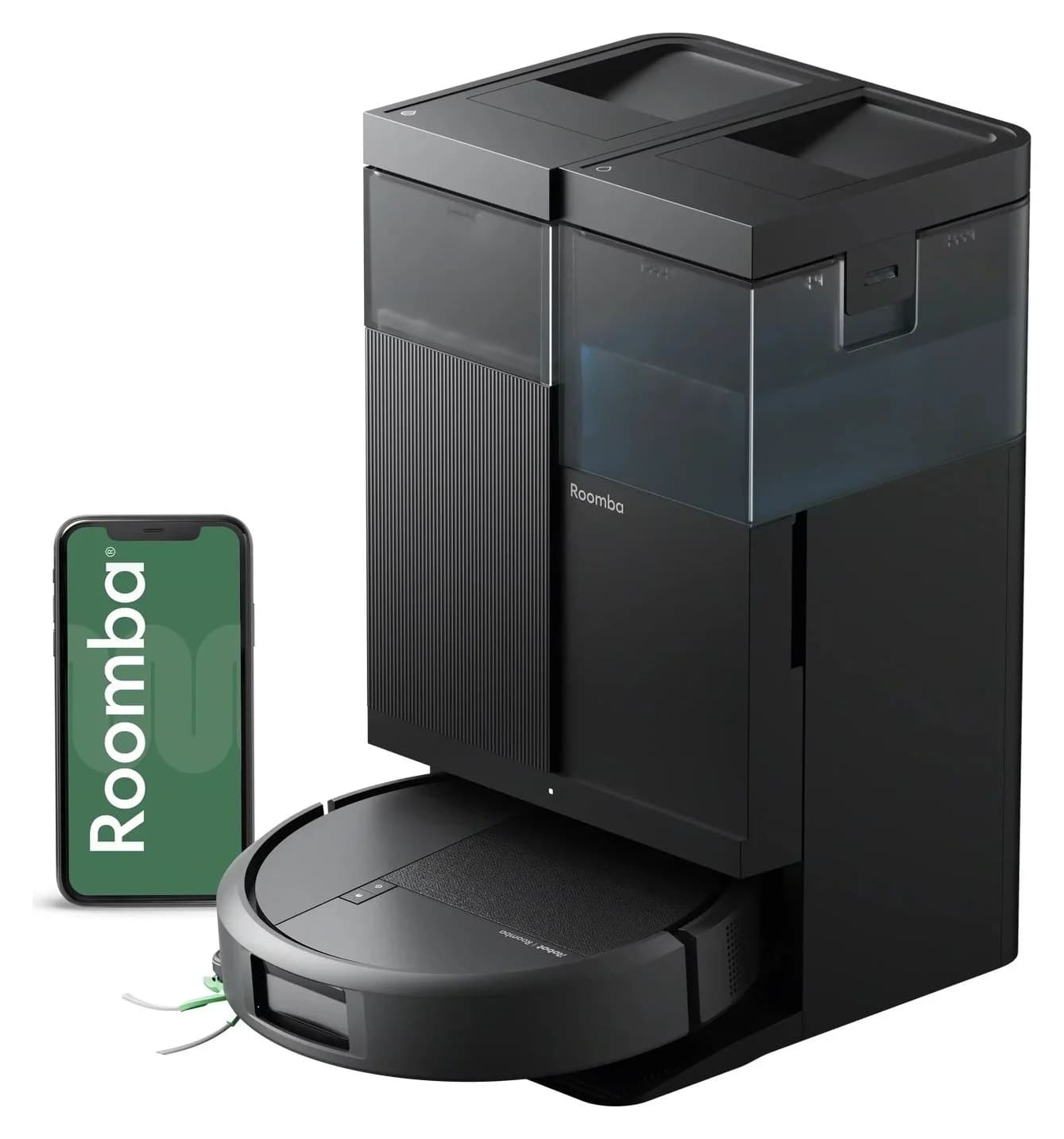
iRobot · N285020
iRobot Roomba Plus 515 Combo N285020 Robot + AutoWash Dock
- Robot height (maker)
- 84 mm
- Robot width
- 303 mm
- Mop lift (maker)
- 10 mm
- Check
- The AutoWash dock is bulky (the retail box is over 20 in tall) and needs a hard-floor spot at least 4 feet from stairs, plus dock-tank refills and bag changes
In the box: 1 Roomba Plus 515 Combo robot, 1 515 AutoWash dock, 1 line cord, 1 extra AutoEmpty bag, 1 extra side brush
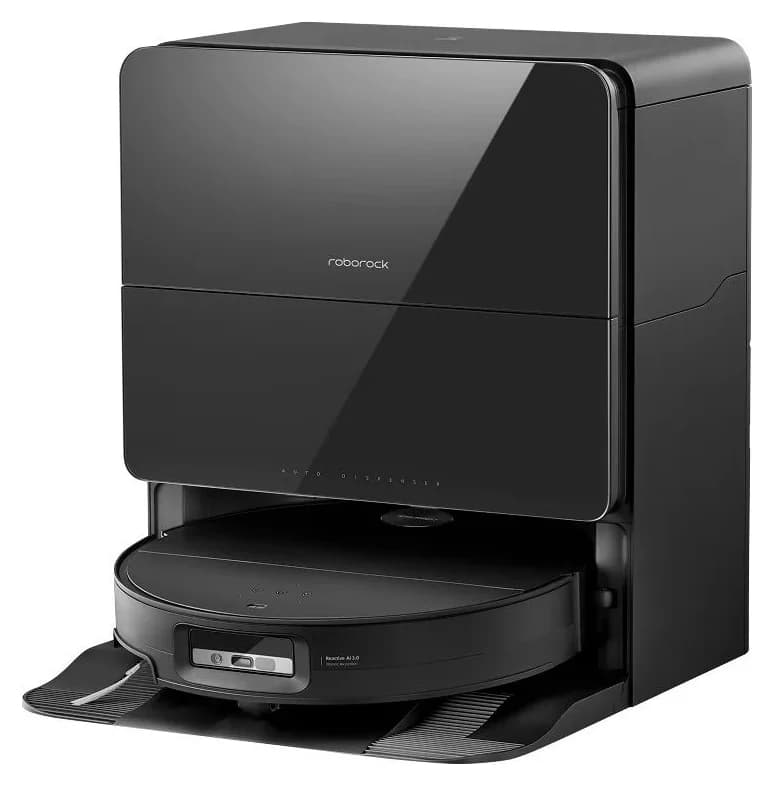
Roborock · RR-Saros105-M1
Roborock Saros 10
- Robot height (maker)
- 79.8 mm
- Robot width
- 353 mm
- Threshold limit (maker claim)
- 40 mm
- Check
- Requires the Roborock app; the maker states the product will not function as intended without it
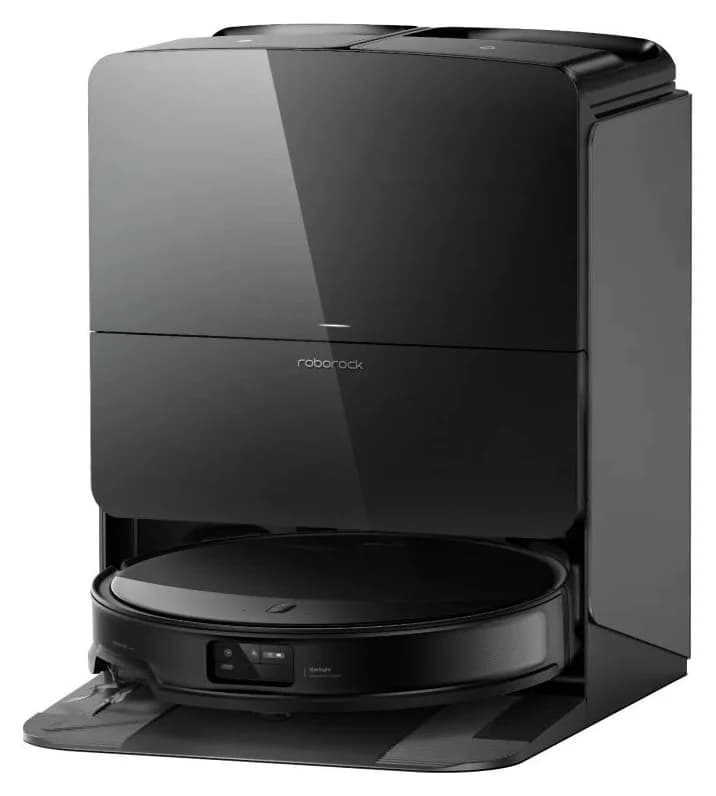
Roborock · RR-Saros10R5-M1
Saros 10R Robot Vacuum and Mop with Multifunctional Dock 4.0
- Robot height (maker)
- 79.8 mm
- Robot width
- 353 mm
- Threshold limit (maker claim)
- 40 mm
- Check
- Auto mop removal, SmartPlan and pet features must be activated in the Roborock app; the robot needs the app to function as intended
Frequently asked questions
Is LiDAR better than a camera for a robot vacuum?
Choose by the job the sensor performs. Roborock describes Q5 Pro LiDAR as creating maps, while iRobot documents cameras identifying landmarks for localization. A separate camera can recognize floor objects: eufy describes that role for X10 Pro Omni. For clear floors, prioritize documented mapping; for clutter, also investigate recognition performance. Sensor names alone do not establish an avoidance winner.
Can a LiDAR robot vacuum also have a camera?
Yes. Saros 10 combines retracting LDS navigation with an RGB camera and structured light. Saros 10R combines solid-state LiDAR / 3D ToF with RGB recognition. The X10 Pro Omni manual also names navigation LiDAR and an RGB camera with LED illumination. Read the complete model inventory before treating a laser-navigation label as a camera-free claim.
Which robot vacuum without a camera should I start with?
Our documented starting point is the US Roomba Plus 515 Combo, item N285020, with its AutoWash Dock. Its product page specifies ClearView LiDAR, and iRobot's camera support page explicitly says the 515 has no camera. This is a hardware-based shortlist choice, not a tested pickup or obstacle-avoidance award. Check its app requirements and fit before ordering.
Do robot vacuums need lights on to navigate?
It depends on the exact navigation and recognition systems. iRobot warns that dark rooms can challenge its iAdapt localization camera, while the Plus 515 product page advertises LiDAR mapping in darkness. eufy says X10 Pro Omni enables supplementary lighting in low light, provided AI.See is enabled. Those statements cover different functions and do not demonstrate equal night-time avoidance performance.
Does local camera processing mean maps stay off the cloud?
No such conclusion follows. eufy says X10 Pro Omni identifies obstacles locally, but its separate multi-map documentation says enabled multi-map saving stores maps on both the robot and eufy's cloud. Its photo-upload statement also depends on the User Experience Program setting. Check images, maps and account requirements separately rather than treating local recognition as a whole-device privacy guarantee.
Is the Saros 10R camera-free because it uses solid-state LiDAR?
No. Roborock describes the Saros 10R as using solid-state LiDAR and 3D time-of-flight navigation, plus an RGB camera for visual recognition. Saros 10 instead raises and lowers its LDS and also includes an RGB camera. The useful distinction is their mapping hardware and clearance behavior; neither belongs on a camera-free shortlist.
Related guides
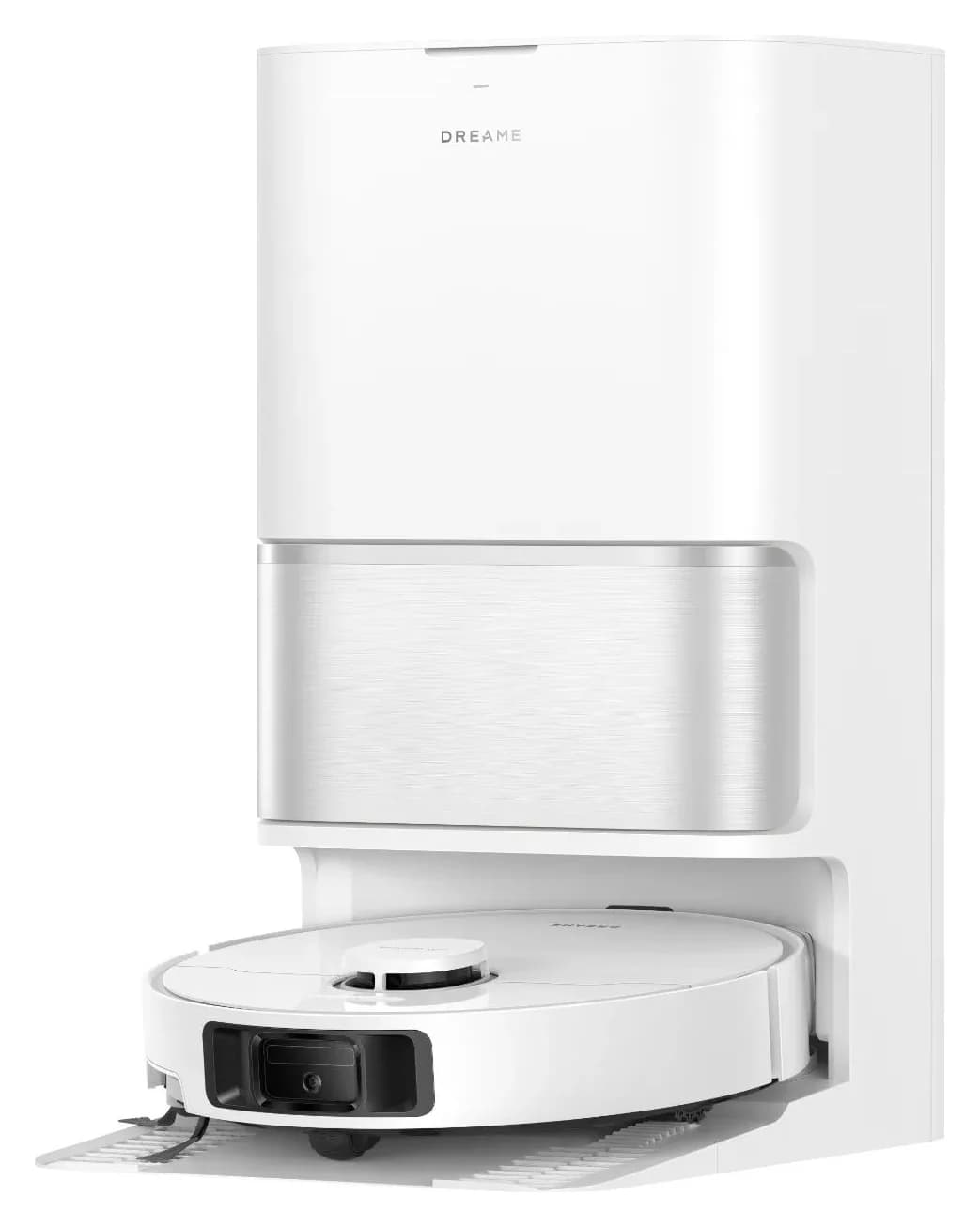
Explainer · Robot Vacuum & Mop Combos
Dreame L10s Ultra Generations: Which Robot and Dock Should You Buy?
Identify the exact Dreame L10s Ultra generation, compare its robot and dock, and match bags, filters and mops. Know when to choose a complete alternative.
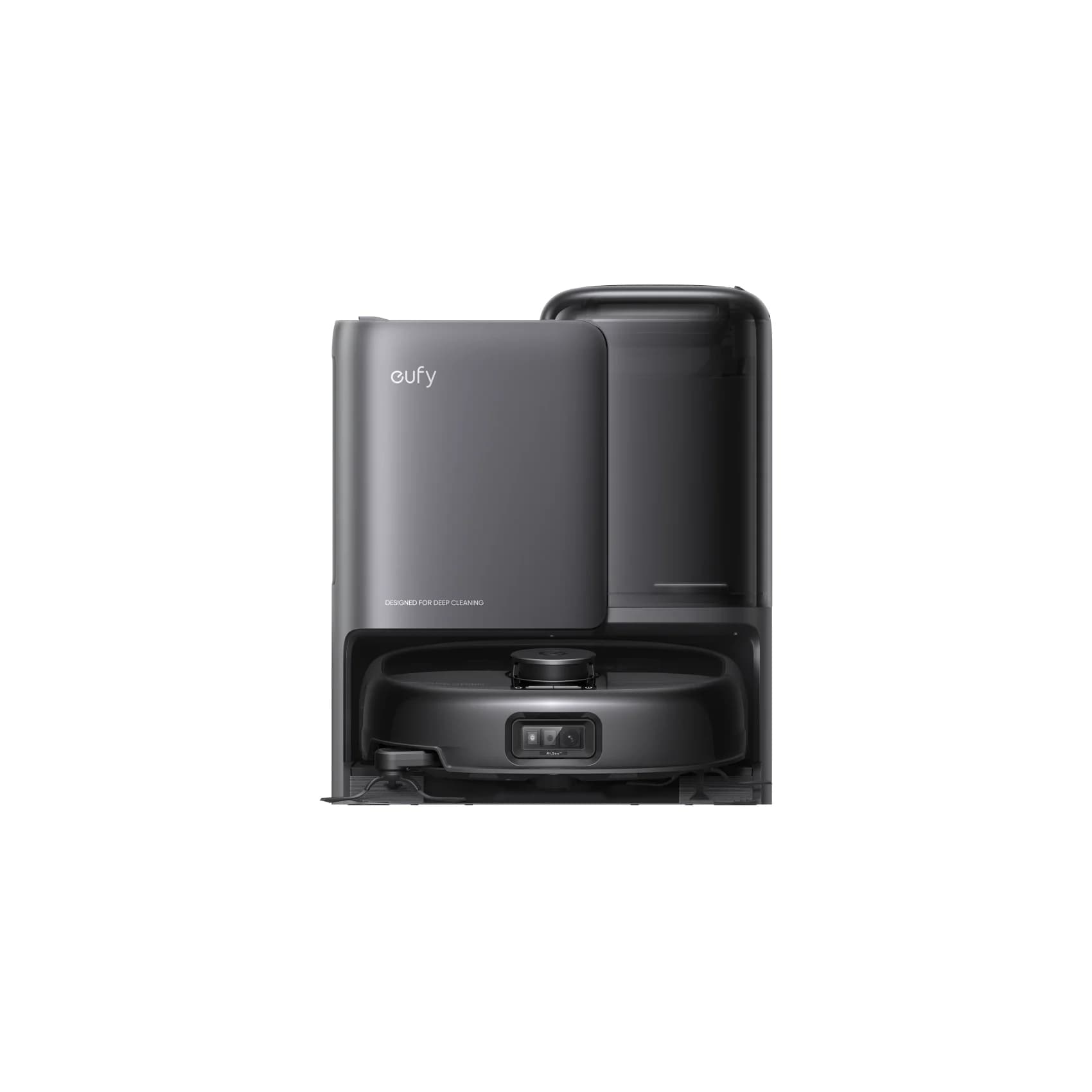
Best picks · Robot Vacuum & Mop Combos
Best Robot Mops for Tile Floors: Tile Finish, Grout and Dock Care
Choose a robot mop for tile with clear roller and spinning-pad picks, grout and stone checks, exact cleaner matches, rug limits and practical dock-care advice.
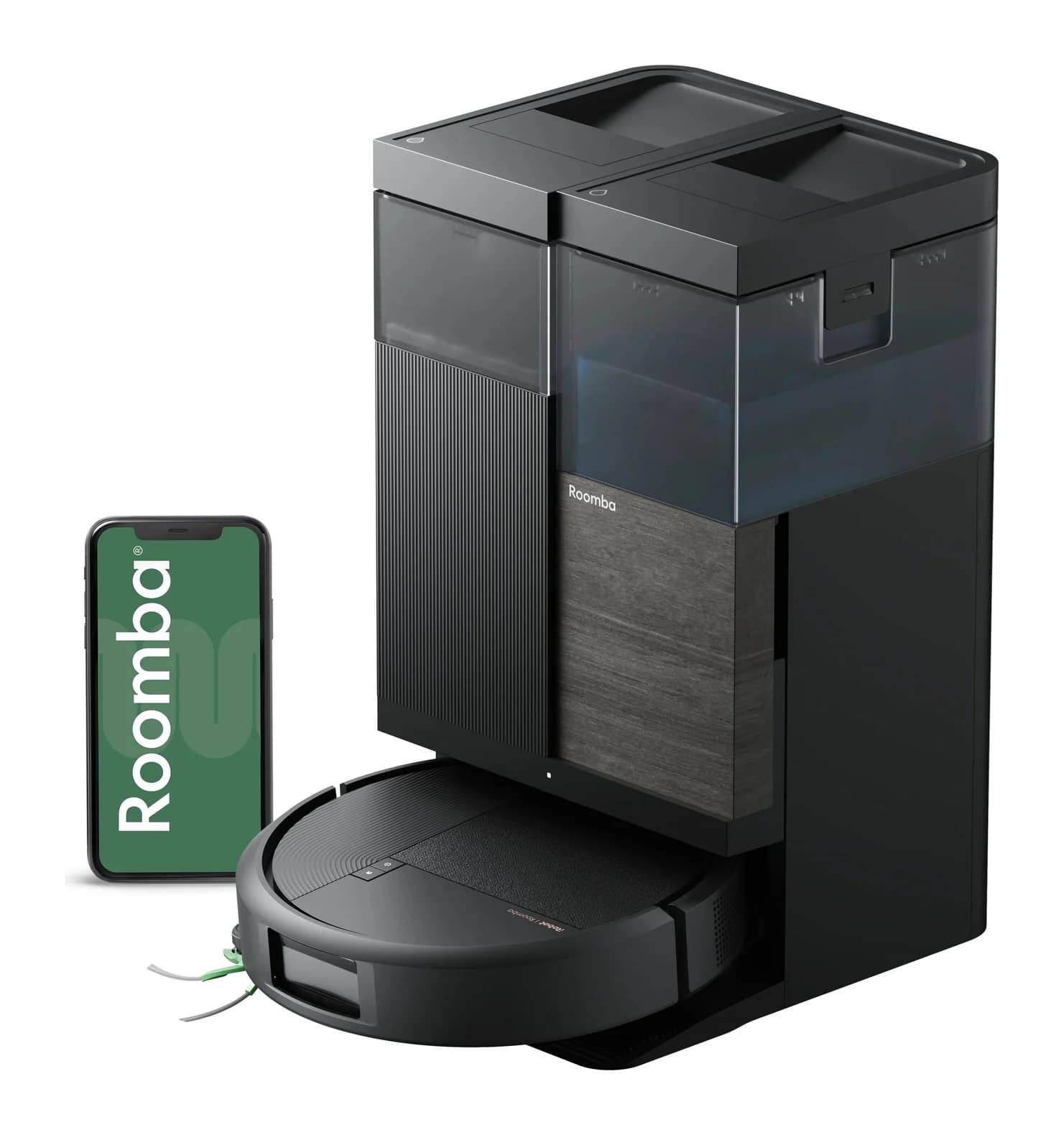
Best picks · Robot Vacuum & Mop Combos
Best Roomba Vacuum and Mop: Which Combo and AutoWash Kit Fits?
Choose the right Roomba vacuum and mop: compare Plus 515, Plus 575 and Max 775 kits, rug limits, dock servicing and exact replacement pads, filters and bags.