

Best picks
Best Robot Vacuums Under 300 Dollars
Two Useful Picks
Choose a complete budget robot vacuum with mapping or self-emptying. Compare exact bundles, furniture fit, mop limits and replacement parts before checkout.
By thisSWEEP EditorialUpdated November 5, 20268 min read2 picks
On this page · The short answer
The short answer
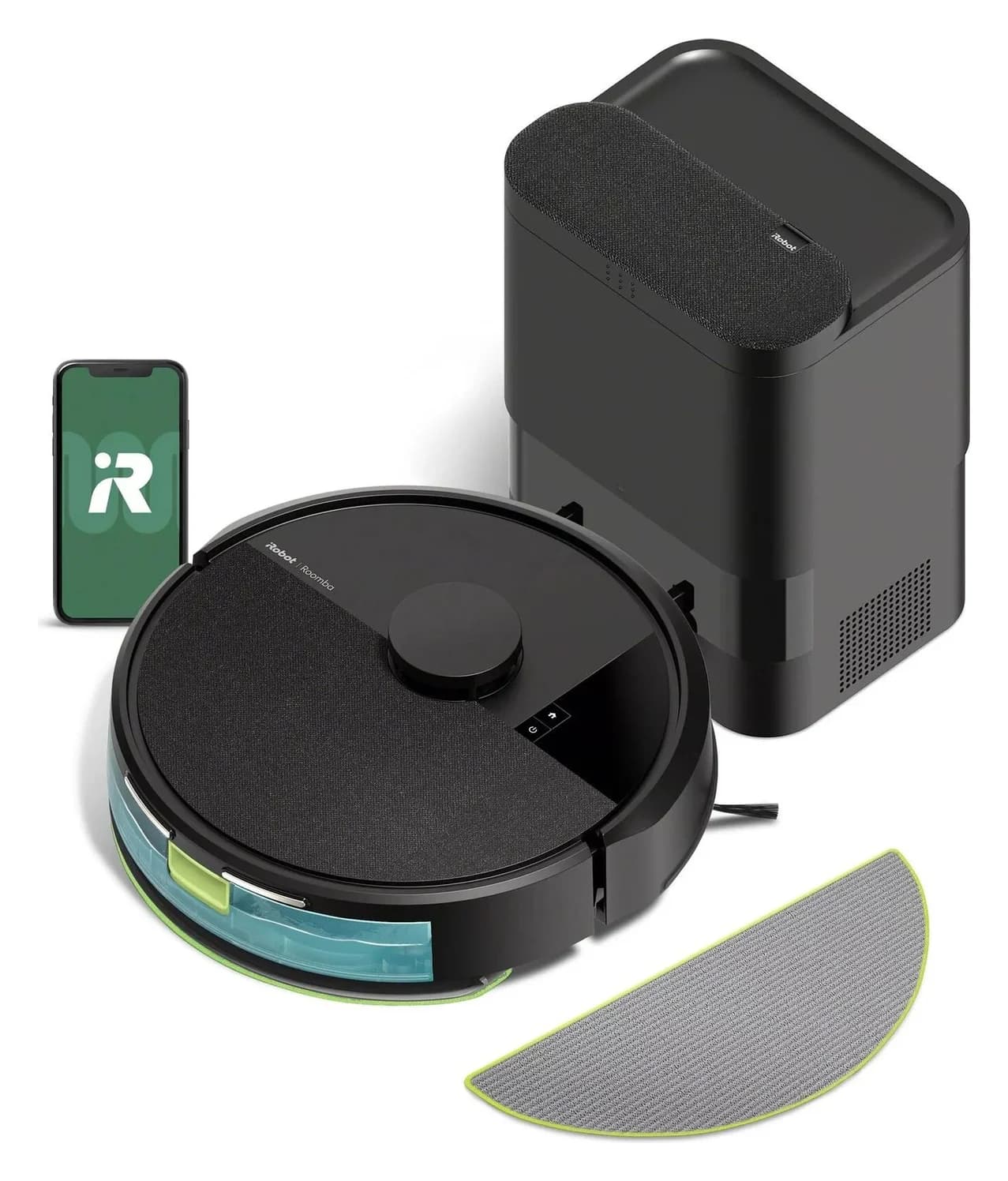
iRobot · Y354020
iRobot Roomba 105 Combo with AutoEmpty Dock
- Robot height (maker)
- 104 mm
- Navigation
- ClearView LiDAR
- Row-based cleaning, up to 3 saved maps, works in the dark
- Robot width
- 335 mm
- Choose
- Choose this package if emptying a small robot bin is the chore you most want to reduce.
- Check
- The dock charges and empties dust only; unlike the Plus 515's AutoWash dock it does not wash or dry the mop pad, and there is no water refill
In the box: 1 Roomba 105 Combo robot, 1 AutoEmpty dock, 1 extra mop pad, 1 hair cutting tool
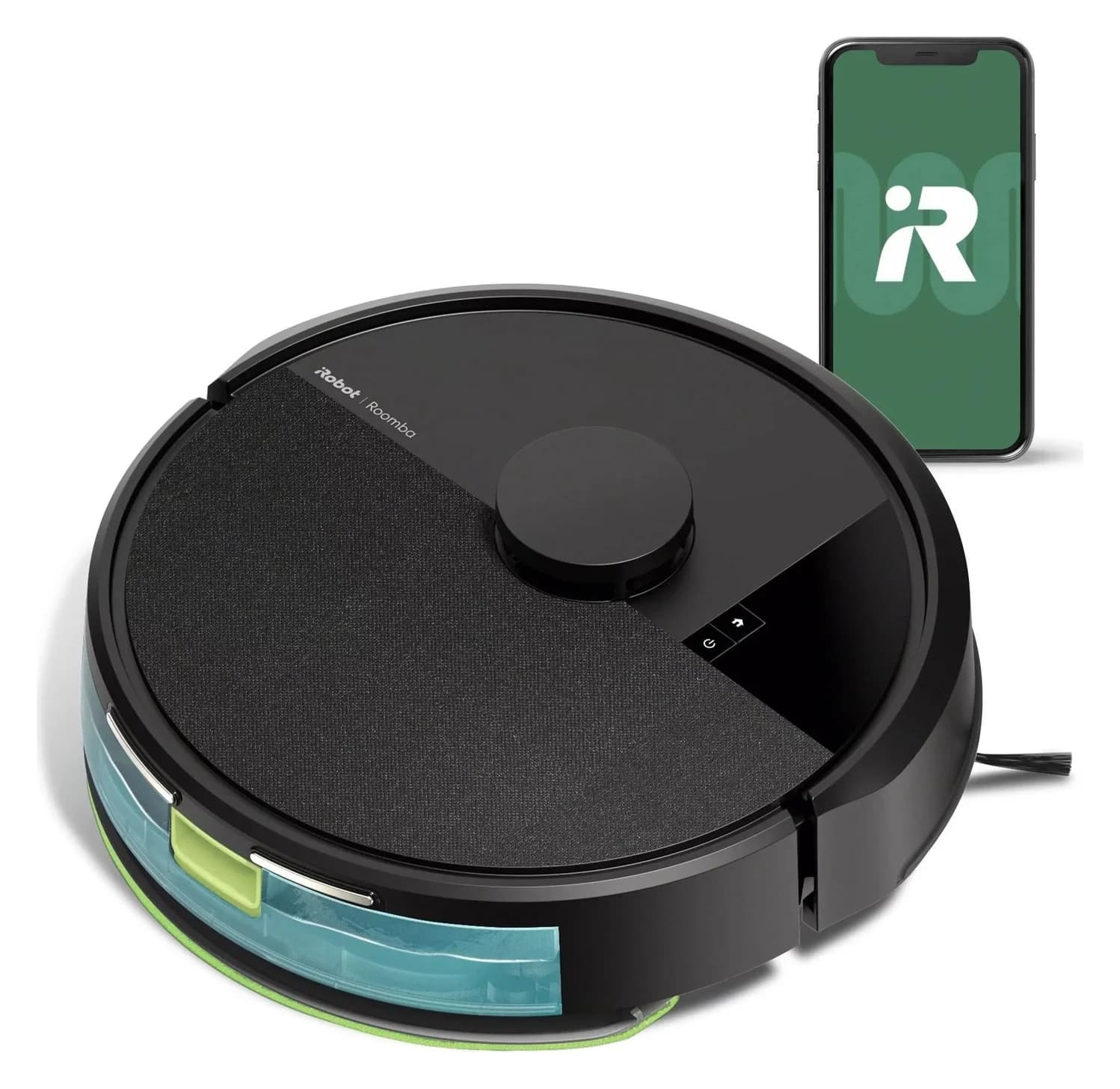
iRobot · Y314020
iRobot Roomba 105 Combo Robot
- Robot height (maker)
- 104 mm
- Dock functions
- charging only
- (charge-only dock included; no self-emptying)
- Navigation
- ClearView LiDAR
- Row-based cleaning, up to 3 saved maps, works in the dark
- Choose
- Best if you can empty the bin yourself
- Check
- Charge-only dock: you empty the bin by hand; no self-emptying or mop washing
In the box: 1 Roomba 105 Combo robot, 1 charge-only dock, 1 extra mop pad, 1 line cord, 1 hair cutting tool
For a small home with hard floors and rugs, our starting best robot vacuum under 300 pick is the Roomba 105 Combo with AutoEmpty Dock, Y354020, provided its complete checkout fits your cap. Choose the charge-only Roomba 105 Combo, Y314020, if you are happy to empty the robot yourself; both provide LiDAR mapping, room targeting and app keep-out zones. Their mopping needs manual water and pad care.
Quick picks: choose the dock, then check the room
These are two configurations of the same product family. The useful choice is how you want to handle collected dirt.
Compare specifications and all conditions
Less routine bin handling
- Exact US package
- 105 Combo Y354020, black
- Navigation and control
- ClearView LiDAR; rooms and keep-out zones
- Included dock
- AutoEmpty: charges and empties dry debris into a bag
All specifications
- Robot height
- 4.09 inches
- Wet-cleaning compromise
- Refill water and wash the pad yourself
Manual emptying is acceptable
- Exact US package
- 105 Combo Y314020
- Navigation and control
- ClearView LiDAR; rooms and keep-out zones
- Included dock
- Charge-only; empty the robot by hand
All specifications
- Robot height
- 4.09 inches
- Wet-cleaning compromise
- Refill water and wash the pad yourself
Full comparison table
Swipe to compare. Row labels stay visible.
| Your priority | Exact US package | Navigation and control | Included dock | Robot height | Wet-cleaning compromise |
|---|---|---|---|---|---|
| Less routine bin handling | 105 Combo Y354020, black | ClearView LiDAR; rooms and keep-out zones | AutoEmpty: charges and empties dry debris into a bag | 4.09 inches | Refill water and wash the pad yourself |
| Manual emptying is acceptable | 105 Combo Y314020 | ClearView LiDAR; rooms and keep-out zones | Charge-only; empty the robot by hand | 4.09 inches | Refill water and wash the pad yourself |
Scroll horizontally to see every column
| Your priority | Exact US package | Navigation and control | Included dock | Robot height | Wet-cleaning compromise |
|---|---|---|---|---|---|
| Less routine bin handling | 105 Combo Y354020, black | ClearView LiDAR; rooms and keep-out zones | AutoEmpty: charges and empties dry debris into a bag | 4.09 inches | Refill water and wash the pad yourself |
| Manual emptying is acceptable | 105 Combo Y314020 | ClearView LiDAR; rooms and keep-out zones | Charge-only; empty the robot by hand | 4.09 inches | Refill water and wash the pad yourself |
Sources: Y354020 specifications and box contents, Y314020 specifications and box contents and their owner guides.
Budget check, November 2, 2026: iRobot's US pages identified both packages as new, in stock and below this guide's cap at their outright promotional amounts. The advertised offers expire November 7, 2026. Check the complete amount including shipping, tax and required accessories for your destination before buying. Buying links here go to the maker; Amazon offers and stock have not been verified.
Match the package
Check the model code, new condition and included charging or AutoEmpty dock.
Check the outright total
Include shipping, tax and anything required to start cleaning; financing payments do not establish the purchase total.
Recheck the offer
Confirm stock and the selected bundle at checkout, including any coupon or membership conditions.
Best overall: Roomba 105 Combo with AutoEmpty Dock, Y354020
Choose this package if emptying a small robot bin is the chore you most want to reduce. The US Y354020 box list includes the robot, AutoEmpty Dock, extra mop pad and hair-cutting tool. The dock is part of this purchase, rather than an optional upgrade assumed in our recommendation. iRobot's 105 packout also lists a preinstalled dirt-disposal bag.
iRobot documents room targeting, keep-out zones and adjustable cleaning passes in the Roomba Home app. The AutoEmpty owner guide says the robot attempts to empty whenever it returns to, or is placed on, its AutoEmpty dock. That makes this our preference for buyers prioritizing bin handling over the simplest package.
The remaining work matters: fill the robot's tank, empty it after wet cleaning and hand-wash the pad. There is no automated pad-washing or water-refilling routine in the documented system. Choose it for dry-debris emptying, with occasional manual mopping if your floor allows it.
Skip it if you need cord recognition, verified thick-carpet performance or a confirmed low-furniture fit. Our recommendation concerns the documented features and upkeep; we have no comparative pickup or hair-wrap measurements.
Check the current Y354020 package at iRobot.
Best if you can empty the bin yourself: Roomba 105 Combo, Y314020
The Y314020 package includes a Charge-Only Dock, line cord, extra mop pad and hair-cutting tool. It retains ClearView LiDAR, room targeting and app keep-out zones. Choose it if manual emptying is acceptable and you would rather avoid buying bags for an auto-empty station.
Its owner guide documents returning to recharge and then resuming cleaning. Mopping still involves filling the onboard tank and attaching the pad; vacuum-only use requires removing the pad and plate and emptying the water tank.
Skip it if frequent bin handling would discourage you from using it. Treat a later dock purchase as a separate compatibility and total-cost decision: this recommendation covers the supplied charging base only. Do not assume the charge-only package can gain every feature of the AutoEmpty bundle by adding a similarly named station.
Check the current Y314020 package at iRobot.
Furniture, thresholds and dock space: the checks that can rule both out
Both product pages specify 13.23 × 13.19 × 4.09 inches, length × width × height, for the robot. Measure the lowest point under the sofa, including sagging fabric and crossbars. A gap equal to the published height leaves no allowance for an uneven floor; we do not invent a universal clearance margin.
iRobot's model documentation does not establish a threshold-height limit or a maximum carpet pile for these packages. Measure doorway height, edge shape and rug thickness, then seek model-specific confirmation if crossing them is essential. Leave those fit questions unresolved rather than borrowing another Roomba's climbing figure.
Dock placement differs between the manuals:
Clear space on each side
- Charge-only guide
- 0.5 m
- AutoEmpty guide
- 0.5 m
Clear approach in front
- Charge-only guide
- 1.5 m
- AutoEmpty guide
- 1.2 m
Distance from stairs
- Charge-only guide
- 1.5 m
- AutoEmpty guide
- Diagram says 1.2 m; warning requires at least 1.5 m
Surface and access
- Charge-only guide
- Hard flooring; clear the approach
- AutoEmpty guide
- Hard flooring; also leave access to lift the lid and remove the bag
Full comparison table
Swipe to compare. Row labels stay visible.
| Placement requirement | Charge-only guide | AutoEmpty guide |
|---|---|---|
| Clear space on each side | 0.5 m | 0.5 m |
| Clear approach in front | 1.5 m | 1.2 m |
| Distance from stairs | 1.5 m | Diagram says 1.2 m; warning requires at least 1.5 m |
| Surface and access | Hard flooring; clear the approach | Hard flooring; also leave access to lift the lid and remove the bag |
Scroll horizontally to see every column
| Placement requirement | Charge-only guide | AutoEmpty guide |
|---|---|---|
| Clear space on each side | 0.5 m | 0.5 m |
| Clear approach in front | 1.5 m | 1.2 m |
| Distance from stairs | 1.5 m | Diagram says 1.2 m; warning requires at least 1.5 m |
| Surface and access | Hard flooring; clear the approach | Hard flooring; also leave access to lift the lid and remove the bag |
Sources: charge-only manual, getting started and AutoEmpty manual, getting started and bag replacement. Follow the AutoEmpty manual's stricter stair warning. Its retail-box dimensions describe packaging, so do not use those numbers as the installed dock footprint; dock dimensions and lid-open height remain unconfirmed here.
For a tight apartment, use our small-apartment buying guide alongside these measurements. A short robot specification alone cannot confirm the dock fits.
What mapping and mopping give you at this budget
Mapping: iRobot specifies up to 3 maps and a 2.4 GHz network for setup and operation on both product pages. Use room targeting and keep-out zones for planned cleaning boundaries. The manuals also document start and home buttons; those buttons do not establish that every app feature works offline.
Floor clutter: iRobot's obstacle-recognition support table gives the “all other models” group no PrecisionVision, cord recognition or pet-waste recognition. The manuals advise removing excess clutter. Clear cables, toys and pet mess before scheduling; LiDAR mapping is insufficient evidence for trusting these particular obstacles to be avoided.
Camera hardware: the same support article says models outside its front-camera list lack a front-facing camera, while both 105 manuals instruct owners to remove film from a camera. We flag this conflict and withhold an unconditional camera-free recommendation. The camera-free guide covers that separate buying requirement.
Mopping: both manuals describe a plate-mounted pad and onboard water tank, with carpet avoidance during wet cleaning. Remove the pad assembly for carpet vacuuming. A rug dividing two hard-floor areas therefore deserves a route check before you plan a wet run.
The manuals advise against mopping unsealed hardwood and certain laminate or vinyl planks. Follow your floor maker's care instructions; the robot guide permits cold water or iRobot-approved solution and warns against hot water, detergent and disinfectant.
- Yes: Documented: room targeting and app keep-out zones
- Partly: Carpet: plan vacuum-only runs with the pad assembly removed
- No: AutoEmpty does not take over manual tank and mop-pad care
- No: No supported cord- or pet-waste-recognition recommendation for these picks
Replacement parts and the upkeep to budget for
These official parts explicitly list the 105 Combo, including its AutoEmpty version:
Filters plus brushes
- Exact maker part
- Replenishment kit 4849966
- Contents and buying distinction
- 3 filters, 3 edge-sweeping brushes and 1 multi-surface bristle brush
Main brush only
- Exact maker part
- Multi-Surface Brush 4849960
- Contents and buying distinction
- 1 bristle brush; already included in the replenishment kit
AutoEmpty dock bags
- Exact maker part
- Dirt Disposal Bags 4849916
- Contents and buying distinction
- 3 bags; relevant to the AutoEmpty dock, not the charge-only base
Full comparison table
Swipe to compare. Row labels stay visible.
| Need | Exact maker part | Contents and buying distinction |
|---|---|---|
| Filters plus brushes | Replenishment kit 4849966 | 3 filters, 3 edge-sweeping brushes and 1 multi-surface bristle brush |
| Main brush only | Multi-Surface Brush 4849960 | 1 bristle brush; already included in the replenishment kit |
| AutoEmpty dock bags | Dirt Disposal Bags 4849916 | 3 bags; relevant to the AutoEmpty dock, not the charge-only base |
Scroll horizontally to see every column
| Need | Exact maker part | Contents and buying distinction |
|---|---|---|
| Filters plus brushes | Replenishment kit 4849966 | 3 filters, 3 edge-sweeping brushes and 1 multi-surface bristle brush |
| Main brush only | Multi-Surface Brush 4849960 | 1 bristle brush; already included in the replenishment kit |
| AutoEmpty dock bags | Dirt Disposal Bags 4849916 | 3 bags; relevant to the AutoEmpty dock, not the charge-only base |
The AutoEmpty manual calls for weekly filter cleaning, twice weekly with a pet, and weekly main-brush cleaning. It lists filter replacement every 3–6 months, main-brush replacement every 6–12 months, and bag replacement when full, with intervals varying by wear. Neither dock removes hair from the main brush for you.
Charge-only package
Allow for filters, brush wear and your time emptying the robot.
AutoEmpty package
Add dock bags to those items; replace a bag when the dock or app indicates it is full.
Both mop routines
Include pad washing, tank emptying and any floor-approved consumables you choose.
Why the familiar budget names are not our current picks
The eufy 11S MAX US page currently shows Notify Me, and its product data marks the new T2126114 variant unavailable. eufy's offline-model guidance identifies 11S MAX as a non-Wi-Fi option, but a useful feature does not establish available new stock.
eufy's L60 discontinuation notice says the entire series is discontinued and new units are not planned for restock. Refurbished inventory belongs in a separate buying decision. The vacuum-only Roomba 105 Vac with AutoEmpty Dock, Q352020, also failed this guide's outright-purchase cap at our check. Its similar name does not make it an eligible substitute for Y354020.
Black Friday checks and when to spend more
Recheck the exact package and outright total on the day. The November offers above expire before the later holiday shopping period; they establish no Black Friday deal. Confirm new condition, seller, included dock, delivery charges and any coupon or membership conditions. A monthly payment, trade-in credit or refurbished offer cannot validate a new complete purchase against this guide's cap.
If you need automated mop care, confirmed furniture or threshold fit, or recognition of your particular floor clutter, use those requirements to screen the under-500 comparison. Paying more is useful only when the exact package documents the feature you need. Keep the cheaper package if its manual care and fit work for your home.
How we choose
We compare official US product pages, exact package codes, manufacturer offer data, model manuals and official parts lists. This is a specification-based shortlist; cleaning performance has not been independently established here. Suction marketing does not decide the winner. Unconfirmed fit fields, camera conflicts and destination-dependent checkout totals remain visible. See our disclosure.
Verdict
Choose Y354020 with AutoEmpty if reducing robot-bin emptying is your priority and the full checkout qualifies. Choose Y314020 with the charge-only dock if manual emptying suits you. Both need measured furniture and dock fit, floor preparation and manual mop care; rule them out when your home requires a capability their documentation does not establish.
Frequently asked questions
What is the best robot vacuum under 300 for a small apartment?
Our starting choice is the Roomba 105 Combo with AutoEmpty Dock, Y354020, if the dock fits and the complete checkout stays within your budget. Choose the charge-only Y314020 if you can empty the robot yourself. Both offer room mapping and keep-out zones. Measure furniture gaps and the dock approach before ordering; the published robot height is 4.09 inches.
Can I get a self-emptying robot vacuum within this budget?
Yes: the new US Roomba 105 Combo Y354020 package included the AutoEmpty Dock and qualified at the manufacturer's offer check on November 2, 2026. The advertised offer expires November 7, so eligibility must be rechecked. Auto-emptying handles dry debris; you still refill the robot's water tank, empty it after mopping and wash the pad yourself.
Will these budget robot mops lift their pads over rugs?
The documented carpet strategy for the Roomba 105 Combo is to avoid carpets during wet cleaning. For vacuum-only cleaning, the manuals instruct you to empty the water tank and detach the mop pad and plate. Plan separate dry and wet runs if you need both carpet vacuuming and hard-floor mopping. Do not interpret carpet detection as a promise that every rug stays dry.
Is the Roomba 105 Combo a robot vacuum without a camera?
The official documentation conflicts. iRobot's camera support article places the 105 outside its list of models with a front-facing camera, but the 105 manuals tell owners to remove protective film from a camera. We leave camera hardware unresolved. Both product pages require a 2.4 GHz network for setup and operation; LiDAR alone does not establish offline or local-only mapping.
Related guides
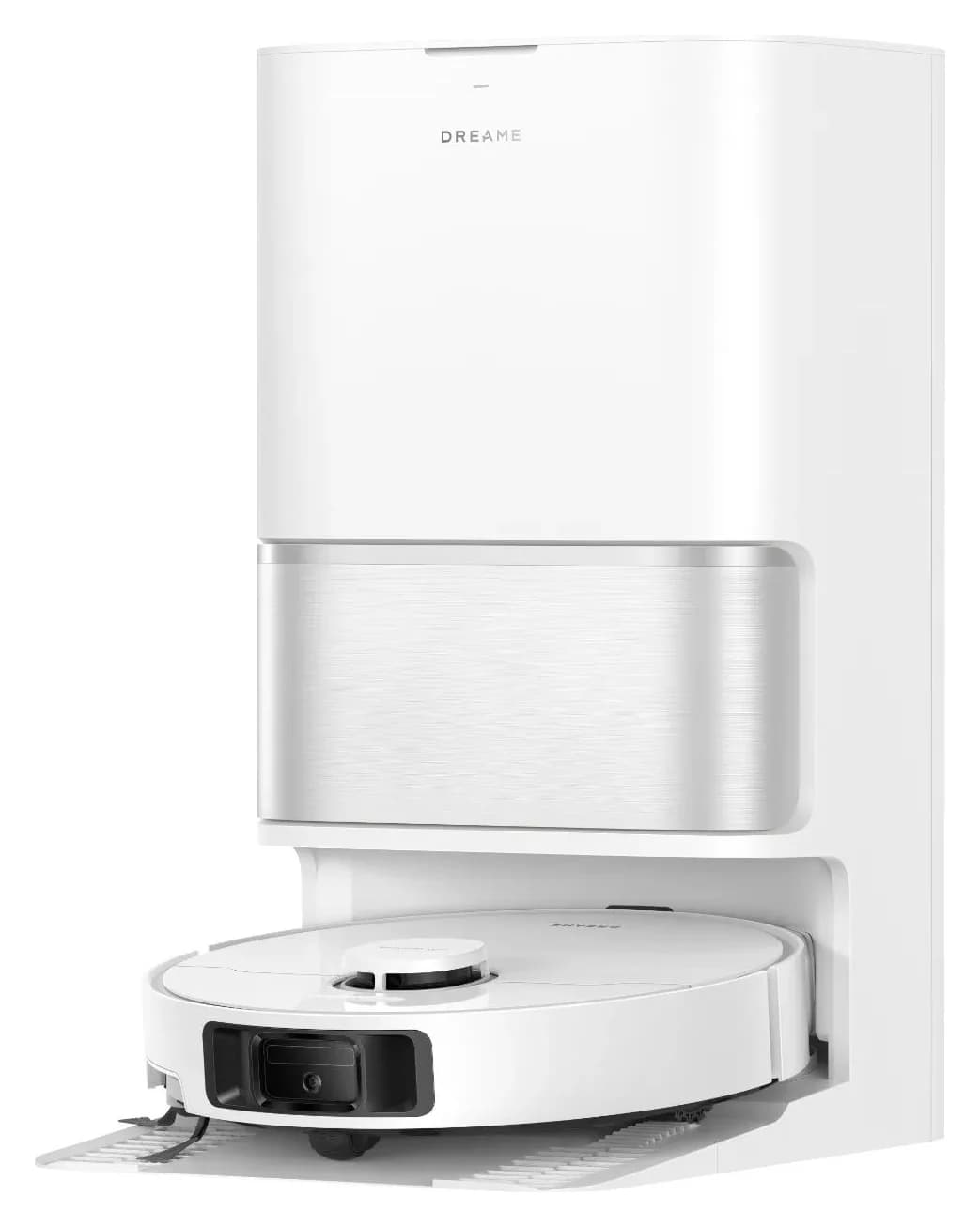
Explainer · Robot Vacuum & Mop Combos
Dreame L10s Ultra Generations: Which Robot and Dock Should You Buy?
Identify the exact Dreame L10s Ultra generation, compare its robot and dock, and match bags, filters and mops. Know when to choose a complete alternative.
Best picks · Robot Vacuum & Mop Combos
Best Robot Mops for Tile Floors: Tile Finish, Grout and Dock Care
Choose a robot mop for tile with clear roller and spinning-pad picks, grout and stone checks, exact cleaner matches, rug limits and practical dock-care advice.
Best picks · Robot Vacuum & Mop Combos
Best Roomba Vacuum and Mop: Which Combo and AutoWash Kit Fits?
Choose the right Roomba vacuum and mop: compare Plus 515, Plus 575 and Max 775 kits, rug limits, dock servicing and exact replacement pads, filters and bags.