

Buying guide
Roborock S6 Replacement Brushes
Exact Fits, Covers and Kits
Find the right Roborock S6 replacement brush: compare S6, S6 Pure and S6 MaxV fit, roller and cover codes, side-brush packs, kit contents and installation.
By thisSWEEP EditorialUpdated November 6, 20267 min read2 picks
On this page · The short answer
The short answer
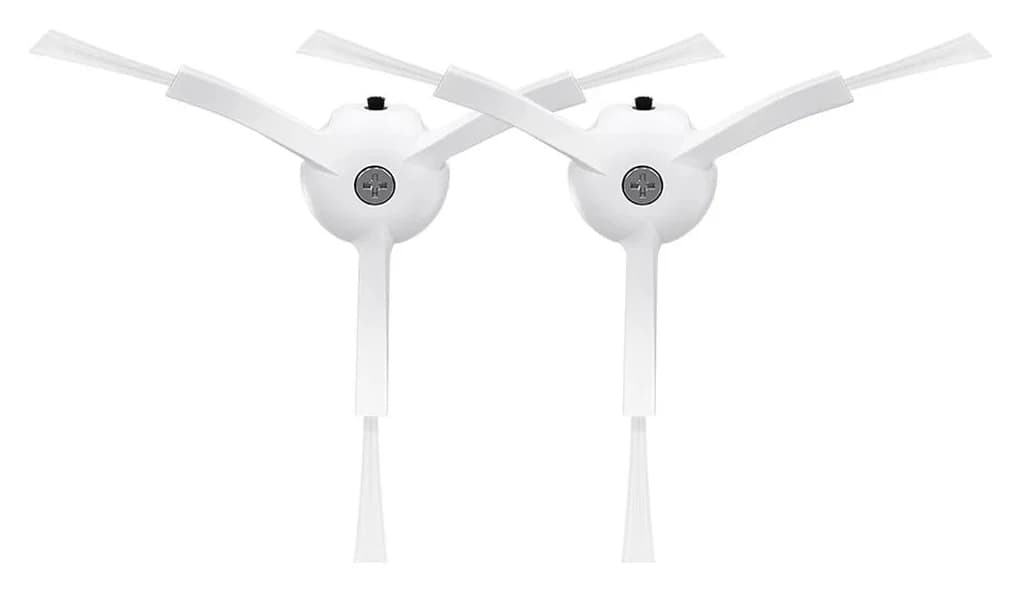
Roborock · RR-BS0-Q80MaxPlus-M2
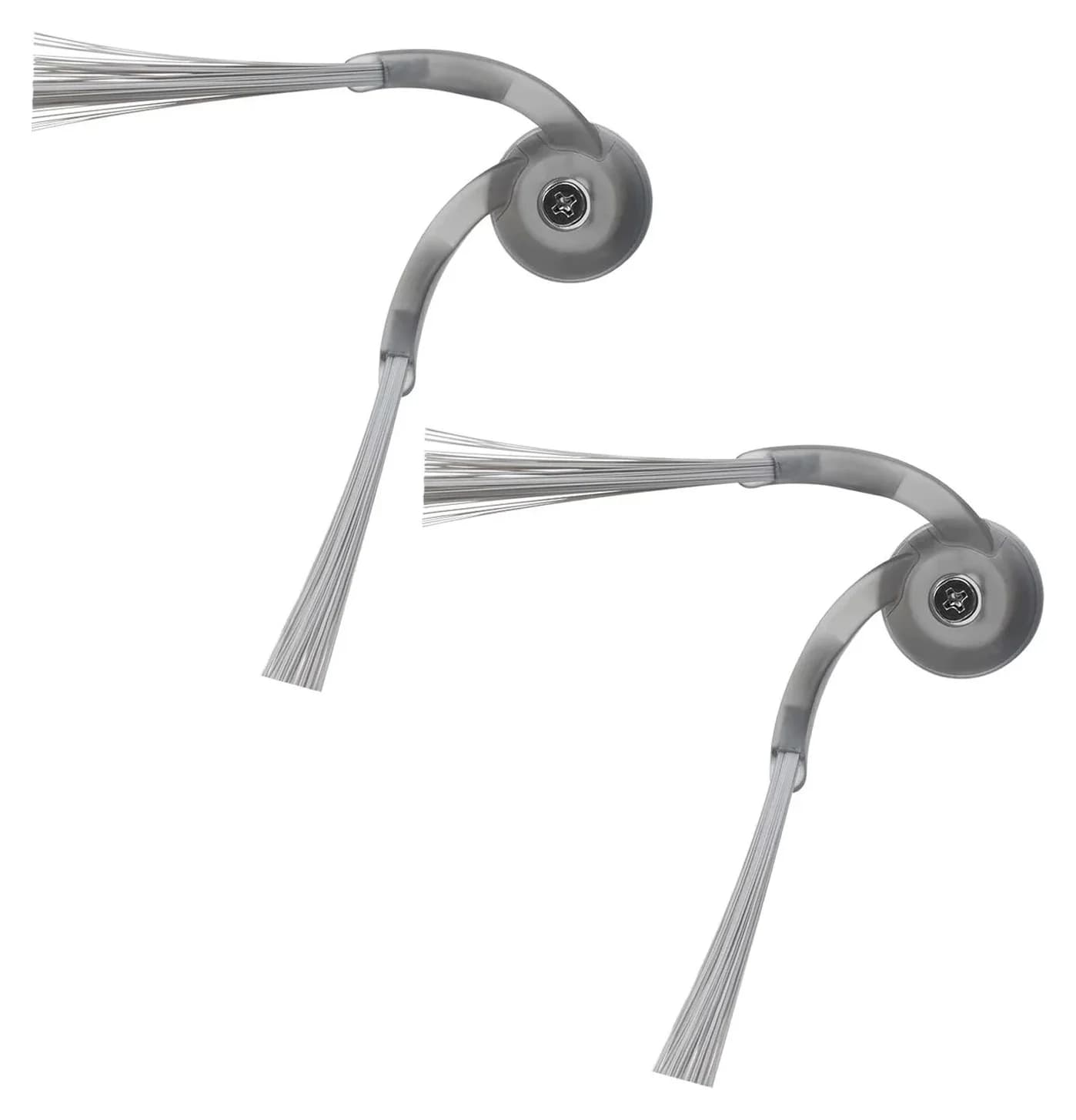
White Side Brushes Replacement
- Pack contents
- 2 white side brushes
- Skip
- 2 side brushes; other components not itemized
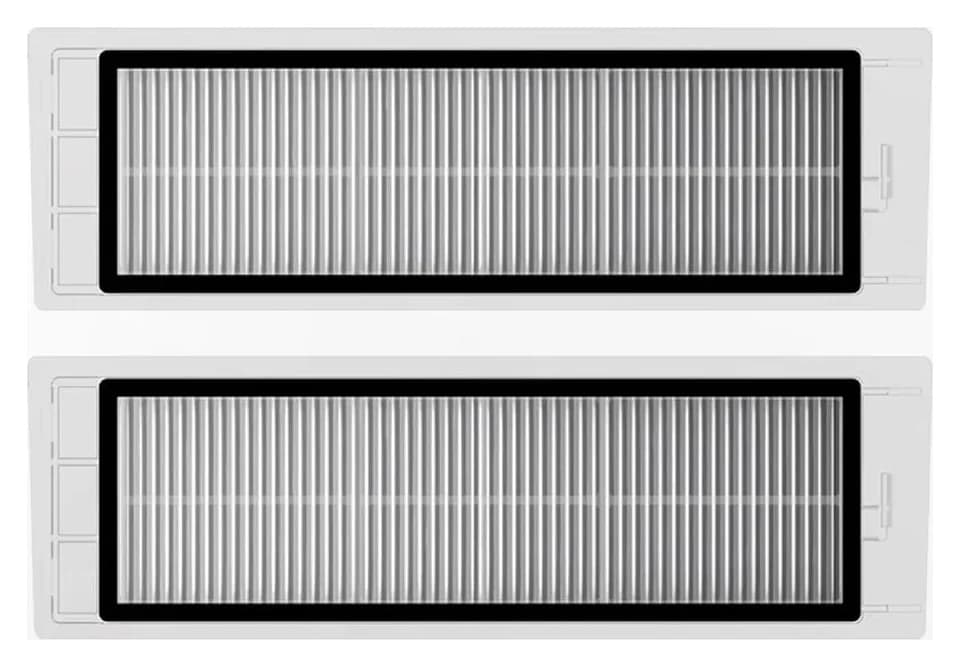
Roborock · RR-Wfilter-01
Washable Filter
- Pack contents
- 2 washable filters
- Skip
- Washing does not extend the maker's 3 to 6 month replacement window indefinitely; filters eventually need replacing
In the box: Two washable filters
For a worn Roborock S6 side brush, our starting pick is the genuine US White Side Brushes Replacement two-pack, whose specific product description names S6, S6 Pure and S6 MaxV. For the main roller, Roborock Japan lists SDZS03RR for S6 and S6 MaxV; S6 Pure fit and the corresponding US replacement remain unconfirmed here. Buy only the component you need, and confirm those unresolved roller matches before ordering.
Quick picks: which part should you order?
Compare specifications and all conditions
Side brush
- Pick
- Roborock White Side Brushes Replacement (2 Pieces) (RR-BS0-Q80MaxPlus-M2)
- Exact S6-family evidence
- S6, S6 Pure and S6 MaxV individually named
- Pack or purchase limit
- 2 side brushes; other components not itemized
Main roller
- Pick
- SDZS03RR, Japan reference only
- Exact S6-family evidence
- S6 and S6 MaxV named; S6 Pure not named
- Pack or purchase limit
- Pack count not stated in the cited entry; confirm local supply
Main-brush cover on S6
- Pick
- SDZSZ02RR, gray Japan reference only
- Exact S6-family evidence
- S6 explicitly named
- Pack or purchase limit
- Cover reference; confirm region and exact replacement
Main-brush cover on S6 MaxV
- Pick
- SDZSZ04RR, black Japan reference only
- Exact S6-family evidence
- S6 MaxV explicitly named
- Pack or purchase limit
- A different code from the S6 cover; confirm region
Filters also need replacement
- Pick
- Roborock RR-Wfilter-01 washable filter
- Exact S6-family evidence
- S6, S6 Pure and S6 MaxV individually named
- Pack or purchase limit
- 2 filters; a separate purchase
Full comparison table
Swipe to compare. Row labels stay visible.
| What needs replacing | Pick | Exact S6-family evidence | Pack or purchase limit |
|---|---|---|---|
| Side brush | Roborock White Side Brushes Replacement (2 Pieces) (RR-BS0-Q80MaxPlus-M2) | S6, S6 Pure and S6 MaxV individually named | 2 side brushes; other components not itemized |
| Main roller | SDZS03RR, Japan reference only | S6 and S6 MaxV named; S6 Pure not named | Pack count not stated in the cited entry; confirm local supply |
| Main-brush cover on S6 | SDZSZ02RR, gray Japan reference only | S6 explicitly named | Cover reference; confirm region and exact replacement |
| Main-brush cover on S6 MaxV | SDZSZ04RR, black Japan reference only | S6 MaxV explicitly named | A different code from the S6 cover; confirm region |
| Filters also need replacement | Roborock RR-Wfilter-01 washable filter | S6, S6 Pure and S6 MaxV individually named | 2 filters; a separate purchase |
Scroll horizontally to see every column
| What needs replacing | Pick | Exact S6-family evidence | Pack or purchase limit |
|---|---|---|---|
| Side brush | Roborock White Side Brushes Replacement (2 Pieces) (RR-BS0-Q80MaxPlus-M2) | S6, S6 Pure and S6 MaxV individually named | 2 side brushes; other components not itemized |
| Main roller | SDZS03RR, Japan reference only | S6 and S6 MaxV named; S6 Pure not named | Pack count not stated in the cited entry; confirm local supply |
| Main-brush cover on S6 | SDZSZ02RR, gray Japan reference only | S6 explicitly named | Cover reference; confirm region and exact replacement |
| Main-brush cover on S6 MaxV | SDZSZ04RR, black Japan reference only | S6 MaxV explicitly named | A different code from the S6 cover; confirm region |
| Filters also need replacement | Roborock RR-Wfilter-01 washable filter | S6, S6 Pure and S6 MaxV individually named | 2 filters; a separate purchase |
Sources: US white side-brush product data, Roborock Japan's individual accessory entries, and the US filter listing. The Japan entries are identification references, with US ordering still to confirm.
Side-brush pick: Roborock White Side Brushes Replacement (2 Pieces) RR-BS0-Q80MaxPlus-M2
Roborock
White Side Brushes Replacement
RR-BS0-Q80MaxPlus-M2
- Pack contents
- 2 white side brushes
- Choose
- Side-brush pick
- Skip
- 2 side brushes; other components not itemized
Choose this pack when the side brush itself needs replacing. The specific white-brush description names S6, S6 Pure and S6 MaxV, rather than leaving the match at “S Series.” It identifies RR-BS0-Q80MaxPlus-M2 and two pieces. That makes it our clearest documented US brush purchase for these models.
The color variants deserve care. Roborock's combined black/white listing names all these models in its product description. Its product data maps black to RR-BS5-Q85MaxPlus-M2 and white to RR-BS0-Q80MaxPlus-M2. However, the standalone black listing gives a newer-model compatibility list that omits the S6 family. This is a listing mismatch, not proof that the black brush cannot fit. Ask Roborock to confirm that exact black offer if you prefer it.
Do not assume the pack supplies a replacement screw: the captured description itemizes side brushes, without specifying screw contents. Keep your existing screw available while confirming the package.
Check the white pack at Roborock
Main-brush reference: Roborock SDZS03RR
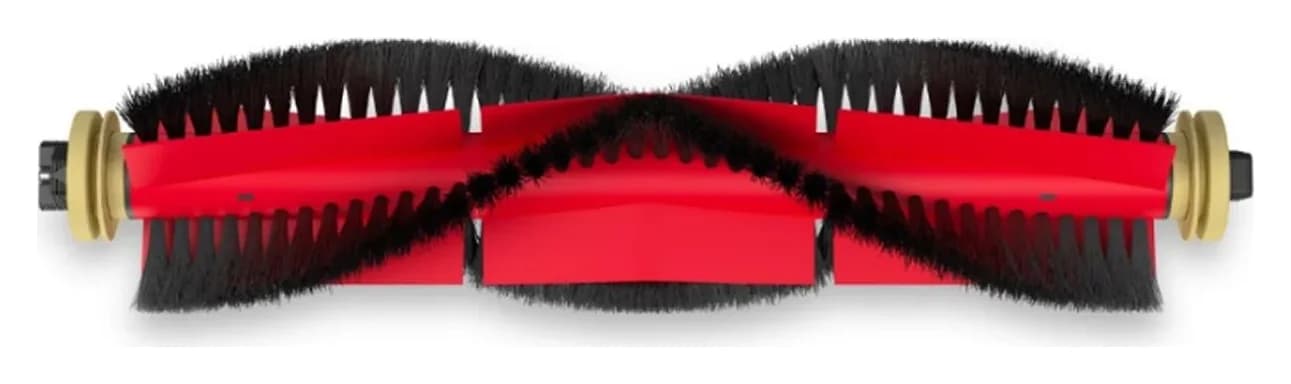
For S6 or S6 MaxV, SDZS03RR is a useful part code to take to Roborock support. The maker's Japan accessory entry calls it a main brush and expressly lists both models. It does not name S6 Pure, and it does not state a pack quantity or itemize a cover or cleaning tool. We therefore use it as a documented regional reference, with local availability and package contents still to confirm.
For an S6 Pure, ask for an exact-model roller listing before buying. Its own manual is available from Roborock, but maintenance instructions alone cannot establish the fit of a replacement SKU. A missing model name is an unresolved match, not a declaration that the part will never work.
Skip an S7 roller as a substitute. Roborock's S7 support FAQ says its main brush and brush cover are not interchangeable with previous models; only the side brush is. The current US S7 main-brush listing also gives a model list without S6. For that generation, use our S7 replacement-brush guide.
See the SDZS03RR entry at Roborock Japan
Optional filter refresh: Roborock Washable Filter (2x) for S6, S5, S4, E Series and Q5 RR-Wfilter-01
Roborock
RR-Wfilter-01
- Pack contents
- 2 washable filters
- Choose
- Optional filter refresh
- Skip
- Washing does not extend the maker's 3 to 6 month replacement window indefinitely; filters eventually need replacing
If your maintenance order also needs filters, the US washable-filter listing explicitly names S6, S6 Pure and S6 MaxV. Its product data identifies RR-Wfilter-01, and the pack title specifies two filters. Order it only when filters belong on your replacement list.
This is a separate filter pack. Neither its description nor the side-brush description itemizes a main roller or brush guard. Putting these packs in the same order does not establish a complete brush kit.
Check the filter pack at Roborock
Identify your model, then check the mount and roller ends
Write down the complete robot model and keep its serial number available. Preserve Pure or MaxV in every support inquiry and product search. When a proposed listing says only “S6 Series,” ask for the component's specific model list. For other generations, start with our Roborock replacement-brush selector.
Before removing anything, switch the robot off; the S6 Pure manual instructs owners to turn it off before changing accessories. Photograph the assembled underside, then use your own model's instructions to inspect the old part.
The S6 MaxV manual identifies a main-brush bearing, a removable cap, lock/unlock directions and an alignment mark. Its side brush uses a screw. These give you useful comparison points: compare the bearing and cap ends, the side-brush fixing and the cover's latch position with the proposed replacement. Treat that inspection as a way to catch a mismatch; require the maker's model match before purchasing.
- Yes: Side-brush compatibility is checked separately from roller compatibility
- Yes: Roller comparison includes its bearing and cap ends
- Partly: S6 Pure roller fit still needs an exact replacement listing
- No: S7 main brush or cover substituted on the strength of shared side-brush fit
Brush, cover or kit: buy what is actually worn
If a side-brush arm is damaged, start with the matched side-brush pack. If the roller's bristles are worn, ask for the matched roller. If the cover's latch is damaged, seek the correct cover rather than assuming a roller purchase fixes it. The MaxV manual names the brush, bearing, cap and cover separately.
Cover codes illustrate why suffixes matter. Roborock Japan lists gray SDZSZ02RR for S6 and black SDZSZ04RR for S6 MaxV. Neither cited cover entry names S6 Pure. Do not turn those entries into a universal S6-family cover recommendation; use them to request the right regional part from support.
For a larger refresh, make the order explicit:
White side-brush pack
- Documented quantity
- 2 side brushes
- What still needs checking
- Whether screws are included
Washable-filter pack
- Documented quantity
- 2 filters
- What still needs checking
- Whether you actually need filters now
SDZS03RR main-brush reference
- Documented quantity
- Quantity not stated in the cited Japan entry
- What still needs checking
- Your exact model, local replacement and included ends/tools
Any proposed maintenance bundle
- Documented quantity
- No fully verified S6-family bundle recommended here
- What still needs checking
- Roller, side-brush, cover, filter and mop-cloth quantities, each with exact fit
Full comparison table
Swipe to compare. Row labels stay visible.
| Your maintenance order | Documented quantity | What still needs checking |
|---|---|---|
| White side-brush pack | 2 side brushes | Whether screws are included |
| Washable-filter pack | 2 filters | Whether you actually need filters now |
| SDZS03RR main-brush reference | Quantity not stated in the cited Japan entry | Your exact model, local replacement and included ends/tools |
| Any proposed maintenance bundle | No fully verified S6-family bundle recommended here | Roller, side-brush, cover, filter and mop-cloth quantities, each with exact fit |
Scroll horizontally to see every column
| Your maintenance order | Documented quantity | What still needs checking |
|---|---|---|
| White side-brush pack | 2 side brushes | Whether screws are included |
| Washable-filter pack | 2 filters | Whether you actually need filters now |
| SDZS03RR main-brush reference | Quantity not stated in the cited Japan entry | Your exact model, local replacement and included ends/tools |
| Any proposed maintenance bundle | No fully verified S6-family bundle recommended here | Roller, side-brush, cover, filter and mop-cloth quantities, each with exact fit |
Ask for a named inventory before buying a bundle. A kit's headline piece count is less useful than knowing whether it supplies the roller, guard or spare side brush you need. Keep components that remain serviceable off the shopping list.
Clean first, then replace and reinstall
A brush alert does not automatically call for a purchase. On S6 MaxV, Error 5 directs you to remove and clean the main brush and bearing; Error 6 calls for side-brush cleaning. Error 17 is a side-brush module fault with a system-reset instruction. Follow the manual's troubleshooting guidance and contact support if its remedies do not resolve the fault.
For S6, Roborock's maintenance page directs owners to pull hair from the main-brush bristles and both ends. It also says to unscrew the side brush, clear trapped hair, replace it and tighten its screw.
For S6 MaxV, the manual's roller procedure is: release the cover latch, lift out the brush, clean the bearing, unlock the cap, remove tangled hair, reinstall the end parts in the lock direction, then refit the roller and lock the cover. Its side-brush procedure uses the fixing screw. Follow your model's illustrated directions for orientation.
The MaxV manual also requires switching the product off and removing the plug from the socket before maintenance.
Switch off
Follow the manual's power-off and unplugging instruction before maintenance.
Release and inspect
Remove the main-brush cover and roller; check the bearing and cap.
Clear trapped hair
Clean the roller and bearing, or unscrew and clean the side brush.
Reassemble
Refit the roller ends and latch the cover, or reinstall the side brush and tighten its screw.
The S6 MaxV schedule calls for weekly main-brush cleaning and monthly side-brush cleaning, with recommended replacement at 6–12 months and 3–6 months, respectively. These are the maker's maintenance recommendations, not a fixed service life. Use the instructions supplied for your own variant and inspect its condition before buying spares.
How we choose
We compare official component descriptions, model lists, regional part codes, package inventories and maintenance instructions. Explicit model naming decides fit; appearance and shared branding do not. We have not physically tested these parts. Unconfirmed matches remain visible, and manufacturer links let you inspect the exact offers. See our disclosure.
Verdict
For a side-brush replacement, start with the US white two-pack: its specific listing names S6, S6 Pure and S6 MaxV. For an S6 or S6 MaxV main roller, take SDZS03RR to Roborock for confirmation of the local replacement; S6 Pure still needs an explicit roller match. Add filters or a correctly matched cover only when you need them, and buy a complete kit only after its component inventory earns the purchase.
Frequently asked questions
Do S6, S6 Pure and S6 MaxV use the same replacement brushes?
Check each component separately. Roborock's US white side-brush description names all three models. Its Japan main-brush entry SDZS03RR names S6 and S6 MaxV but does not name S6 Pure. That omission leaves the Pure match unconfirmed here; it does not prove incompatibility. Confirm the exact roller with Roborock before ordering for a Pure or transferring a regional part code to a US purchase.
Can I put an S7 rubber roller in a Roborock S6?
Do not buy it as an S6 upgrade. Roborock's S7 support FAQ says the main brush and brush cover are not interchangeable with previous models, while the side brush is interchangeable. A shared side-brush listing therefore cannot establish roller compatibility. Match the main brush to your exact robot, and use the separate S7 guide if your machine is actually an S7.
Which side brush should I buy for a Roborock S6?
Our starting choice is Roborock's US White Side Brushes Replacement two-pack, SKU RR-BS0-Q80MaxPlus-M2. Its specific product description explicitly names S6, S6 Pure and S6 MaxV. The combined color listing also names those models, but the standalone black listing gives a different, newer-model list. Confirm a black purchase against the exact listing instead of assuming its color or title settles fit.
How often should I replace the main brush and side brush?
The S6 MaxV manual recommends main-brush replacement every 6 to 12 months and side-brush replacement every 3 to 6 months. It calls for weekly main-brush cleaning and monthly side-brush cleaning. Those are manufacturer recommendations, not a guaranteed lifespan. Consult your own model's manual and inspect the parts; the S6 maintenance page also directs owners to remove trapped hair before reassembling their brushes.
Should I buy a complete Roborock S6 accessory kit?
Buy a kit only when you need its included components and can verify each match. This guide does not recommend a fully verified S6-family bundle. The documented US side-brush pack contains two brushes, and the filter pack contains two filters; neither description itemizes a roller or guard. For a kit, require named quantities for the main brush, side brushes, cover, filters and mop cloths before deciding it replaces your separate shopping list.

Related guides
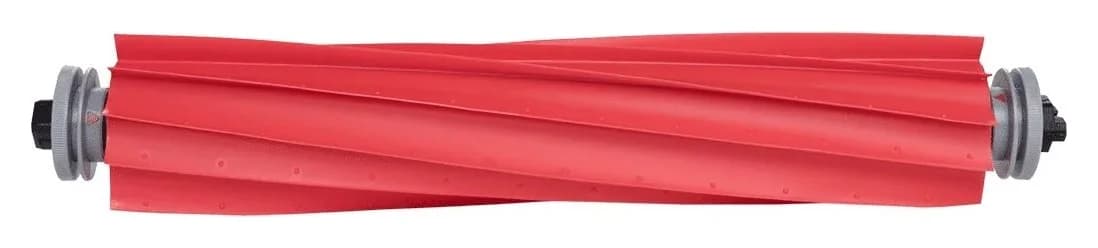
Buying guide · Brushes & Mop Pads
Roborock T7S Main Brush: Choose the Right Roller or Cover
Find a Roborock T7S main brush, distinguish rollers from covers and cleaning brushes, check regional model labels, and avoid unverified maintenance kits.
Buying guide · Brushes & Mop Pads
Roborock Side Brush Replacement: Which Brush and Kit Fit?
Find the right Roborock side brush, main roller or cover by exact model and part code. Compare genuine packs, kit contents, screw mounts and replacement steps.
Buying guide · Brushes & Mop Pads
Roborock S5 Main Brush: Choose the Correct Roller, Cover or Kit
Choose the right Roborock S5 main brush with roller-end checks, cover guidance and kit comparisons. Separate S5 from S5 Max before ordering replacement parts.