

Buying guide
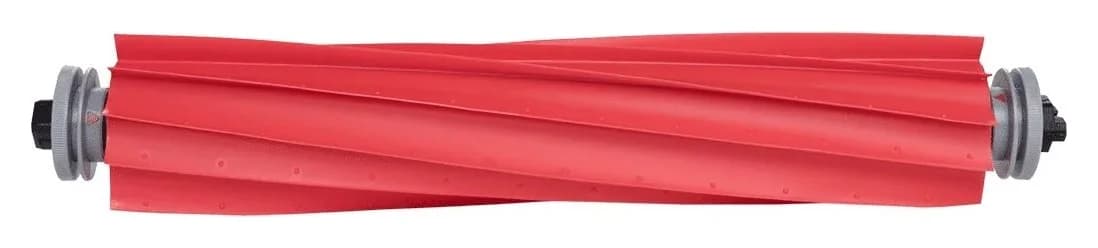
Roborock T7S Main Brush
Choose the Right Roller or Cover
Find a Roborock T7S main brush, distinguish rollers from covers and cleaning brushes, check regional model labels, and avoid unverified maintenance kits.
By thisSWEEP EditorialUpdated November 5, 20267 min read
On this page · Quick picks: replace the part that is actually worn
For a Roborock T7S main brush, start with the soft-rubber main roller identified in the T7S manual, then have regional support confirm the replacement SKU against your robot label. Choose the separate main-brush cover when the guard is damaged, and clean the removable roller ends before buying for a jam. Roborock's S8/S7 Cleaning Brush listing describes a different accessory and does not list T7S compatibility. Sources: T7S manual, Cleaning Brush listing.
Purchase limit: we could not establish a T7S-approved US replacement SKU or an itemized T7S maintenance kit from the official sources below. The US roller is a candidate to confirm with Roborock, not an approved T7S substitution. For other robots, use our broader Roborock replacement-brush selector.
Quick picks: replace the part that is actually worn
Hair wrapped around the roller ends; no obvious damage
- Starting choice
- Clean the existing brush and bearing first
- What to establish before ordering
- Reassemble the bearing and caps correctly before diagnosing a failed part
Abnormal wear on the rubber roller
- Starting choice
- T7S soft-rubber main brush, matched by regional support
- What to establish before ordering
- Exact replacement SKU and whether caps and bearing come with it
Damaged guard or retaining clips
- Starting choice
- T7S soft-rubber main-brush cover, matched separately
- What to establish before ordering
- Cover SKU and exact robot fit; a roller order does not establish cover contents
Several consumables need replacing
- Starting choice
- An itemized, exact-model maintenance order
- What to establish before ordering
- Separate fit and quantity for the roller, cover, side brushes and filters
Full comparison table
Swipe to compare. Row labels stay visible.
| What you find | Starting choice | What to establish before ordering |
|---|---|---|
| Hair wrapped around the roller ends; no obvious damage | Clean the existing brush and bearing first | Reassemble the bearing and caps correctly before diagnosing a failed part |
| Abnormal wear on the rubber roller | T7S soft-rubber main brush, matched by regional support | Exact replacement SKU and whether caps and bearing come with it |
| Damaged guard or retaining clips | T7S soft-rubber main-brush cover, matched separately | Cover SKU and exact robot fit; a roller order does not establish cover contents |
| Several consumables need replacing | An itemized, exact-model maintenance order | Separate fit and quantity for the roller, cover, side brushes and filters |
Scroll horizontally to see every column
| What you find | Starting choice | What to establish before ordering |
|---|---|---|
| Hair wrapped around the roller ends; no obvious damage | Clean the existing brush and bearing first | Reassemble the bearing and caps correctly before diagnosing a failed part |
| Abnormal wear on the rubber roller | T7S soft-rubber main brush, matched by regional support | Exact replacement SKU and whether caps and bearing come with it |
| Damaged guard or retaining clips | T7S soft-rubber main-brush cover, matched separately | Cover SKU and exact robot fit; a roller order does not establish cover contents |
| Several consumables need replacing | An itemized, exact-model maintenance order | Separate fit and quantity for the roller, cover, side brushes and filters |
These are component choices, not verified retail bundles. The T7S manual identifies the parts, gives the cleaning procedure and advises replacing abnormally worn parts.
Identify the T7S model and region first
Photograph the robot label and keep its full model and serial number with the order. The T7S manual says the model approval code is on the robot label; the S7 manual places its serial-number sticker underneath the robot. Use the manual supplied for your own machine to resolve its identity.
T7S
- Model shown in the official manual
A14*0RR- Buying consequence
- Request the T7S roller and cover against this full label family
T7S Plus
- Model shown in the official manual
A23*0RR- Buying consequence
- Use the Plus identity; do not silently substitute the base model
S7
- Model shown in the official manual
roborock S7- Buying consequence
- Follow the S7 accessory route; this name does not establish a T7S match
Full comparison table
Swipe to compare. Row labels stay visible.
| Name on your documentation | Model shown in the official manual | Buying consequence |
|---|---|---|
| T7S | A14*0RR | Request the T7S roller and cover against this full label family |
| T7S Plus | A23*0RR | Use the Plus identity; do not silently substitute the base model |
| S7 | roborock S7 | Follow the S7 accessory route; this name does not establish a T7S match |
Scroll horizontally to see every column
| Name on your documentation | Model shown in the official manual | Buying consequence |
|---|---|---|
| T7S | A14*0RR | Request the T7S roller and cover against this full label family |
| T7S Plus | A23*0RR | Use the Plus identity; do not silently substitute the base model |
| S7 | roborock S7 | Follow the S7 accessory route; this name does not establish a T7S match |
The T7S and T7S Plus manuals say the asterisk represents a color variant digit. Both describe their products as intended for Mainland China sale and use. That is why this guide does not turn “T7S” into “S7” for ordering. Sources: T7S manual, T7S Plus manual, S7 manual.
For a roller or cover order, start with the robot identity. If the order also includes dock consumables, photograph the dock label separately rather than treating a robot nickname as the dock model.
For a worn roller: T7S soft-rubber main brush
The exact Chinese component name in the manual is 软胶主刷. Its bearing is 软胶主刷轴承, and its end cap is 软胶主刷盖. These names help distinguish the roller and its ends from the surrounding guard when ordering through Mainland China support.
Our starting choice is the manufacturer-matched roller when that component has abnormal wear. Before replacing it for an error alone, follow the manual: Error 5 can mean foreign material wrapped around the main brush, and Roborock directs owners to remove and clean the brush and bearing. The T7S support information also lists a full dustbin, blocked filter and tangled main brush as possible causes of declining pickup.
Keep the old caps and bearing until support confirms what the replacement includes. The exploded maintenance drawing identifies serviceable components; it is not a retail packing list. Neither the manual nor the captured T7S support information supplies an orderable main-brush SKU.
Open official T7S support to confirm the roller. Send the label photo and ask for the replacement SKU, included caps and bearing, and delivery availability for your location.
For a damaged guard: T7S main-brush cover
The manual names the guard 软胶主刷罩 and shows its retaining clips separately from the roller. This is the component to identify when the cover is damaged; buying another roller does not answer which guard to order. The roller's end cap is a different part again.
Request the cover against the same full robot label, with a photo of the old cover and clips. No T7S cover replacement SKU or retail pack contents were confirmed in the captured model-specific sources. Treat a claimed “roller and cover assembly” as unverified until Roborock itemizes that exact package.
Confirm the T7S cover with official support. If only the cover needs replacing, ask for that component separately before accepting a broader kit.
US roller candidate: RR-S7-ZS-02 needs T7S confirmation
Roborock's US main-brush page supplies a concrete accessory to ask about: RR-S7-ZS-02, confirmed in its official product data. That data marked the roller available at our source check. Availability does not establish T7S compatibility.
There is a wording conflict worth resolving before purchase. The URL says s7-main-brush, and Roborock's points program lists a main brush for S7. However, the current retail listing names S7 MaxV, S7 Pro Ultra and S7 Max Ultra alongside Qrevo and other models, while omitting plain S7 and T7S. Ask support to reconcile the exact SKU with your label; do not infer fit from the older URL or the broader points description.
The listing does not itemize a roller quantity or promise a cover, side brush or filter. The 02 suffix is part of the SKU, not evidence of pack quantity. Check the official US roller listing after Roborock confirms the regional match.
Roller, cover or maintenance kit: compare the actual contents
Here is how the documented US packs compare with a T7S order that still needs confirmation. “Not listed” means the maker has not promised that component in Roborock’s product description. It does not mean a similarly named kit contains it.
US main brush RR-S7-ZS-02
- Main roller
- Listed; quantity not itemized
- Cover / guard
- Not listed
- Side brushes
- Not listed
All specifications
- Filters
- Not listed
- T7S buying status
- Requires written fit confirmation
US S7-family main-brush cover
- Main roller
- Not listed
- Cover / guard
- Listed; black
RR-S75MBC-01or whiteRR-S70MBC-01 - Side brushes
- Not listed
All specifications
- Filters
- Not listed
- T7S buying status
- T7S omitted; both variants marked unavailable at source check
US side-brush pack linked below
- Main roller
- Not listed
- Cover / guard
- Not listed
- Side brushes
- Two
All specifications
- Filters
- Not listed
- T7S buying status
- T7S not named on that page
US S7/S8 filter pack linked below
- Main roller
- Not listed
- Cover / guard
- Not listed
- Side brushes
- Not listed
All specifications
- Filters
- Two
- T7S buying status
- T7S not named on that page
Proposed T7S maintenance kit
- Main roller
- Unconfirmed
- Cover / guard
- Unconfirmed
- Side brushes
- Unconfirmed
All specifications
- Filters
- Unconfirmed
- T7S buying status
- No complete, orderable kit verified here
Full comparison table
Swipe to compare. Row labels stay visible.
| Official accessory or proposed order | Main roller | Cover / guard | Side brushes | Filters | T7S buying status |
|---|---|---|---|---|---|
US main brush RR-S7-ZS-02 | Listed; quantity not itemized | Not listed | Not listed | Not listed | Requires written fit confirmation |
| US S7-family main-brush cover | Not listed | Listed; black RR-S75MBC-01 or white RR-S70MBC-01 | Not listed | Not listed | T7S omitted; both variants marked unavailable at source check |
| US side-brush pack linked below | Not listed | Not listed | Two | Not listed | T7S not named on that page |
| US S7/S8 filter pack linked below | Not listed | Not listed | Not listed | Two | T7S not named on that page |
| Proposed T7S maintenance kit | Unconfirmed | Unconfirmed | Unconfirmed | Unconfirmed | No complete, orderable kit verified here |
Scroll horizontally to see every column
| Official accessory or proposed order | Main roller | Cover / guard | Side brushes | Filters | T7S buying status |
|---|---|---|---|---|---|
US main brush RR-S7-ZS-02 | Listed; quantity not itemized | Not listed | Not listed | Not listed | Requires written fit confirmation |
| US S7-family main-brush cover | Not listed | Listed; black RR-S75MBC-01 or white RR-S70MBC-01 | Not listed | Not listed | T7S omitted; both variants marked unavailable at source check |
| US side-brush pack linked below | Not listed | Not listed | Two | Not listed | T7S not named on that page |
| US S7/S8 filter pack linked below | Not listed | Not listed | Not listed | Two | T7S not named on that page |
| Proposed T7S maintenance kit | Unconfirmed | Unconfirmed | Unconfirmed | Unconfirmed | No complete, orderable kit verified here |
Sources: roller data, cover variants and availability, side-brush pack, filter pack. An unavailable cover is a part-number reference, not a current purchase recommendation.
Buy a kit only if it supplies the parts you need and passes the same fit checks as separate orders. We have no verified complete T7S kit to rank against a standalone roller. For a wider S7-specific purchase, continue to our S7 replacement-brush and kit guide.
- Yes: An exact replacement SKU approved for your full robot label and market
- Yes: A written list of included rollers, covers, side brushes and filters
- Partly: Caps and bearing: confirm inclusion rather than borrowing a diagram's labels
- No: A shared model nickname, color or SKU suffix used as proof of compatibility or quantity
Clean and reinstall the T7S roller correctly
Power off the robot before maintenance, as the T7S manual requires. Its roller procedure follows this order:
Release the cover
Turn the robot over and press the clips to remove the main-brush cover.
Lift out the roller
Remove the main brush, then pull out its bearing.
Clean the ends
Turn the cap fasteners toward the unlock marks, remove wrapped hair or debris, and refit toward the lock marks.
Secure the cover
Reinstall the roller and its bearing, then press the cover's retaining clips firmly into place.
The brush-specific care note recommends a damp cloth for the removed rubber roller. If immersed, dry it and avoid direct sun; do not use corrosive cleaners or disinfectants. This instruction applies to the removable brush, not to washing the robot body. If Error 5 persists after cleaning and correct reassembly, use support before assuming a new roller will solve it.
How we choose
We prioritize exact model identity, manufacturer part data, explicit pack contents and the model's maintenance instructions. This is document-based research without physical testing. The T7S component picks identify what to request; the US roller remains conditional because its official fit list does not establish a T7S match. Unconfirmed kits receive no recommendation. Affiliate relationships do not determine a pick (disclosure).
Verdict
Choose a manufacturer-matched T7S soft-rubber roller for abnormal roller wear, or the separate T7S cover for a damaged guard. For a jam, clean the brush, bearing and caps first. If Roborock cannot confirm the exact regional replacement, hold the order: neither the US roller's name nor a bundle of unrelated consumables supplies that missing fit evidence.
Frequently asked questions
Which main brush does the Roborock T7S use?
Roborock's T7S manual identifies a soft-rubber main brush, a separate brush cover, end caps and a removable bearing. For a worn roller, request the main brush rather than the cover. The manual confirms the component type but does not supply an orderable replacement SKU; have regional support match that SKU to your robot label before buying.
Does an S7 main brush fit the T7S?
The official sources reviewed here do not establish that substitution. The T7S manual identifies the A14*0RR model family, while the US RR-S7-ZS-02 listing names other models and omits T7S. Roborock's points program mentions S7 more broadly, but that still does not confirm T7S. Ask Roborock to approve the exact replacement SKU for your full robot model and market.
Is the Roborock S8/S7 Cleaning Brush a T7S main roller?
No: Roborock sells that accessory as a Cleaning Brush pack containing two cleaning brushes, with a compatible-model list covering specified Saros, S8 and S7 Ultra models. It does not name T7S or identify the contents as T7S main rollers. Use the T7S manual's soft-rubber main-brush name when requesting the roller, and treat cleaning brushes as a separate accessory.
Do I need a new brush for Error 5?
Start with cleaning. The T7S manual says Error 5 can mean foreign material wrapped around the main brush and tells you to remove and clean the brush and bearing. Its maintenance procedure also removes hair from the ends. If the error persists after correct reassembly, contact support before ordering a roller or assuming the motor needs replacement.
Can I wash the T7S rubber main brush?
The brush-specific instructions recommend wiping the dirty roller with a damp cloth. If it becomes immersed, dry it and avoid direct sun; do not use corrosive cleaning liquids or disinfectants. Follow those instructions for the removable brush rather than treating the entire robot as washable. The manual separately requires powering off or disconnecting power before cleaning or maintenance.
Which T7S maintenance kit should I buy?
We could not verify an orderable T7S kit with complete, itemized contents in the official sources reviewed. Request an exact-model order listing the roller, cover, side brushes and filters separately, with quantities and replacement SKUs. The official US side-brush and filter packs below describe their own contents, but neither page names T7S; their quantities do not prove regional compatibility.
Related guides
Buying guide · Brushes & Mop Pads
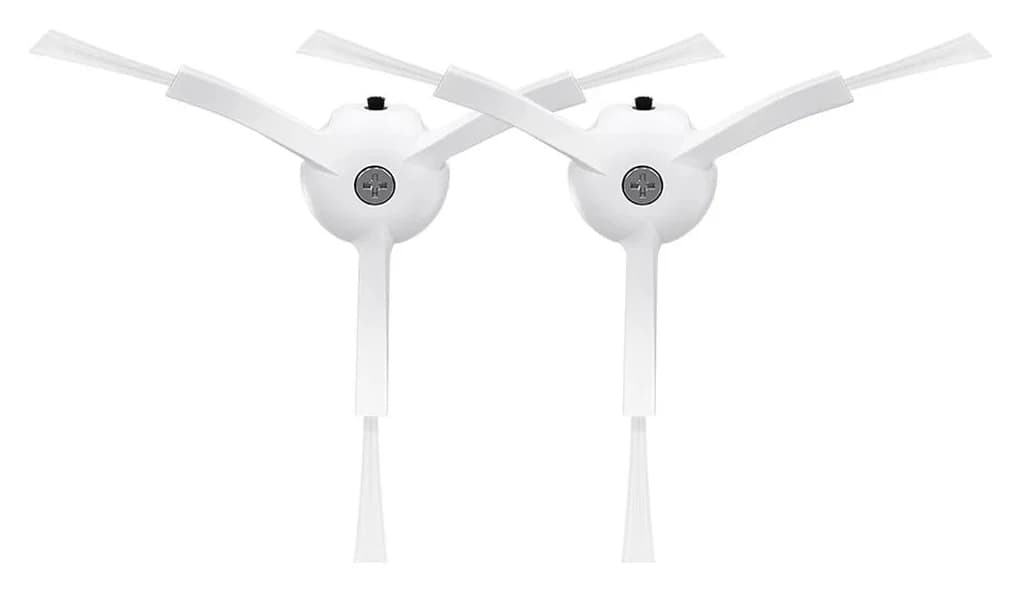
Roborock S6 Replacement Brushes: Exact Fits, Covers and Kits
Find the right Roborock S6 replacement brush: compare S6, S6 Pure and S6 MaxV fit, roller and cover codes, side-brush packs, kit contents and installation.
Buying guide · Brushes & Mop Pads
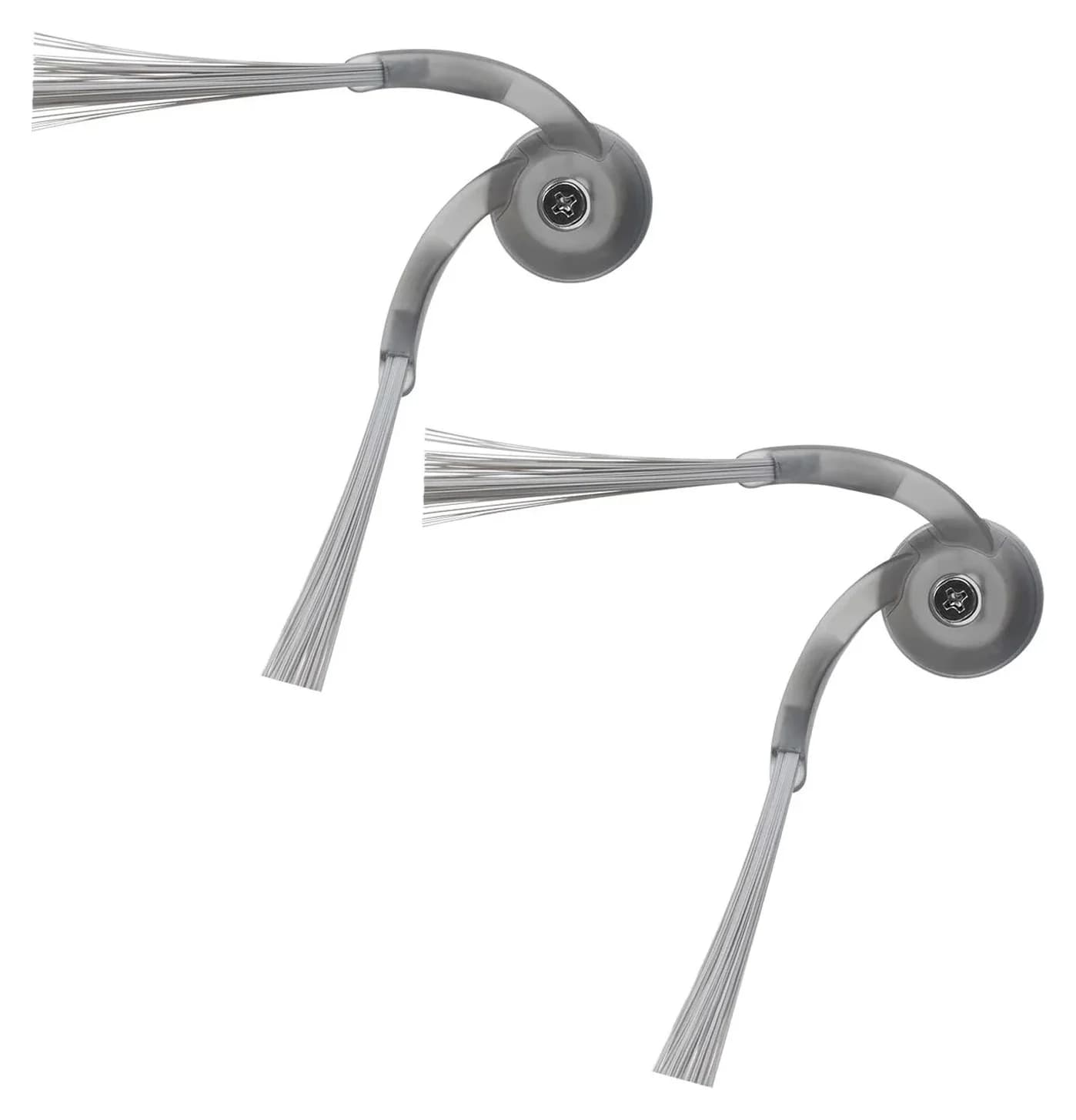
Roborock Side Brush Replacement: Which Brush and Kit Fit?
Find the right Roborock side brush, main roller or cover by exact model and part code. Compare genuine packs, kit contents, screw mounts and replacement steps.
Buying guide · Brushes & Mop Pads
Roborock S5 Main Brush: Choose the Correct Roller, Cover or Kit
Choose the right Roborock S5 main brush with roller-end checks, cover guidance and kit comparisons. Separate S5 from S5 Max before ordering replacement parts.