

Buying guide
Roomba Replacement Filters
Which Part Fits Your Exact Robot?
Find the right Roomba replacement filter by exact model and part number. Compare genuine filter packs, itemized maintenance kits and model-specific care advice.
By thisSWEEP EditorialUpdated November 6, 20269 min read9 picks
On this page · The short answer
The short answer
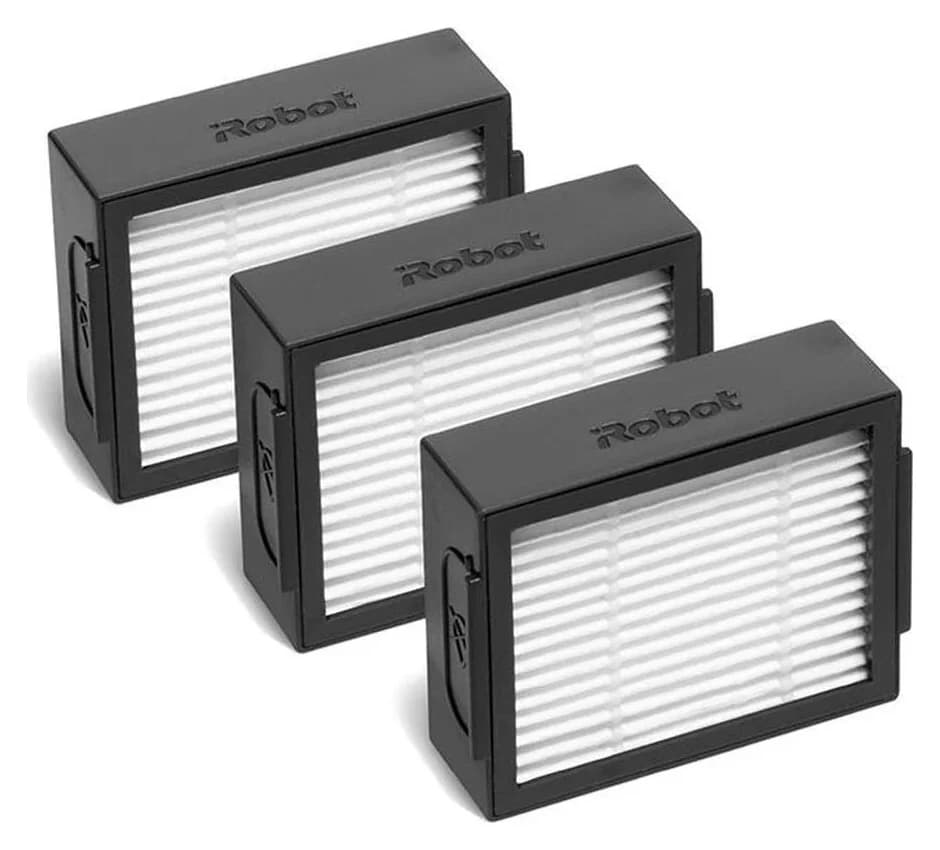
iRobot 4639161 high-efficiency filters
- Check
- For an i7 owner who only needs filters, this is our starting recommendation.
iRobot 4636433 AeroForce filters
iRobot 4785883 high-efficiency filters
More picks (6)
- 4
- 5
Roomba 105 pick
Choose for: Roomba 105 pick
Check before buying: Its list also includes the standalone 105 Vac, 105 Combo with or without the dock, and named Essential models.
- 6
Plus 515/575 Combo pick
Choose for: Plus 515/575 Combo pick
Check before buying: Do not assume a kit contains carbon filters.
- 7
Max 705 Vac pick
iRobot 4849904 standard filters
Choose for: Max 705 Vac pick
Check before buying: Keep “Vac” in the match: this listing does not establish compatibility with Max 705 Combo.
- 8
- 9
Max 775 Combo pick
Choose for: Max 775 Combo pick
Check before buying: That Combo list supplies no Vac-model fit promise.
For Roomba i7 filter replacement, choose iRobot 4639161, a three-pack listed for e, i and j Series plus Combo i5/j5 Series. For a 105, Plus 515/575, Max 705 Vac, Max 715 Vac or Max 775 Combo, use the model-to-part table below. If your complete model is missing, leave the match unconfirmed before buying.
As an Amazon Associate, thisSWEEP earns from qualifying purchases. The links below go to iRobot; matching Amazon offers have not been verified. Recommendations follow the linked official US documentation.
Quick picks: match the robot before the filter pack
Every pack below contains three robot dustbin filters. Match both the part number and robot name; shop for dock bags separately.
Compare specifications and all conditions
e, i or j Series, including i7; Combo i5/j5 Series
- What the official listing establishes
- Named legacy families; explicitly excludes Combo j7+ and Combo j9+
Legacy 800 or 900 Series
- What the official listing establishes
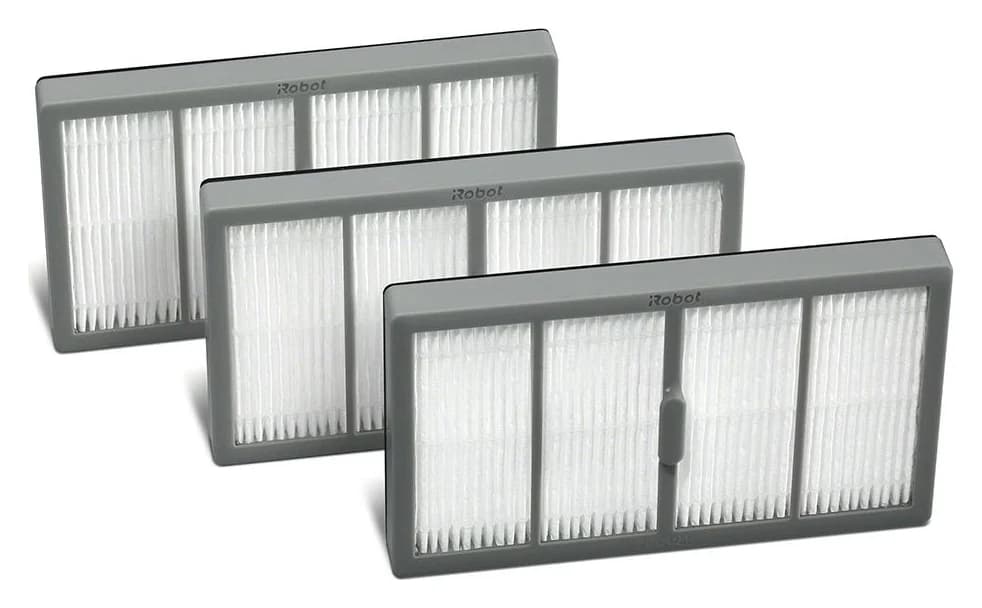
- Three AeroForce high-efficiency filters; compatible with 800 and 900 Series robots only
Combo j7, j7+, j9+ or 10 Max
- What the official listing establishes
- Named Combo j7/j7+/j9+/10 Max; excludes Combo Essential, Combo j5+ and the vacuum-only j7+/j9+ models
s Series robot vacuums
- What the official listing establishes
- Three filters for s Series robot vacuums only; keep the s-series part code
105 Vac + AutoEmpty Dock
- What the official listing establishes
- Explicit 105 Vac docked and robot-only matches; also lists 105 Combo
Plus 515 Combo or Plus 575 Combo + AutoWash Dock
- What the official listing establishes
- Plus 415, 515 and 575 Combo
Max 705 Vac + AutoEmpty Dock
- What the official listing establishes
- Max 705 Vac and Plus 504 Vac; no Max 715 promise on this listing
Max 715 Vac + AutoEmpty Dock
- What the official listing establishes
- Explicit Max 715 Vac, Max 705 Vac and Plus 504 Vac matches
Max 775 Combo + AutoWash Dock
- What the official listing establishes
- Max 775 Combo and the other named Max Combo models; do not transfer to Vac models
Full comparison table
Swipe to compare. Row labels stay visible.
| Your exact Roomba | Model | What the official listing establishes |
|---|---|---|
| e, i or j Series, including i7; Combo i5/j5 Series | iRobot 4639161 high-efficiency filters | Named legacy families; explicitly excludes Combo j7+ and Combo j9+ |
| Legacy 800 or 900 Series | iRobot 4636433 AeroForce filters | Three AeroForce high-efficiency filters; compatible with 800 and 900 Series robots only |
| Combo j7, j7+, j9+ or 10 Max | iRobot 4785883 high-efficiency filters | Named Combo j7/j7+/j9+/10 Max; excludes Combo Essential, Combo j5+ and the vacuum-only j7+/j9+ models |
| s Series robot vacuums | iRobot 4643682 high-efficiency filters | Three filters for s Series robot vacuums only; keep the s-series part code |
| 105 Vac + AutoEmpty Dock | iRobot 4837321 filters | Explicit 105 Vac docked and robot-only matches; also lists 105 Combo |
| Plus 515 Combo or Plus 575 Combo + AutoWash Dock | iRobot 4860487 filters | Plus 415, 515 and 575 Combo |
| Max 705 Vac + AutoEmpty Dock | iRobot 4849904 standard filters | Max 705 Vac and Plus 504 Vac; no Max 715 promise on this listing |
| Max 715 Vac + AutoEmpty Dock | iRobot 4866448 carbon filters | Explicit Max 715 Vac, Max 705 Vac and Plus 504 Vac matches |
| Max 775 Combo + AutoWash Dock | iRobot 4862708 carbon filters | Max 775 Combo and the other named Max Combo models; do not transfer to Vac models |
Scroll horizontally to see every column
| Your exact Roomba | Model | What the official listing establishes |
|---|---|---|
| e, i or j Series, including i7; Combo i5/j5 Series | iRobot 4639161 high-efficiency filters | Named legacy families; explicitly excludes Combo j7+ and Combo j9+ |
| Legacy 800 or 900 Series | iRobot 4636433 AeroForce filters | Three AeroForce high-efficiency filters; compatible with 800 and 900 Series robots only |
| Combo j7, j7+, j9+ or 10 Max | iRobot 4785883 high-efficiency filters | Named Combo j7/j7+/j9+/10 Max; excludes Combo Essential, Combo j5+ and the vacuum-only j7+/j9+ models |
| s Series robot vacuums | iRobot 4643682 high-efficiency filters | Three filters for s Series robot vacuums only; keep the s-series part code |
| 105 Vac + AutoEmpty Dock | iRobot 4837321 filters | Explicit 105 Vac docked and robot-only matches; also lists 105 Combo |
| Plus 515 Combo or Plus 575 Combo + AutoWash Dock | iRobot 4860487 filters | Plus 415, 515 and 575 Combo |
| Max 705 Vac + AutoEmpty Dock | iRobot 4849904 standard filters | Max 705 Vac and Plus 504 Vac; no Max 715 promise on this listing |
| Max 715 Vac + AutoEmpty Dock | iRobot 4866448 carbon filters | Explicit Max 715 Vac, Max 705 Vac and Plus 504 Vac matches |
| Max 775 Combo + AutoWash Dock | iRobot 4862708 carbon filters | Max 775 Combo and the other named Max Combo models; do not transfer to Vac models |
For an s-series robot, the 4643682 pack's care instructions add two checks: the filter door will not close unless the filter is correctly reinserted, and the filter must be removed before washing the bin — the filter itself is never washed.
For Combo j7, j7+, j9+ and 10 Max owners, 4785883 is the documented pack; keep "Combo" in your shopping search and re-check it at checkout, because the vacuum-only j7+/j9+ models sit on a different filter route.
These picks establish fit; their order does not rank performance.
Find the full model and existing part identifier
iRobot's model-location instructions place the model number near the left wheel on the robot's underside. Copy it before shopping, preserving Vac, Combo, Plus and Max wherever present. Keep any identifier from the existing filter or its original packaging alongside it; if none is readable, use documented robot compatibility rather than guessing a part number.
Read the robot label
Write down the complete model, preserving Vac or Combo and the generation.
Record the accessory identifier
Copy any old filter or packaging identifier; otherwise use the official compatible-model list.
Require a documented match
Select the named pack below, or stop at the no-confirmed-match route.
For complete robots, see our Max 705 versus Max 715 guide.
Legacy e/i/j pick: iRobot 4639161 high-efficiency filters
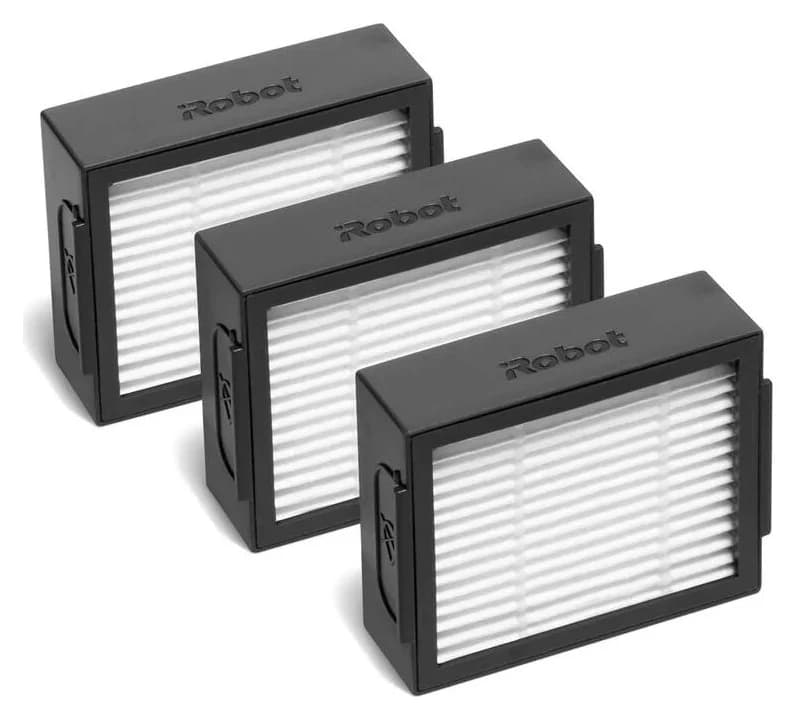
Choose 4639161 for the listed Roomba e, i and j Series and Roomba Combo i5/j5 Series. It supplies three high-efficiency filters. For an i7 owner who only needs filters, this is our starting recommendation.
Keep the Combo distinction: iRobot explicitly excludes Combo j7+ and Combo j9+. Its parts support chart also distinguishes the Combo j7+/j9+/10 Max filter from the legacy e/i/j type. The legacy listing provides no fit confirmation for the newer models in our table.
- Yes: 4639161: listed e, i and j Series; Combo i5/j5 Series
- No: 4639161: explicitly excludes Combo j7+ and Combo j9+
- Partly: 4639161: no confirmed 105, Plus or Max fit from this listing
Check the 4639161 pack at iRobot.
Roomba 105 pick: iRobot 4837321 filters
4837321 is the three-filter pack with an explicit 105 Vac Robot + AutoEmpty Dock match. Its list also includes the standalone 105 Vac, 105 Combo with or without the dock, and named Essential models. Do not extend that list to Plus or Max models.
For a 105 maintenance purchase, the separate 4849966 kit lists the 105 Vac too. Do not extend a kit's compatibility merely because another robot shares its filter pack.
Check the 4837321 pack at iRobot.
Plus 515/575 Combo pick: iRobot 4860487 filters
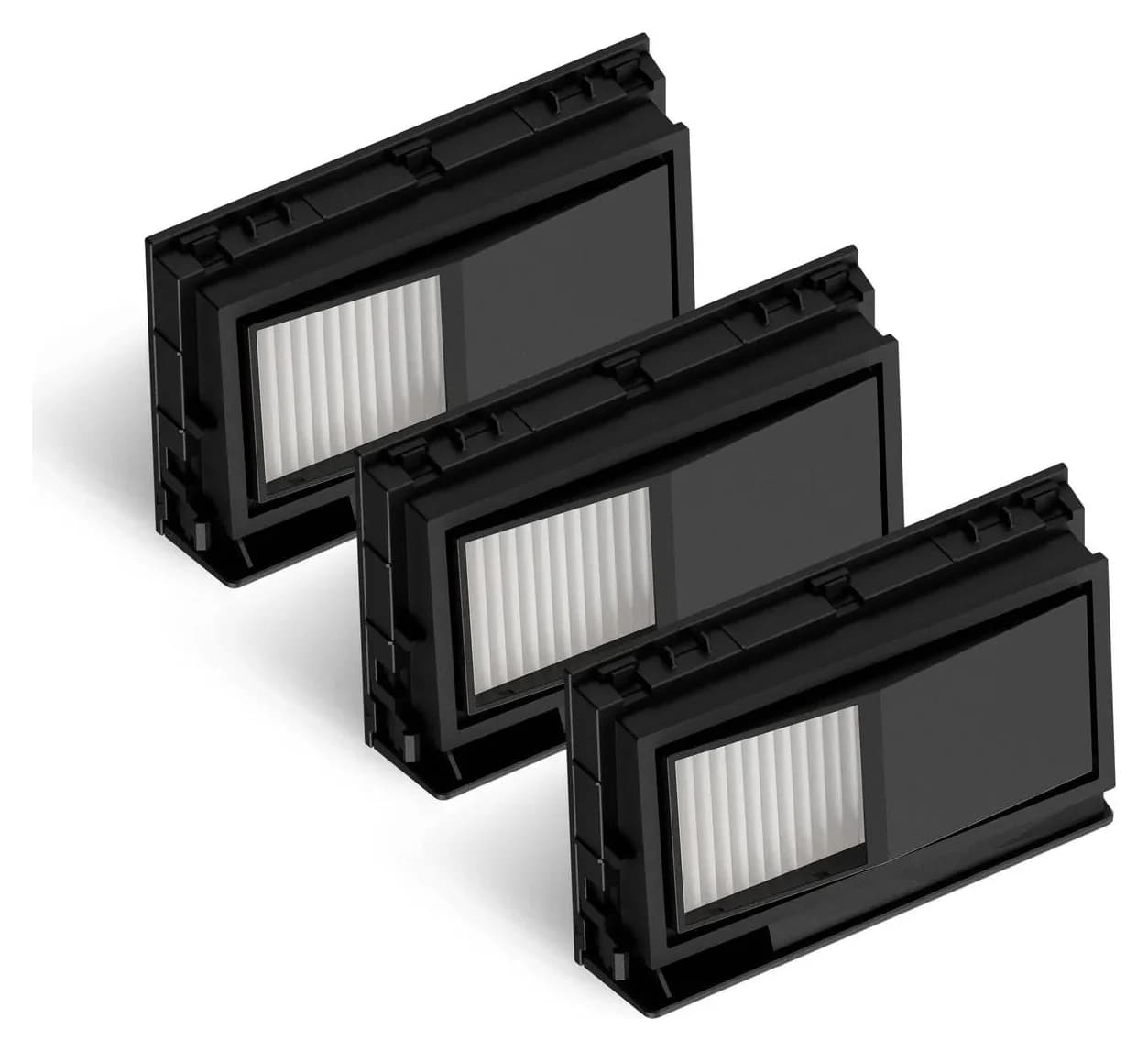
Choose 4860487, three filters explicitly listed for Plus 415, 515 and 575 Combo robots with AutoWash docks. Match the named models.
The separate 4867018 carbon three-pack also lists Plus 515/575. The captured listing marks it unavailable; check its current status. Do not assume a kit contains carbon filters.
Check the 4860487 pack at iRobot. For pads, use our separate Roomba replacement mop-pad guide.
Max 705 Vac pick: iRobot 4849904 standard filters
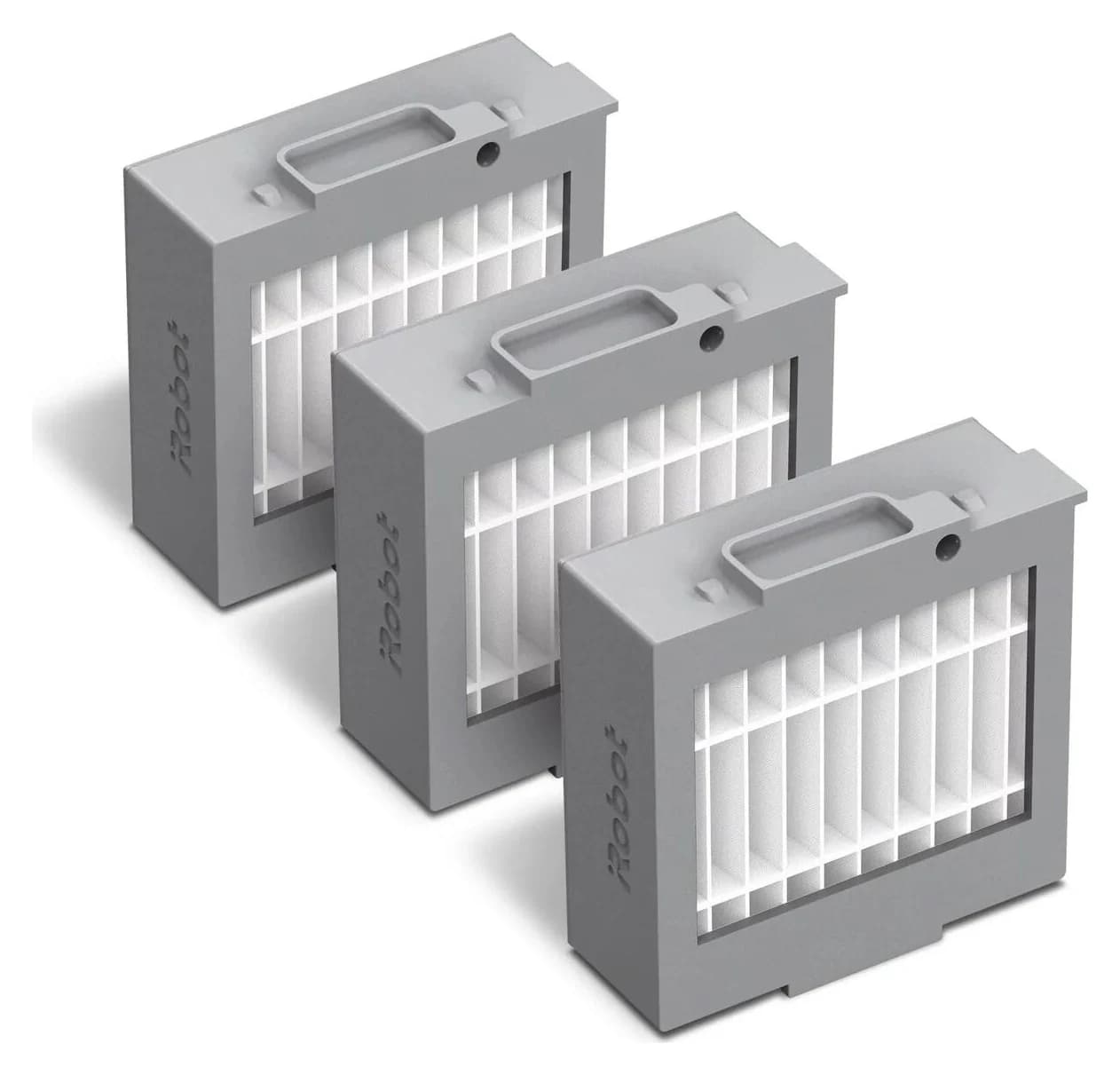
The 4849904 pack contains three filters and names Max 705 Vac + AutoEmpty Dock and Plus 504 Vac + AutoEmpty Dock. Keep “Vac” in the match: this listing does not establish compatibility with Max 705 Combo.
The 4866448 carbon pack is another documented Max 705 Vac option, shared with Max 715 Vac. iRobot describes that filter as catching particles and trapping odors; we have no comparative performance result that makes it a better choice for everyone. Choose the filter type deliberately.
For a Max 705 Combo or Max 707 Combo, stop at the separate 4849940 pack: it contains three filters and names the Max 705 Combo and Max 707 Combo with AutoWash Dock, while this Vac-only 4849904 listing does not. Do not drop "Vac" or "Combo" when matching the model.
Check the 4849904 pack at iRobot.
Max 715 Vac pick: iRobot 4866448 carbon filters
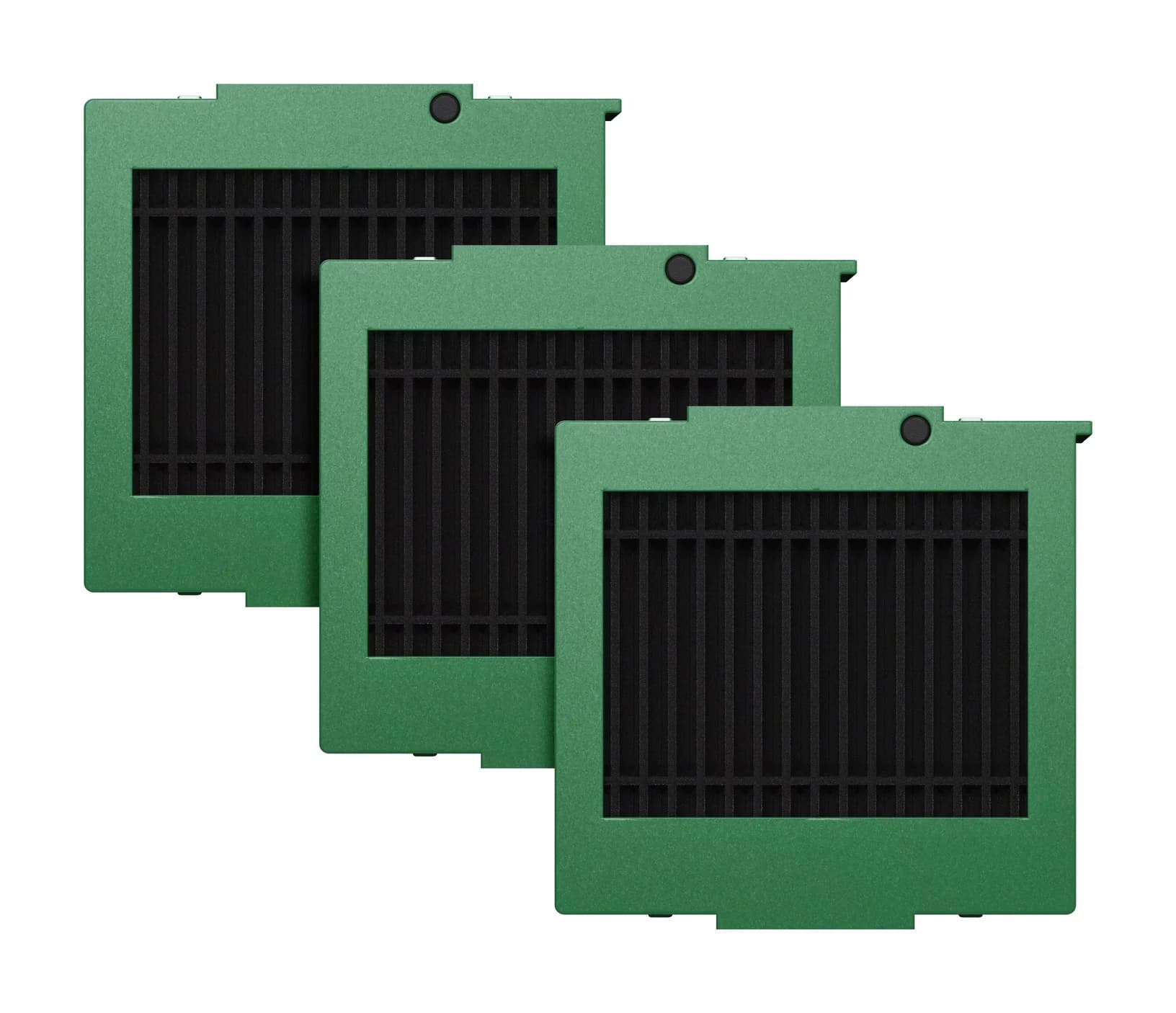
4866448 supplies three carbon filters and explicitly names Max 715 Vac + AutoEmpty Dock. That makes it the confirmed filter-only route here. The standard 4849904 page omits the 715, leaving its fit unconfirmed.
We withhold the 4866446 replenishment kit: its title says Max 715 Vac, but its compatibility entry says 715 Combo Robot Vacuum & Mop + AutoEmpty Dock. Ask iRobot to resolve the conflict before buying the kit.
Check the 4866448 pack at iRobot.
Max 775 Combo pick: iRobot 4862708 carbon filters
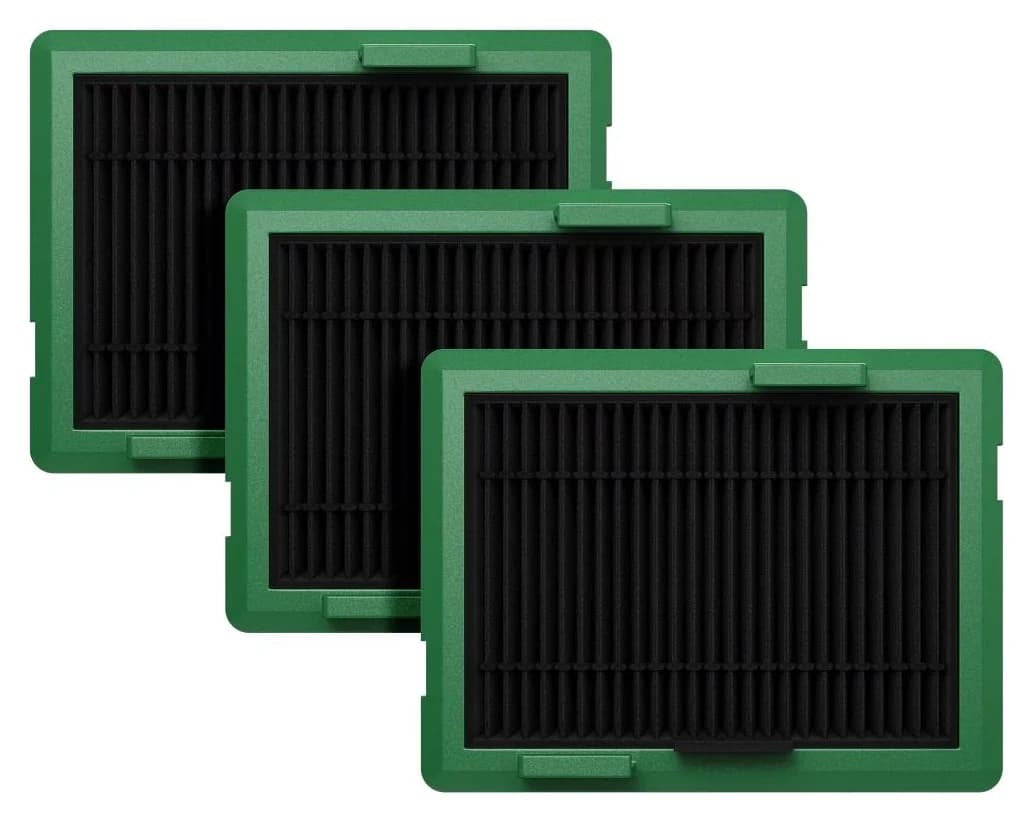
Choose 4862708, a three-carbon-filter pack explicitly listing Max 775 Combo + AutoWash Dock. Its other named matches include Max 705 and 707 Combo, plus 776, 777 and 778 Combo. That Combo list supplies no Vac-model fit promise.
Withhold the 4862706 kit until its contents are clarified. Its specifications list one Multi-Surface Bristle Brush, while its details list two Dual Multi-Surface Rubber Brushes. Both sections list three filters and three edge-sweeping brushes. We recommend the documented filter-only pack until iRobot clarifies the kit's conflicting brush contents.
Check the 4862708 pack at iRobot.
Filter packs versus correctly itemized maintenance kits
Buy a kit when its brushes also need replacing. These official listings agree on the contents below; the quantities describe each complete kit.
Legacy e/i/j and Combo i5/j5
- Genuine kit
- 4757964
- Filters included
- 3 high-efficiency filters
- Other included parts
- 3 edge-sweeping brushes; 1 set of Dual Multi-Surface Rubber Brushes
105 Vac/Combo, including AutoEmpty versions
- Genuine kit
- 4849966
- Filters included
- 3 filters
- Other included parts
- 3 edge-sweeping brushes; 1 Multi-Surface Bristle Brush
Plus 415/515/575 Combo
- Genuine kit
- 4860682
- Filters included
- 3 filters
- Other included parts
- 3 edge-sweeping brushes; 1 Multi-Surface Bristle Brush
Max 705 Vac / Plus 504 Vac
- Genuine kit
- 4849964
- Filters included
- 3 filters
- Other included parts
- 3 edge-sweeping brushes; 2 Dual Multi-Surface Rubber Brushes
Legacy 600 Series
- Genuine kit
- 4636432
- Filters included
- 3 AeroVac filters
- Other included parts
- 1 Edge-Sweeping Side Brush; 1 bristle brush and beater brush; 1 round cleaning tool. Side brush requires module 4420155
Full comparison table
Swipe to compare. Row labels stay visible.
| Matched robot family | Genuine kit | Filters included | Other included parts |
|---|---|---|---|
| Legacy e/i/j and Combo i5/j5 | 4757964 | 3 high-efficiency filters | 3 edge-sweeping brushes; 1 set of Dual Multi-Surface Rubber Brushes |
| 105 Vac/Combo, including AutoEmpty versions | 4849966 | 3 filters | 3 edge-sweeping brushes; 1 Multi-Surface Bristle Brush |
| Plus 415/515/575 Combo | 4860682 | 3 filters | 3 edge-sweeping brushes; 1 Multi-Surface Bristle Brush |
| Max 705 Vac / Plus 504 Vac | 4849964 | 3 filters | 3 edge-sweeping brushes; 2 Dual Multi-Surface Rubber Brushes |
| Legacy 600 Series | 4636432 | 3 AeroVac filters | 1 Edge-Sweeping Side Brush; 1 bristle brush and beater brush; 1 round cleaning tool. Side brush requires module 4420155 |
Scroll horizontally to see every column
| Matched robot family | Genuine kit | Filters included | Other included parts |
|---|---|---|---|
| Legacy e/i/j and Combo i5/j5 | 4757964 | 3 high-efficiency filters | 3 edge-sweeping brushes; 1 set of Dual Multi-Surface Rubber Brushes |
| 105 Vac/Combo, including AutoEmpty versions | 4849966 | 3 filters | 3 edge-sweeping brushes; 1 Multi-Surface Bristle Brush |
| Plus 415/515/575 Combo | 4860682 | 3 filters | 3 edge-sweeping brushes; 1 Multi-Surface Bristle Brush |
| Max 705 Vac / Plus 504 Vac | 4849964 | 3 filters | 3 edge-sweeping brushes; 2 Dual Multi-Surface Rubber Brushes |
| Legacy 600 Series | 4636432 | 3 AeroVac filters | 1 Edge-Sweeping Side Brush; 1 bristle brush and beater brush; 1 round cleaning tool. Side brush requires module 4420155 |
The legacy 600-series kit has one conditional fit: its side brush is specified for side-brush module 4420155. Check your robot's module before buying the kit; if you need filters only, fall back to the 600-series filter-only pack rather than paying for brushes you cannot use.
If you need filters alone, choose the matched standalone pack. For your own cost-per-filter comparison, divide the current total for a compatible standalone pack by three, including delivery and tax consistently. For kits, compare the extra total with the brushes you actually need; counting every component as a filter produces a misleading comparison.
How to replace a Roomba filter and check washability
For the i7, press the bin-release button, remove and empty the bin, then pull the filter out by its ends. Tap debris into a trash container and fit the replacement with the ridged grips facing out. Reinstall the bin. iRobot says the robot will not run with an incorrectly installed filter; do not wash the filter. See the i7/i8 owner's guide.
For Plus 515/575, lift the top cover, release and lift out the bin, remove the filter cartridge and its cover, then tap away debris or use a clean cloth. Refit the cartridge cover, cartridge, bin and robot cover. The model-specific instructions explicitly prohibit washing the filter.
i7/i8
- Care and replacement guidance
- Clean weekly, twice weekly with a pet; replace every 2 months; do not wash
105
- Care and replacement guidance
- Manual: brush the filter and wipe the bin; do not rinse or soak the bin. Clean weekly, twice weekly with a pet; replace every 3–6 months
Max 705 Vac
- Care and replacement guidance
- Brush debris from the filter; remove it before washing the bin; do not wash the filter
Max 715 Vac
- Care and replacement guidance
- Tap the cartridge or use a clean cloth; do not wash the filter. Clean weekly, twice weekly with a pet; replace every 3–6 months
Max 775 Combo
- Care and replacement guidance
- Keep the filter dry; only its removable filter screen may be washed, then dried completely before reattachment
Full comparison table
Swipe to compare. Row labels stay visible.
| Model | Care and replacement guidance |
|---|---|
| i7/i8 | Clean weekly, twice weekly with a pet; replace every 2 months; do not wash |
| 105 | Manual: brush the filter and wipe the bin; do not rinse or soak the bin. Clean weekly, twice weekly with a pet; replace every 3–6 months |
| Max 705 Vac | Brush debris from the filter; remove it before washing the bin; do not wash the filter |
| Max 715 Vac | Tap the cartridge or use a clean cloth; do not wash the filter. Clean weekly, twice weekly with a pet; replace every 3–6 months |
| Max 775 Combo | Keep the filter dry; only its removable filter screen may be washed, then dried completely before reattachment |
Scroll horizontally to see every column
| Model | Care and replacement guidance |
|---|---|
| i7/i8 | Clean weekly, twice weekly with a pet; replace every 2 months; do not wash |
| 105 | Manual: brush the filter and wipe the bin; do not rinse or soak the bin. Clean weekly, twice weekly with a pet; replace every 3–6 months |
| Max 705 Vac | Brush debris from the filter; remove it before washing the bin; do not wash the filter |
| Max 715 Vac | Tap the cartridge or use a clean cloth; do not wash the filter. Clean weekly, twice weekly with a pet; replace every 3–6 months |
| Max 775 Combo | Keep the filter dry; only its removable filter screen may be washed, then dried completely before reattachment |
105 documentation conflict: the support article says not to rinse the bin, then later instructs rinsing it. The 105 AutoEmpty manual specifies dry brush-and-cloth care and no bin rinsing. Use that dry procedure while seeking clarification. The 105 and 715 manuals say replacement frequency varies and visible wear calls for replacement; do not turn pack size into a guaranteed maintenance duration.
No confirmed match: stop before checkout
If your complete model is absent, do not default to 4639161. Our table is a shortlist, not an exhaustive Roomba parts catalog. Use iRobot's bin-and-filter support route with your full model and any existing accessory identifier. For support, iRobot asks for the charged robot and its serial number. Request the exact replacement part and its care instructions before ordering.
How we choose
We compare official US accessory listings, compatible-model lists, package contents and model-specific care instructions. A family name or similar appearance cannot substitute for a documented match. Conflicting kit contents and model names stay visible. These are specification-based recommendations; we have not evaluated filtration or pickup in a lab. Commissions do not decide the picks (disclosure).
Verdict
Buy the filter pack whose official list names your robot. 4639161 is the legacy i7 route; the table gives separate confirmed parts for the cataloged newer models. Choose an itemized kit only when you also need its brushes, and keep an unresolved match unresolved until iRobot identifies the part.
Frequently asked questions
Which replacement filter fits the Roomba i7?
Choose genuine iRobot part 4639161, the three-pack whose compatibility wording covers Roomba e, i and j Series, plus Combo i5 and j5 Series. The i7 belongs on that legacy route. Keep the complete robot name: the listing explicitly excludes Combo j7+ and Combo j9+, so a j7 vacuum and a Combo j7+ must not be treated as the same filter purchase.
Can you wash a Roomba filter?
Use the instructions for your exact model. iRobot says e/i/j filters must not contact liquid; the Plus 515/575 instructions and Max 715 manual also prohibit washing the filter. The Max 775 manual distinguishes its washable removable screen from the filter itself. For the 105, use the manual's brush-and-cloth procedure; its support page contains conflicting bin-rinsing directions. Do not transfer an Essential model's care instructions just because an accessory listing is shared.
How often should I replace my Roomba filter?
The i7/i8 manual specifies replacement every two months and cleaning weekly, or twice weekly with a pet. The 105 and Max 715 manuals instead specify replacement every three to six months, with the same weekly or twice-weekly cleaning schedule. Those newer manuals say replacement frequency can vary and visible wear calls for replacement. Follow the manual for your robot rather than applying one interval to every Roomba.
Does the Max 705 Vac filter fit the Max 715 Vac?
Part 4866448, the carbon three-pack, explicitly lists both Max 705 Vac and Max 715 Vac. The standard 4849904 listing names Max 705 Vac and Plus 504 Vac without naming Max 715 Vac. That leaves the standard pack unconfirmed for the 715 in this guide. Shared compatibility for the carbon pack does not establish that every filter or maintenance kit is interchangeable.
Is a Roomba maintenance kit better than a filter pack?
Choose a kit when you need its specific brushes as well as filters. The documented legacy, 105, Plus 515/575 and Max 705 Vac kits each include three filters, but their brush contents differ. Compare the full itemized contents with what you will actually replace. We withhold the Max 715 and Max 775 kits because their official pages contain model-name or brush-content conflicts.
What if my Roomba model is missing from the filter table?
Treat it as no confirmed match here. Copy the complete robot model, its serial number and any identifier on the existing filter or packaging, then ask iRobot to identify the replacement part and care instructions. iRobot's bin-and-filter support page provides a support route and asks you to have the charged robot and serial number ready. Do not substitute a similar-looking filter or buy a different robot to solve an unidentified part.
iRobot 4639161 high-efficiency filters
Related guides
Buying guide · Bags & Filters
Eufy Robot Vacuum Filters: How to Change and Match the Right Part
Change your eufy robot vacuum filter and choose the correct replacement. Compare 11S MAX, original 11S, G30 revisions and X10 Pro Omni filter packs and kits.
Buying guide · Bags & Filters
Roborock QV 35A Dust Bags: The Genuine Pack and Dock Check
Find the genuine Roborock QV 35A dust bag pack, check robot and dock labels, avoid the similar Q5 bags, and follow the official replacement and fault checks.
Buying guide · Bags & Filters
Roborock Replacement Dust Bags: Match Robot and Dock First
Find the right Roborock replacement dust bags by robot and dock. Compare genuine six-packs, check Qrevo and Pure variants, and avoid ordering an unverified fit.