

Buying guide
Roborock Saros Z70 Dust Bags
Match the Dock and Pack
Match Roborock Saros Z70 dust bags to the US dock, find the genuine six-pack, compare kit variants, and follow the official replacement steps without guessing.
By thisSWEEP EditorialUpdated November 6, 20267 min read1 pick
On this page · The short answer
The short answer
Roborock Dust Bag (6 Pieces)
- Check
- Its limitation is the scope of that evidence: the US accessory description does not provide collar dimensions or a dock-by-dock revision chart.
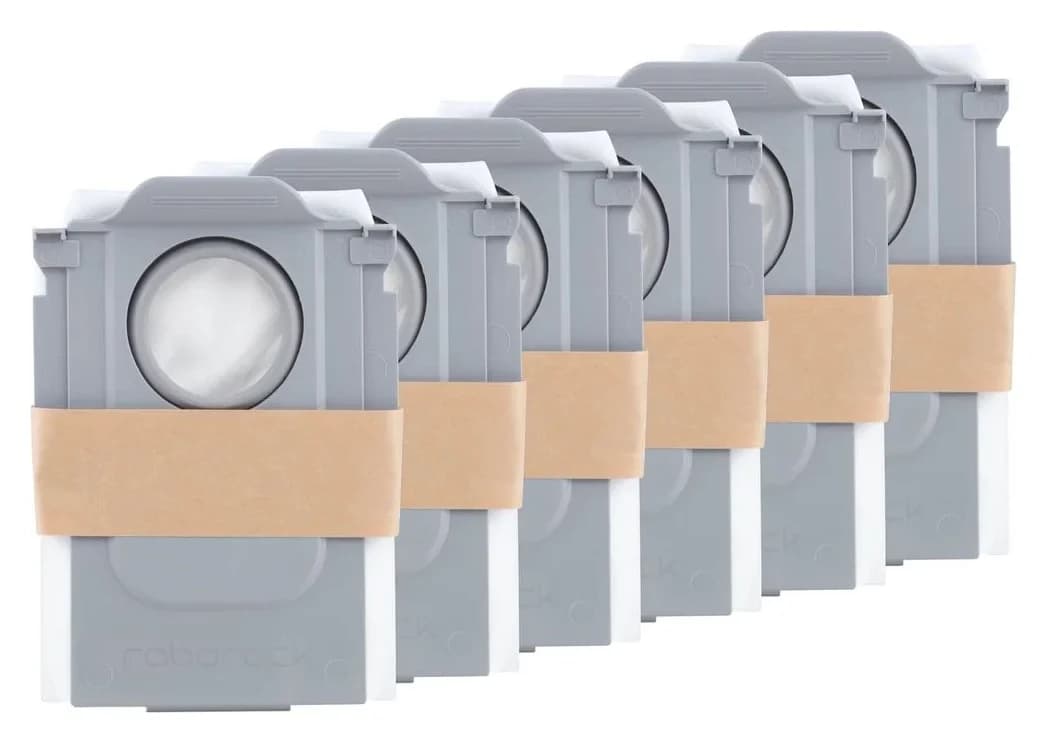
For the standard US Roborock Saros Z70 tank dock, our pick is Roborock's genuine six-bag pack, RR-CDYCX0-QRevo-06, after matching your station label to EWFD28LRR. The Z70's US product page offers this exact replacement accessory. If your dock has a different code, get Roborock to confirm its bag before ordering.
Quick picks
- Buying bags for the documented US Z70 dock: choose the genuine Roborock six-pack, Roborock Dust Bag (6 Pieces) (RR-CDYCX0-QRevo-06).
- Searching for Roborock Qrevo Curv dust bags: the original Qrevo Curv US page offers that same pack. Keep the SKU when comparing product names.
- Different dock label, imported bundle or refill-and-drainage station: hold the purchase until the exact station has a confirmed match. The regional dock differences below explain why.
Best for the standard US dock: Roborock Dust Bag (6 Pieces) RR-CDYCX0-QRevo-06
Buy this pack when your US Z70 station matches the documented EWFD28LRR dock. It contains six dust bags, with the official SKU RR-CDYCX0-QRevo-06 in Roborock's US accessory-page product data.
The useful compatibility evidence comes from the Z70 page's own replacement-parts selection: it includes this bag product, and its accessory data identifies the same SKU. The accessory page itself uses broader wording covering Qrevo, Qrevo Curv, Qrevo Edge, Saros and other named series. The exact Z70 connection strengthens that family description into a model-specific buying route.
This is our pick because it combines a maker-supplied accessory connection, a traceable product code and a clear bag count. Its limitation is the scope of that evidence: the US accessory description does not provide collar dimensions or a dock-by-dock revision chart. We therefore recommend it for the documented US bundle and leave other station codes for confirmation.
Check the six-pack at Roborock. For other Roborock stations, start with our replacement dust-bag selector.
Match the robot and dock labels
The Z70 FCC manual identifies the robot as RRE0R50 and the Empty Wash Fill Dock as EWFD28LRR. Its dock specification is 120 V, 60 Hz. Roborock's US sales page calls the station Multi-functional Dock 4.0; use the model code as well as that marketing name.
Photograph the robot label, dock data plate and any bag-package identifier you still have. Keep the complete codes, including their suffixes, in a support request. A replacement station deserves the same check even if the robot has stayed the same.
The distinction matters here: Roborock's refill-and-drainage Z70 manual also identifies robot RRE0R50, but its dock parameter table names EWFD29HRR, rated 220–240 V. Its safety wording names EWFD28HRR or EWFD29HRR. These documents cover different station variants; the shared robot code does not settle their bag match. This guide leaves those docks unconfirmed rather than declaring them incompatible.
Check the collar before fitting
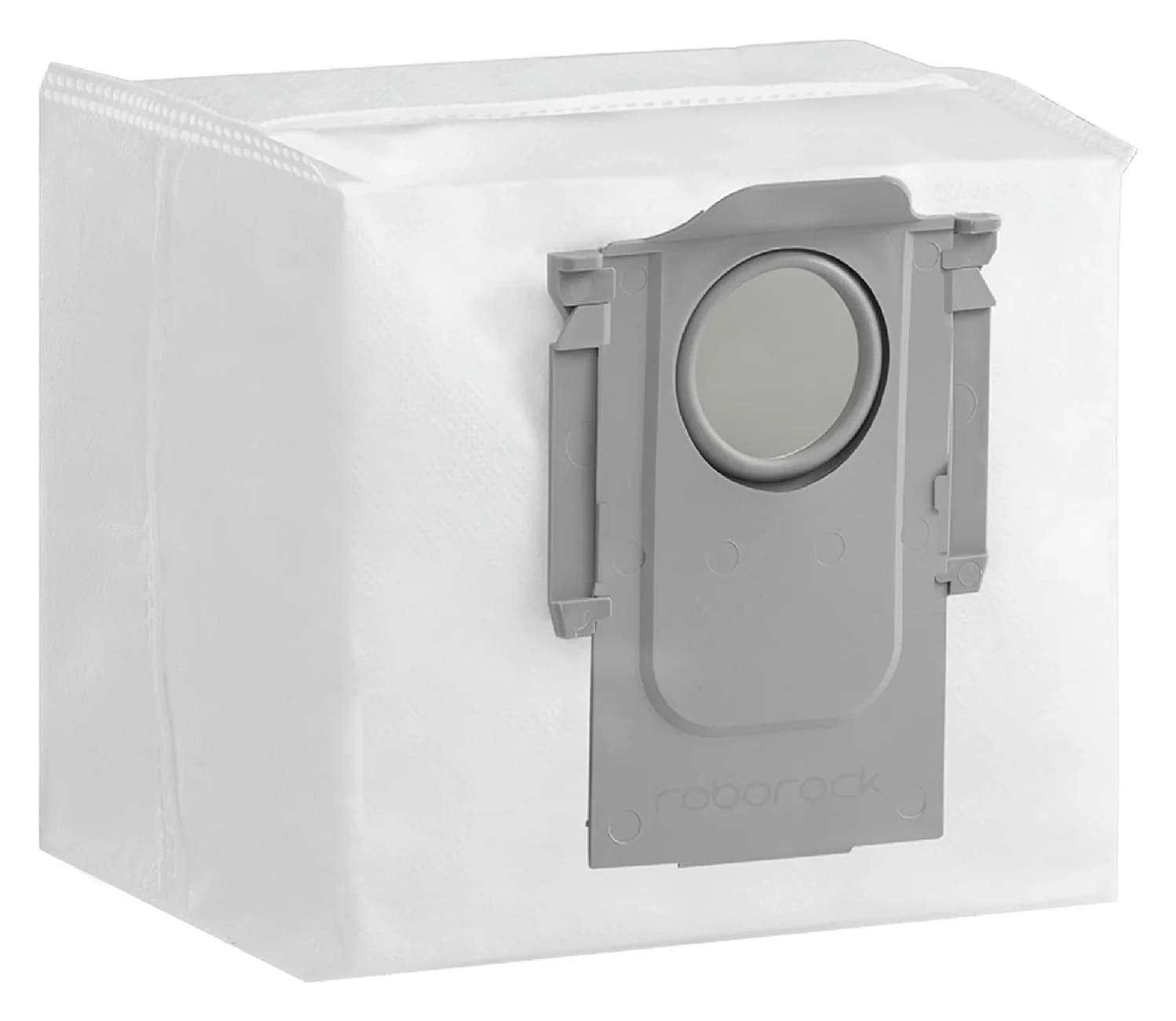
Use the old bag as a visual reference for the sliding collar, inlet opening and pull handle. Compare them with the maker's product photographs, then follow the manual's requirement to insert the replacement fully into the slot. Treat the photograph comparison as an extra check, not a substitute for documented compatibility.
If the collar will not seat normally, stop and send the bag and dock details to Roborock. The manual warns that an improperly installed bag can let waste escape and damage the dock. Do not trim the collar or improvise a seal to make an unconfirmed bag fit.
- Yes: Documented US route: RRE0R50 robot with EWFD28LRR dock
- Yes: Genuine replacement identifier: RR-CDYCX0-QRevo-06
- Partly: EWFD28HRR, EWFD29HRR or another dock code: confirm separately
- No: A similar photograph alone: insufficient reason to order
Compare the pack with the look-alikes
The products below solve different maintenance jobs. Only the US bag pack is our bag purchase recommendation for the documented US dock.
Roborock Dust Bag (6 Pieces) RR-CDYCX0-QRevo-06
- Published contents
- 6 dust bags
- Compatibility evidence
- Offered with the US Saros Z70 and original Qrevo Curv
- Buying decision
- Our bag-only pick after the dock-label check
Roborock UK Saros Z70 accessory pack
- Published contents
- 4 dust bags, 2 side brushes, 2 filters
- Compatibility evidence
- UK package explicitly names Saros Z70
- Buying decision
- Regional maintenance-kit reference; confirm your market before ordering
Roborock RR-LW0-QRevoMaster-01
- Published contents
- 2 washable filters
- Compatibility evidence
- US title names Qrevo Master, Qrevo Slim and Saros Z70
- Buying decision
- Robot-filter purchase; does not supply dock bags
Roborock six-pack sold for S7 MaxV Ultra / Q5-family docks
- Published contents
- 6 dust bags
- Compatibility evidence
- Its US fit list names those and other older dock families, without Z70
- Buying decision
- Leave out of this Z70 shortlist
Full comparison table
Swipe to compare. Row labels stay visible.
| Product or package | Published contents | Compatibility evidence | Buying decision |
|---|---|---|---|
| Roborock Dust Bag (6 Pieces) (RR-CDYCX0-QRevo-06) | 6 dust bags | Offered with the US Saros Z70 and original Qrevo Curv | Our bag-only pick after the dock-label check |
| Roborock UK Saros Z70 accessory pack | 4 dust bags, 2 side brushes, 2 filters | UK package explicitly names Saros Z70 | Regional maintenance-kit reference; confirm your market before ordering |
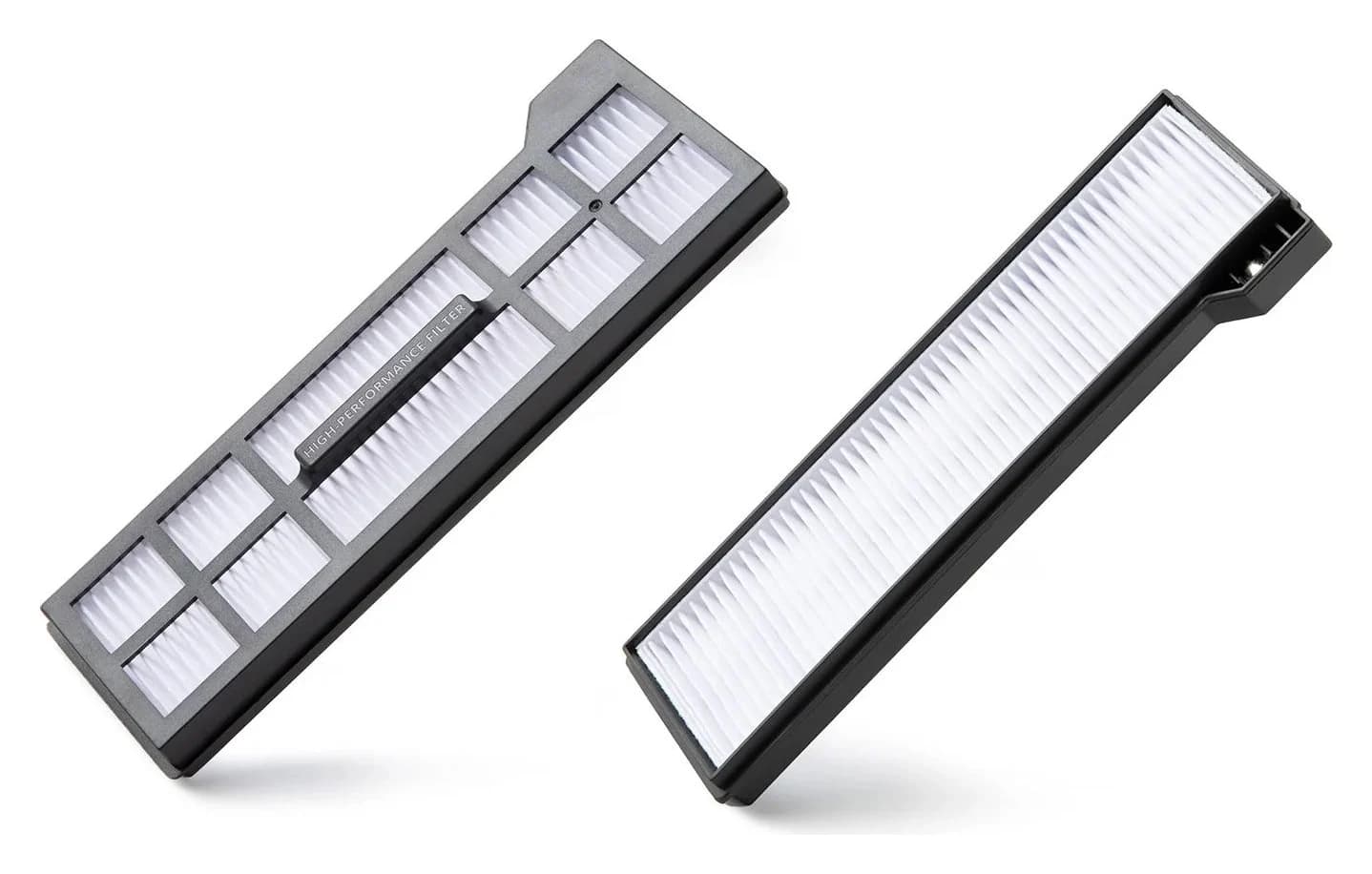
| Roborock RR-LW0-QRevoMaster-01 | 2 washable filters | US title names Qrevo Master, Qrevo Slim and Saros Z70 | Robot-filter purchase; does not supply dock bags |
| Roborock six-pack sold for S7 MaxV Ultra / Q5-family docks | 6 dust bags | Its US fit list names those and other older dock families, without Z70 | Leave out of this Z70 shortlist |
Scroll horizontally to see every column
| Product or package | Published contents | Compatibility evidence | Buying decision |
|---|---|---|---|
| Roborock Dust Bag (6 Pieces) (RR-CDYCX0-QRevo-06) | 6 dust bags | Offered with the US Saros Z70 and original Qrevo Curv | Our bag-only pick after the dock-label check |
| Roborock UK Saros Z70 accessory pack | 4 dust bags, 2 side brushes, 2 filters | UK package explicitly names Saros Z70 | Regional maintenance-kit reference; confirm your market before ordering |
| Roborock RR-LW0-QRevoMaster-01 | 2 washable filters | US title names Qrevo Master, Qrevo Slim and Saros Z70 | Robot-filter purchase; does not supply dock bags |
| Roborock six-pack sold for S7 MaxV Ultra / Q5-family docks | 6 dust bags | Its US fit list names those and other older dock families, without Z70 | Leave out of this Z70 shortlist |
Sources: US bags, Z70 accessories, Qrevo Curv accessories, UK kit, Z70 robot filters, other dock-bag pack.
Bag, filter or FreeFlow brush?
The Z70 manual places the disposable bag in the dock and the washable filter in the robot's dustbin. Roborock separately names the Z70's FreeFlow main brush on its global model page. Choose the component you are replacing before comparing pack quantities.
The cataloged Saros 10R filter pack is another distinct product; its current title does not name Z70. Keep it out of a Z70 bag order. If you need the roller instead, use our Z70 FreeFlow brush guide for that separate decision.
Genuine kits and third-party compatible offers
The UK Z70 kit illustrates why a maintenance kit needs its own comparison: its title specifies four bags, two side brushes and two filters. Count bags separately from the other parts, and only assign value to components you need and have matched. A regional kit title does not establish a US shipping offer or cover every dock revision.
For a third-party pack, require the accessory maker's own exact Z70 compatibility statement, an identifiable product code, the applicable station or market, bag quantity and closure description. Ask for a collar photograph or drawing if the connection remains unclear. We have no third-party purchase pick supported by the official evidence used for this guide; keep an unconfirmed offer off your shortlist.
Compare current cost per compatible bag at checkout: divide the total you would actually pay, including delivery and any applicable discount, by the confirmed bag count. Divide the US pack total by six. For a bag-focused comparison with the UK kit, divide by four and assess the other components separately. Record the date of your comparison; do not assign a guaranteed number of months to either pack.
Replace the Z70 dock bag
Follow the FCC manual's maintenance instructions. Before maintenance, retract the robotic arm into its compartment, switch the product off and unplug it, as its safety instructions require.
Support the dust-container cover with both hands when removing it. Pull out and discard the old disposable bag; the manual says its handle seals the bag during removal. Wipe the dock filter with a dry cloth, slide a new bag fully into the slot and spread it evenly. Refit the cover securely so the dust container seals.
Prepare
Retract the arm, switch off and unplug before maintenance.
Remove
Hold the cover with both hands; remove the old bag by its sealing handle and discard it.
Fit
Dry-wipe the dock filter, insert a new bag fully and spread it evenly.
Close
Check bag seating, then refit the dust-container cover securely.
Install the bag before putting the cover back. Auto-emptying can be disabled in the app, but never run an emptying cycle without the bag installed. The manual specifies a new disposable bag; the robot filter's separate rinsing instructions do not authorize washing or reusing the bag.
Replacement timing and failed auto-emptying
The US manual's bag instruction is replace as required. The global Z70 page advertises up to 60 days without manual emptying, with a footnote attributing it to Roborock's internal testing and saying performance varies with the home environment, cleanliness and user habits. Use that as a qualified marketing claim, not a replacement appointment or a guaranteed pack lifespan.
If emptying becomes weak or unusually noisy, the FCC troubleshooting table directs attention to blockages in the filter, air duct, suction inlet, air inlet, dustbin or bag, and to correct main-brush and brush-cover installation. Inspect the listed causes before assuming another pack will solve the problem.
If auto-emptying does not start at all, check the app setting and dust-container cover. The manual also says auto-emptying will not trigger after a return without cleaning, during DND, or when the robot is placed on the dock manually. Those conditions warrant checking settings or starting emptying manually as instructed, rather than immediately replacing the bag.
How we choose
We use Roborock's US product pages, accessory SKU data and model-specific manuals. The exact Z70 accessory connection establishes the bag shortlist; the FCC manual establishes the US dock identity and care procedure. Regional manuals keep variant limits visible. This is a document-based recommendation, with no physical fit or filtration testing. See our disclosure.
Verdict
For a US Z70 with EWFD28LRR, buy the genuine RR-CDYCX0-QRevo-06 six-pack after the label and collar checks. Keep regional kits, robot filters and brush purchases separate. If your station code differs or the collar will not seat, leave it unmatched until Roborock confirms the correct replacement.
Frequently asked questions
Which dust bags fit the Roborock Saros Z70?
Our pick for the documented US tank dock is Roborock's genuine six-bag pack, RR-CDYCX0-QRevo-06. The Z70 US page offers that exact accessory, and the FCC manual identifies its dock as EWFD28LRR. Match your own station label before ordering. If the dock code differs, ask Roborock to confirm the replacement for that station and market.
Do Saros Z70 and Qrevo Curv use the same dust bags?
Roborock's US pages for the Saros Z70 and original Qrevo Curv both offer the same RR-CDYCX0-QRevo-06 six-pack. That supports buying this particular shared pack for the documented bundles. Keep the full product code when comparing listings, and seek a separate match for a differently labeled station or another Curv variant. Shared bag compatibility does not establish shared filters or brushes.
How often should I replace a Saros Z70 dust bag?
The FCC manual says to replace the disposable dust bag as required. Roborock's global Z70 page advertises up to 60 days without manual emptying, with a footnote saying actual performance varies with the home, cleanliness and user habits. Use the manual's condition-based instruction; the advertising claim does not establish a guaranteed replacement interval or pack lifespan.
Can I wash and reuse the Saros Z70 dock bag?
Follow Roborock's disposable-bag procedure: remove and discard the old bag, then install a new one. The washable filter belongs to the robot's dustbin and has separate care instructions. During dock-bag replacement, the manual calls for wiping the dock filter with a dry cloth. Do not transfer the robot filter's rinsing instructions to the bag.
Does the Z70 dust-bag pack include filters and brushes?
The US RR-CDYCX0-QRevo-06 product is sold as six dust bags. Roborock's UK Z70 accessory kit is a different package: four dust bags, two side brushes and two filters. Compare the actual bag count when shopping for bags, and confirm market and component compatibility separately before choosing a maintenance kit.
Roborock Dust Bag (6 Pieces)
Related guides
Buying guide · Bags & Filters
Eufy Robot Vacuum Filters: How to Change and Match the Right Part
Change your eufy robot vacuum filter and choose the correct replacement. Compare 11S MAX, original 11S, G30 revisions and X10 Pro Omni filter packs and kits.
Buying guide · Bags & Filters
Roborock QV 35A Dust Bags: The Genuine Pack and Dock Check
Find the genuine Roborock QV 35A dust bag pack, check robot and dock labels, avoid the similar Q5 bags, and follow the official replacement and fault checks.
Buying guide · Bags & Filters
Roborock Replacement Dust Bags: Match Robot and Dock First
Find the right Roborock replacement dust bags by robot and dock. Compare genuine six-packs, check Qrevo and Pure variants, and avoid ordering an unverified fit.